31
* The printer is in Hex Dump
mode.
* Turn off and on the printer to skip the
dump mode.
7. Maintenance
This session presents the clean tools and methods to maintain your printer.
1. Please use one of following material to clean the printer.
Cotton swab
Lint-free cloth
Vacuum / Blower brush
100% ethanol
2. The cleaning process is described as following,
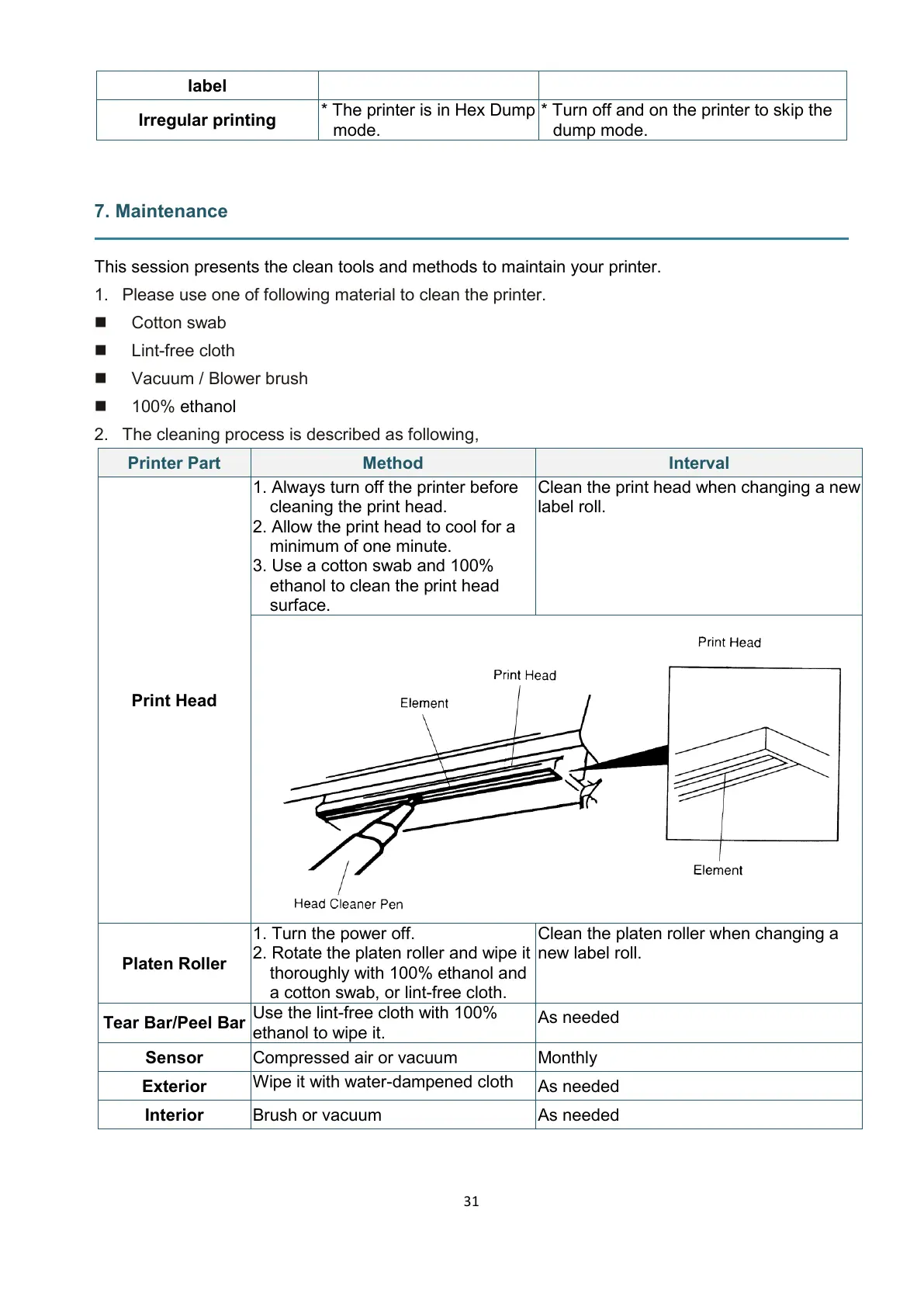
1. Always turn off the printer before
cleaning the print head.
2. Allow the print head to cool for a
minimum of one minute.
3. Use a cotton swab and 100%
ethanol to clean the print head
surface.
Clean the print head when changing a new
label roll.
1. Turn the power off.
2. Rotate the platen roller and wipe it
thoroughly with 100% ethanol and
a cotton swab, or lint-free cloth.
Clean the platen roller when changing a
new label roll.
Use the lint-free cloth with 100%
ethanol to wipe it.
Wipe it with water-dampened cloth


 To Next Page