http://www.TYAN.com
30
2.9 - Installing Add-In Cards
Before installing add-in cards, it’s helpful to know if they are fully compatible
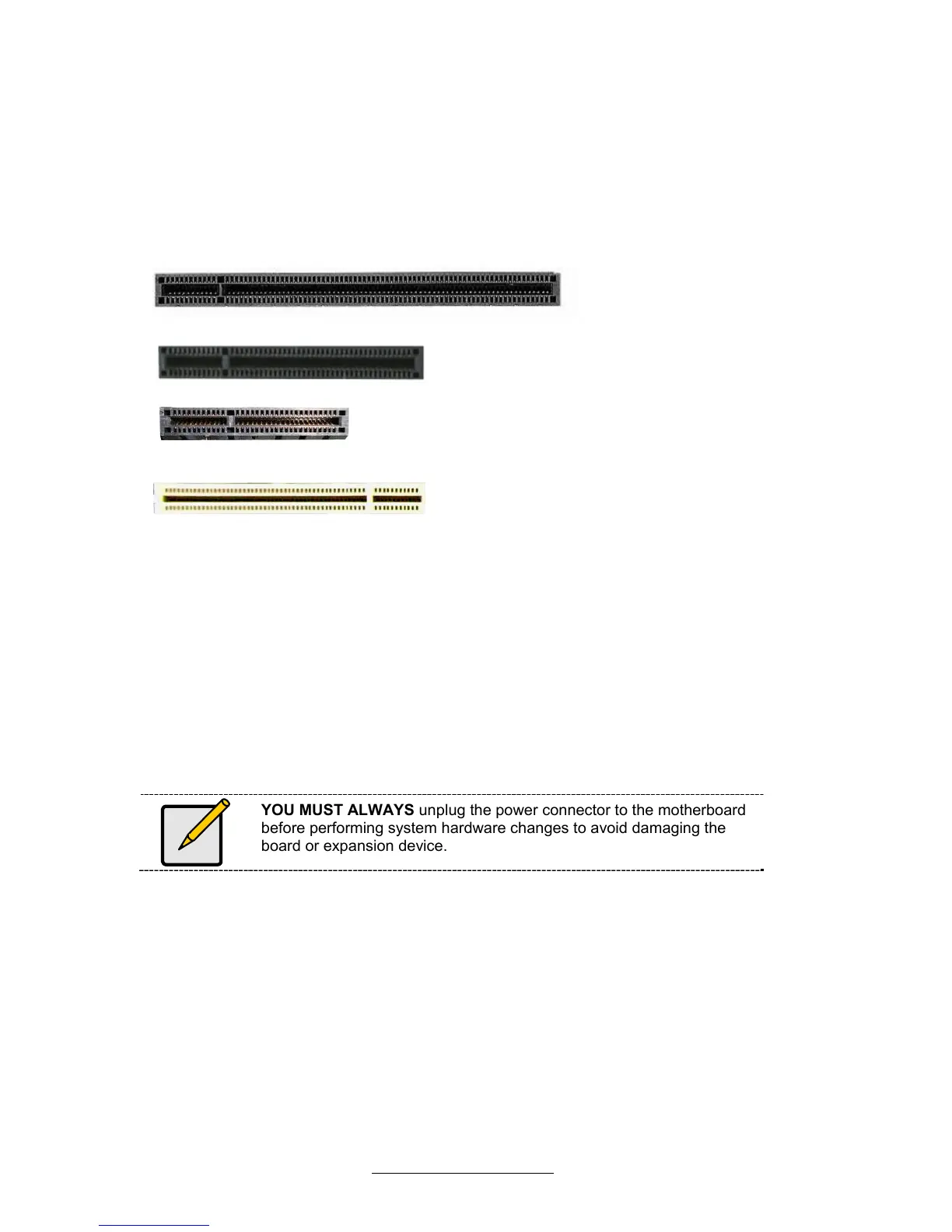
with your motherboard. For this reason, we’ve provided the diagrams below,
showing the slots that may appear on your motherboard.
PCI-E x 16 slot
PCI-E x 8 slot
PCI-E x 4 slot
PCI 32bit slot
Simply find the appropriate slot for your add-in card and insert the card firmly.
Do not force any add-in cards into any slots if they do not seat in place. It is
better to try another slot or return the faulty card rather than damaging both
the motherboard and the add-in card.
TIP: It’s good practice to install add-in cards in a staggered manner
rather than making them directly adjacent to each other. Doing so allows
air to circulate within the chassis more easily, thus improving cooling for
all installed devices.
YOU MUST ALWAYS unplug the power connector to the motherboard
before performing system hardware changes to avoid damaging the
board or expansion device.



 To Next Page