http://www.TYAN.com
59
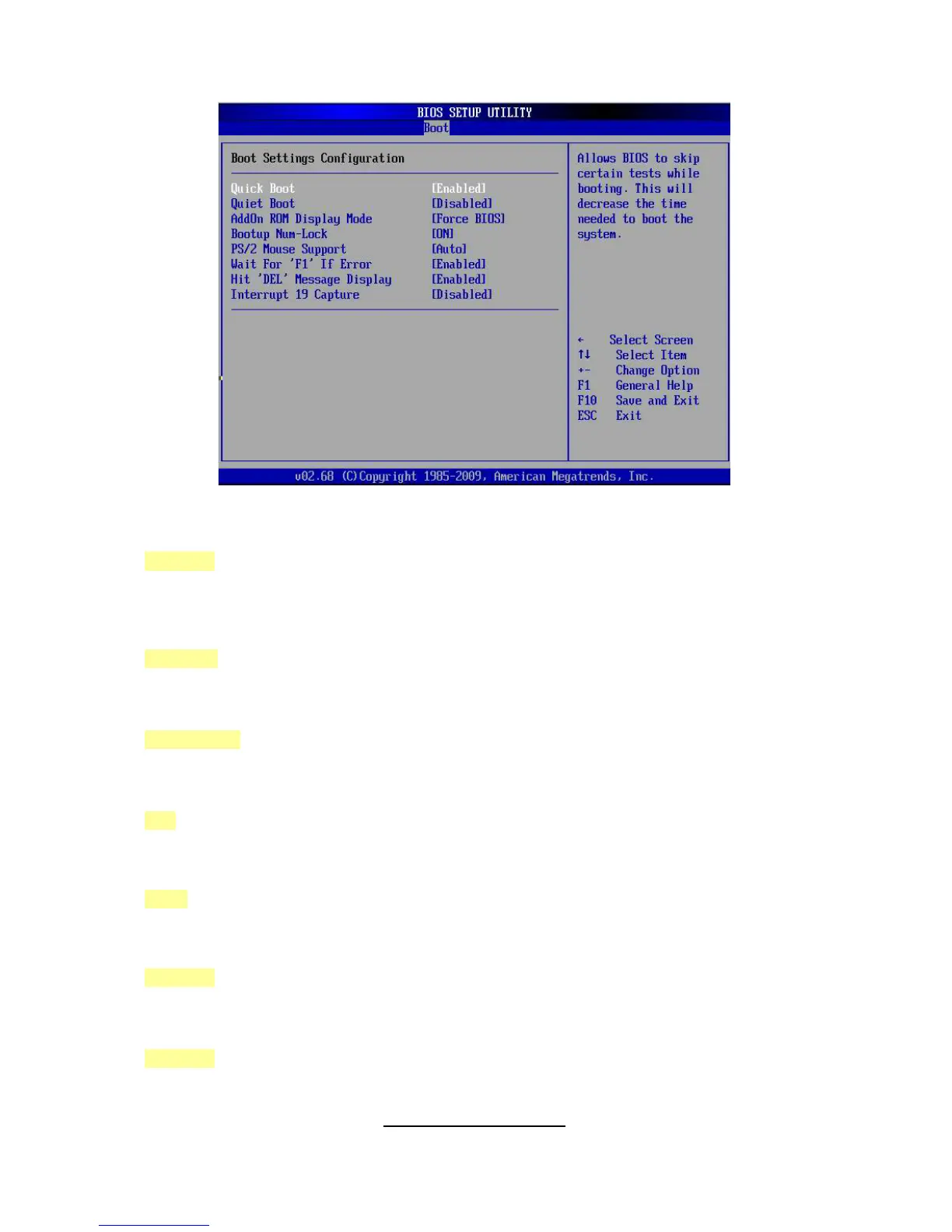
3.8 - Boot Menu
Quick Boot
This option allows user bypass BIOS self test during POST.
[Enabled] / [Disabled]
Quiet Boot
Disabled: displays normal POST messages.
Enabled: displays OEM log instead of POST messages.
[Disabled] / [Enabled]
Add On ROM Display Mode
Allows user to force BIOS/Option ROM of add-on cards to be displayed during quiet boot.
[Force BIOS] / [Keep Current]
Boot Up Num-Lock
Selects Power-on state for Numlock.
[On] / [Off]
PS/2 Mouse Support
Select support for PS/2 Mouse.
[Auto] / [Enabled] / [Disabled]
Wait for ‘F1’ If Error
Waits for F1 key to be present if error occurs.
[Enabled] / [Disabled]
Hit ‘DEL’ Message Display
Displays “Press DEL to run Setup in POST”.
[Enabled] / [Disabled]



 To Next Page