http://www.TYAN.com
44
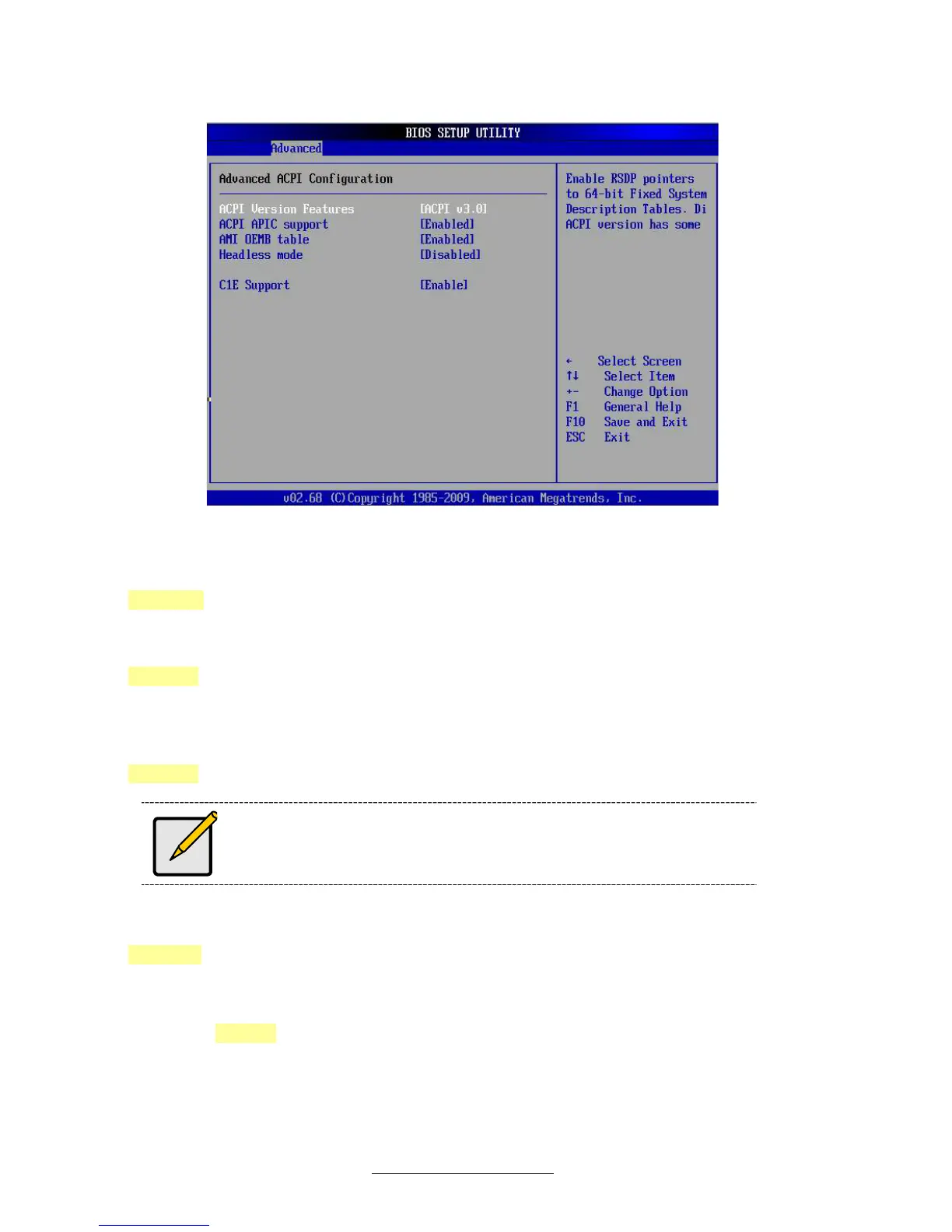
3.7.4.1 –Advanced ACPI Configuration sub-menu
ACPI Version Features
Set this value to allow or prevent the system to be complaint with the ACPI 2.0
specification.
[ACPI 3.0] / [ACPI 2.0] / [ACPI 1.0]
ACPI APIC Support
This option allows you to define whether or not to enable APIC features.
[Enabled] / [Disabled]
AMI OEMB Table
Set this value to allow the ACPI BIOS to add a pointer to an OEMB table in the Root
System Description Table (RSDT) table.
[Enabled] / [Disabled]
OEMB table is used to pass POST data to the AMI code during ACPI
O/S operations.
Headless Mode
Enable or disable Headless operation mode through ACPI.
[Disabled] / [Enabled]
C1E Support
Enhanced C1 state support.
[Disabled] / [Enable]


 To Next Page
 Loading...










