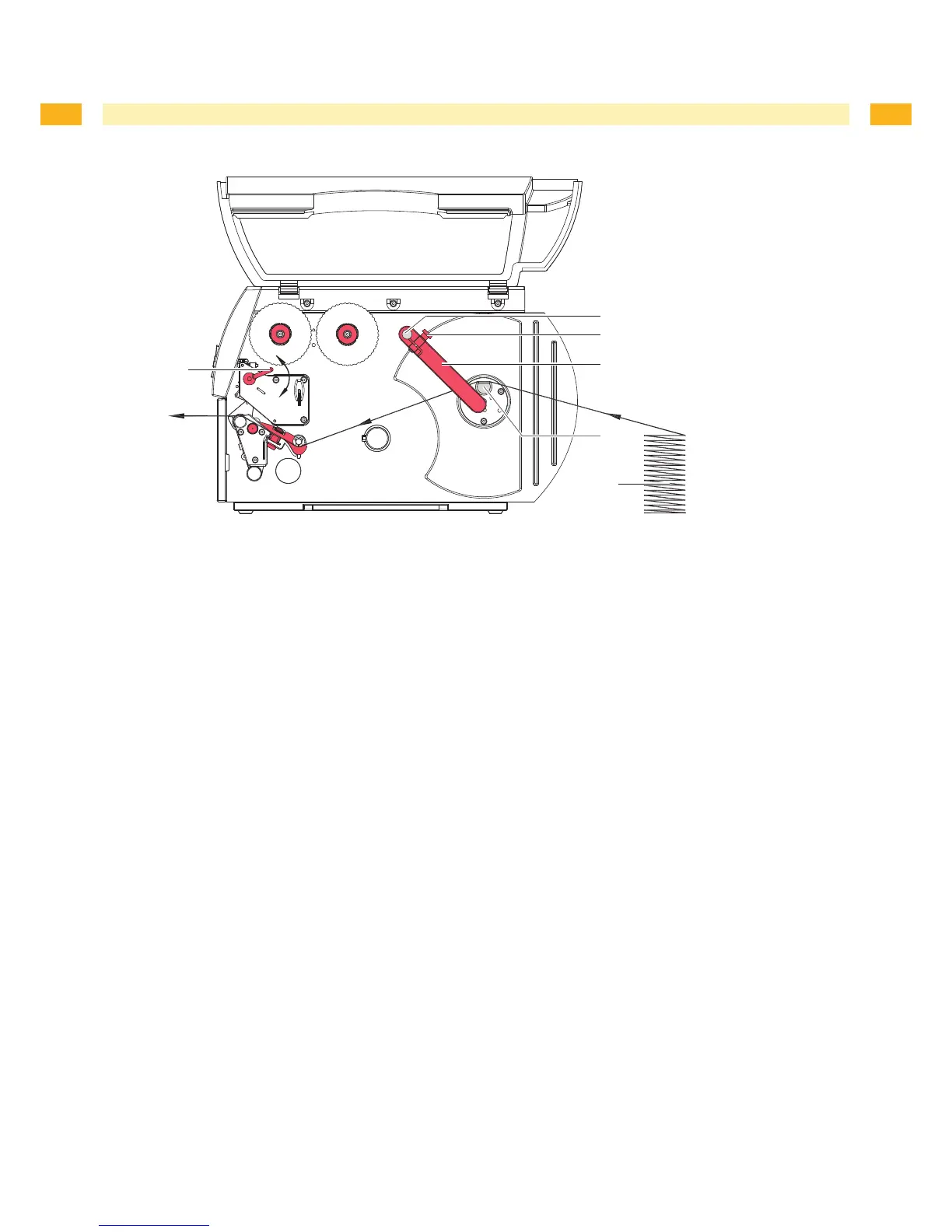
Fig. 8 Feed path of fanfold labels
Turnlever(1)counterclockwisetolifttheprinthead.
Loosenknurledscrews(3),removeguides(4)fromtheaxle(2)andre-mounttheguidesinsuchaway,thatthey
reachbelowtherollretainer(5).
Adjust the guides to the media width ( 4.1.1 on page 12).
Positionlabelstack(6)behindtheprinter.Ensurethatthelabelsonthestriparevisiblefromabove.
Pushlabelstripbetweentheguides(4)toprintunitviatherollretainer(5).
Insert label strip into printhead ( 4.1.2 on page 13).
Set label sensor ( 4.1.3 on page 13).
Turnlever(1)clockwisetolocktheprinthead.
1.
2.
3.
4.
5.
6.
7.
8.



 To Next Page