9
3.1 Structure of the Control Panel
Theusercancontroltheoperationoftheprinterwiththecontrolpanel,forexample:
Issuing, interrupting, continuing and canceling print jobs,
Settingprintingparameters,e.g.heatleveloftheprinthead,printspeed,interfaceconguration,languageand
time of day,
Start the test functions,
Control stand-alone operation with a memory module,
Updatethermware.
Many functions and settings can also be controlled by software applications or by direct programming with a
computer using the printer’s own commands.
Settings made on the control panel make the basic settings of the label printer.
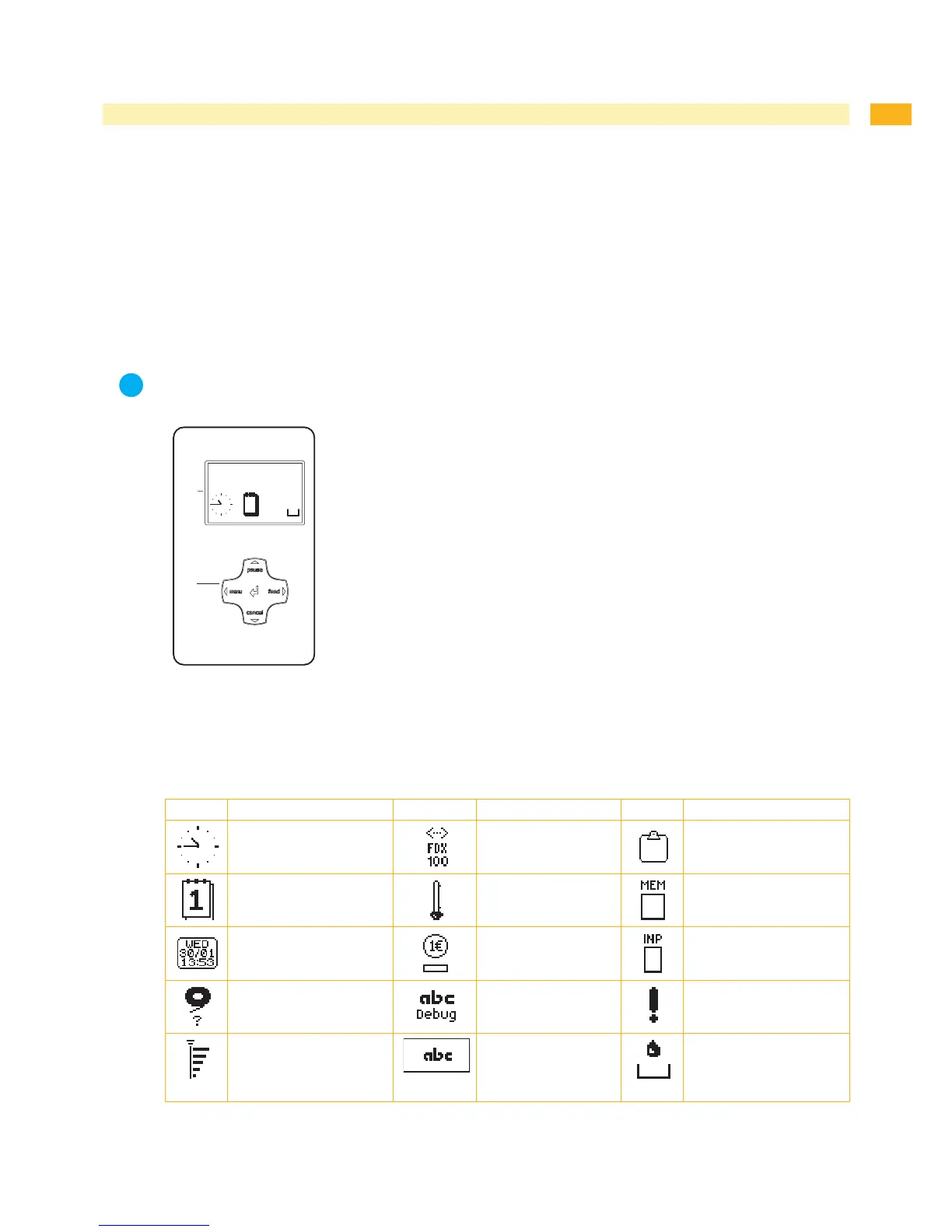
The control panel consists of a graphicdisplay(1)andthenavigatorpad(2)withve
integrated keys.
The graphic display indicates the current status of the printer and the print job,
indicates faults and shows the printer settings in the menu.
Fig. 4 Control Panel
3.2 Symbol Displays
The symbols shown in the following table may appear in the status line of the display, depending on the printer
conguration.Theyenablethecurrentprinterstatustobeseenquickly.
Symbol Description Symbol Description Symbol Description
Clock
Ethernet link status
User memory in the clock
circuit
Date sheet
Temperature of the
printhead
Used memory
Date/time digital
PPP funds
Input buffer
Ribbon supply
Debug window for abc
programs
Access to memory card
Wi-Fi signal strength
Control of the lower
display line is handed
over to an abc
program
Printer is receiving data
Table 1 Symbol displays
•
•
•
•
•
3 Control Panel


 To Next Page