2
PowerSeries - PC1616/PC1808/PC1832/PC1864
Chapter 2 Installation & Wiring
This Installation Guide provides the basic installation, wiring and programming information required to program the PowerSeries PC1616, PC1808,
PC1832 and PC1864 control panels.
Installation
FEATURES
PC1616 PC1808 PC1832 PC1864
On-board Zones
6
888
Hardwired Zones 16 (1xPC5108) 16 (1xPC5108) 32(3xPC5108) 64 (7xPC5108)
Wireless Zones
32
32 32 60
Keypad Zone Support
On-board PGMs PGM 1 - 50mA
PGM 2 - 300mA
PGM 1, 3, 4 - 50mA
PGM 2 - 300mA
PGM 1 - 50mA
PGM 2 - 300mA
PGM 1, 3, 4 - 50mA
PGM 2 - 300mA
PGM Expansion 8x50mA (PC5208)
4x500mA (PC5204)
8x50mA (PC5208)
4x500mA (PC5204)
8x50mA (PC5208)
4x500mA (PC5204)
8x50mA (PC5208)
4x500mA (PC5204)
OUT Of THE BOX
Keypads
8
888
Qty 1
Qty 1
Qty 1
Qty 1
Qty 2
Qty 1
Qty 4
Qty 16
Qty 1
Qty 1
Qty 1
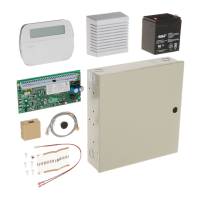
Cabinet
PC Module
Installation guide
User manual
Cabinet Label
Cabinet Door Plug
Standoffs
5.6K Resistors
2.2K Resistor
1.0K Resistor
Grounding Kit
Partitions
2
848
User Codes 47 + Master Code 47 + Master Code 71 + Master Code 94 + Master Codes
Event Buffer 500 Events 500 Events 500 Events 500 Events
Transformer Required 16.5VAC/40VA 16.5VAC/40VA 16.5VAC/40VA 16.5VAC/40VA
Battery Required 4Ah / 7Ah/14AHr 4Ah / 7Ah/14AHr 4Ah / 7Ah/14AHr 4Ah / 7Ah/14AHr
Bell Output 12V/700 mA (cont) 12V/700 mA (cont) 12V/700 mA (cont) 12V/700 mA (cont)
COMPATIBLE DEVICES
Keypads
(Backward compatible with all PowerSeries keypads) Modules
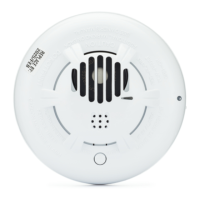
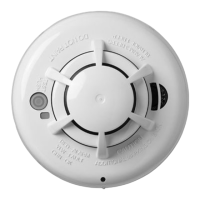
RFK55XX............................................................................................135mA (max)
PTK5507 Touch Screen Keypad .................200mA (standby); 300mA (activated);
400mA (extra power mode)
PK5500 Keypad..................................................................................125mA (max.)
PK5501 Keypad..................................................................................125mA (max.)
PK5508 LED Keypad .........................................................................125mA (max.)
PK5516 LED Keypad .........................................................................125mA (max.)
LCD5511 Fixed Message LCD Keypad.............................................. 85mA (max.)
LED5511Z 8-zone LED Keypad .......................................................100mA (max.)
WT5500 Wireless Keypad....................................................................50mA (max.)
Cabinets
PC5003C (removable door).............................................................248x298x78mm
Model Power UC1 ........................................................................315x 319x100mm
TL-250/TL300 Communicator..................................................275/350mA
GS2060/GS2065 (GPRS/GSM only) .................................................65mA
GS2060-SM (GPRS only) ..................................................................90mA
TL260GS/TL265GS (Ethernet/GPRS).............................................100mA
TL260-SM (Ethernet only)...............................................................100mA
TL260GS-SM (Ethernet/GPRS only)...............................................120mA
PC5100 2-wire Interface..................... 40mA plus devices to 170mA max.
RF5132-433 Wireless Receiver .......................................................125mA
RF5108-433 Wireless Receiver .......................................................125mA
TR5164-433 2-way Wireless Transceiver..........................................60mA
PC5108 Zone Expander .....................................................................30mA
PC5200 Power Supply........................................................................20mA
PC5204 Power Supply with 4 Programmable Outputs .....................30mA
PC5208 Low Current Programmable Output Module .......................50mA
Escort5580 Telephone Interface Module ........................................130mA
Begin the installation by mounting additional modules in the cabinet using the standoffs provided, then mount the cabinet in a dry protected
area with access to unswitched AC power. Install hardware in the sequence indicated in the following pages. Do NOT apply power until
installation is complete.


 To Next Page