6
PowerSeries - PC1616/PC1808/PC1832/PC1864
2.10 Ground 2.11 Battery
Ground Installation
In accordance with EN50131-1 Standard for a Power Supply Type A rated for Grade 2 Systems, battery
standby time required in the event of prime power source failure shall be 12hrs (min.). The table below is a
guide indicating maximum loads for the standby times shown. Load includes AUX+/-, Keybus (Red, Blk),
and PGM 1-4 and modules (see table on page 2), it does not include a battery safety margin
Battery Charging Current ma (4Ah, 7Ah batteries)
Batt size 4hr 12Hr 24Hr 36Hr
4Ah 500mA 220mA - -
7Ah 500mA 480mA 150mA -
14Ah - 500mA 480mA 280mA
24Ah - - 500mA 500mA
Program Section [701] Opt [7] to ON, if 14AH or 24AH battery is used.
NOTE: Replace batteries every 3-5 years, If two batteries are required to meet the standby time, use DSC Enclosure
Model Power UC1. Battery capacity will deteriorate with age and number of charge/discharge cycles.
2.12 AC Wiring
AC Wiring
Power Supply: In accordance with EN50131-6, Type A, Grade 2
Primary: 220-240VAC/50Hz/0.2A ;
Secondary: 16.5VAC/40VA min.
WARNING!: Incorrect connection of batteries may result in
battery rupture or fire hazard.
Do not allow metal objects to connect the positive and nega-
tive terminals.
2.13 WT5500 Wireless Enrollment Procedure
1. Enter [][8][Installer Code][898]. “Wireless Enrollment Mode” is displayed.
2. Activate the device as indicated below.
• Keypad: Press the [] and [1] keys at the same time.
• Wireless key: Press any key to activate.
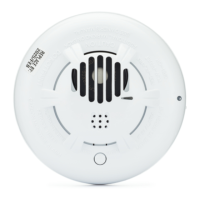
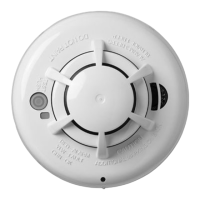
• Detectors (PIR, Smoke, Glass break): Press the Tamper button.
• Repeater: Press the Tamper button. NOTE: Ensure that dip switch 3 on the repeater is in the off position before quick enrolling a repeater.
3. The Electronic Serial Number (ESN) is displayed on the keypad. Press [
] to confirm the ESN. If the ESN is incorrect, press [#] then
repeat step 2.
4. After successful confirmation of the ESN, the system prompts for the zone/slot number.
• The next open slot for the device type is displayed. Press [
] to accept or key in another slot number.
To re-enroll a wireless key on another system, press together for approximately 3 seconds.
Tighten nut to break paint and make
good connection to the cabinet


 To Next Page