6.2 Display layout
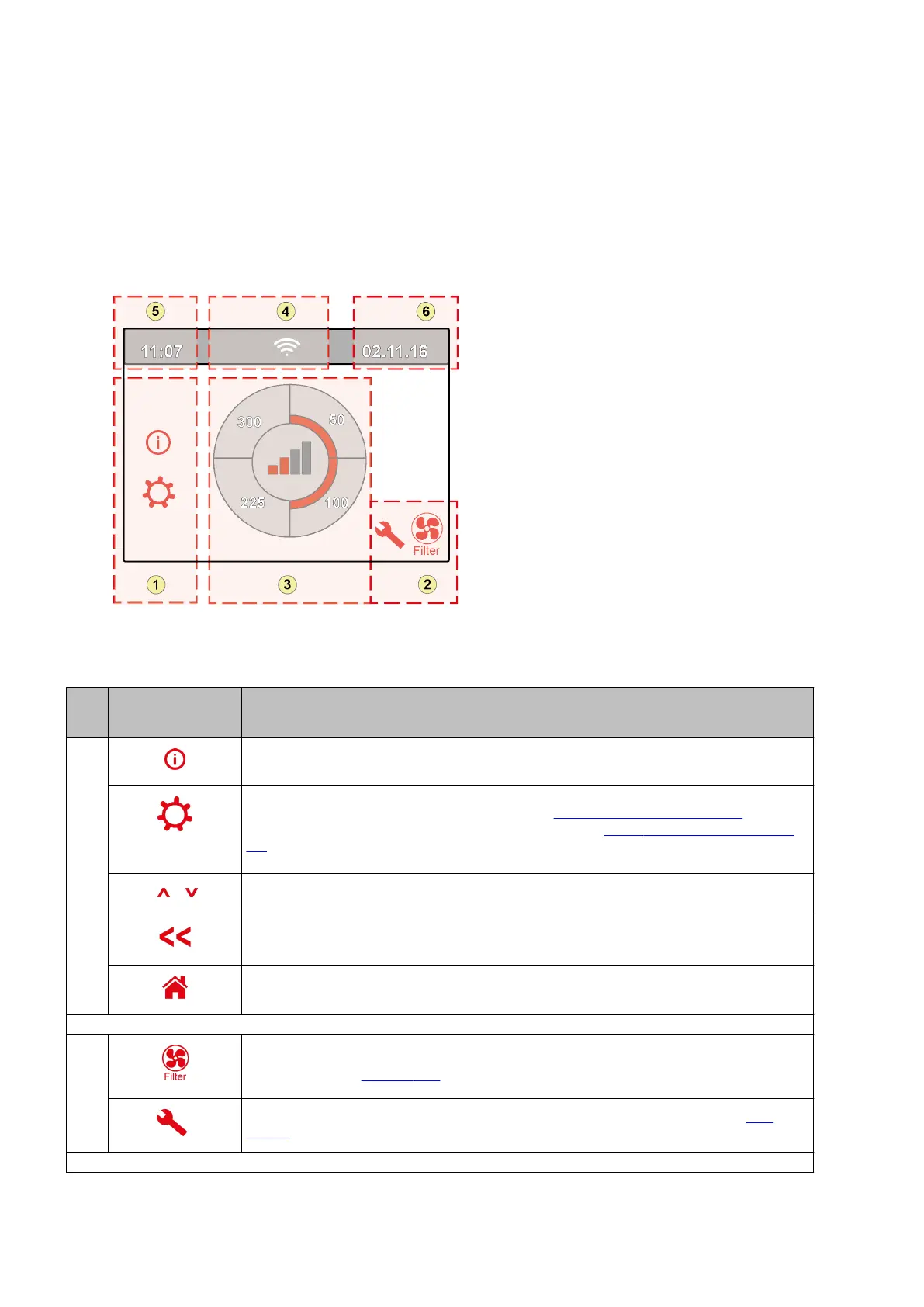
The screen is divided up into 6 zones where various symbols/displays can be shown per zone.
Layout of main screen
1 = Navigation screen
2 = Notification screen
3 = Screen with main function
4 = Connectivity information
5 = Time
6 = Date
The various symbols can be shown on the display. This depends on the screen that is shown, the version of the
appliance and any connected accessories.
Zone
no.
Symbol on display Description
1
By pressing here you get access to the informaon menu; here one can only read out values. It is
not possible to change these values.
By pressing here you get access to the sengs menu. In this menu you can change the various
values. For all seng values of standard appliance (®
Seng values standard appliance page 51).
The Plus version of the appliance has various seng values (® Seng values appliance with Plus
pcb page 54).
Cauon: Incorrect sengs can disrupt the operaon of the appliance!
Use these arrows to go up or down the various menus or to increase or decrease the values of the
relevant sengs.
This arrow takes you back one step in the menu.
This takes you back to the main screen.
2
Filter message symbol; this is only shown if the lter has to be cleaned or replaced. See chapter
"Filter cleaning" (® Cleaning lter page 29) for more informaon.
This symbol is only shown if a fault has occurred in the appliance; see chapter Faults (®
Fault
analysis page 26) for more informaon.
Ubiflux Vigor W325 615743-G



 To Next Page