6.3 Display information
When no keys are operated or when no deviating situation has developed (such as fault message or filter
message) then the light will go out two minutes after the last key has been operated.
When there is a filter message or a fault in the appliance, then the light of the display will be on permanently
until the fault has been solved or the filter message has been reset.
Pressing the Home button brings you back to the main screen from any particular menu; pressing the return
button takes you back 1 step in the menu.
Briefly press the display (shorter than 5 seconds) to switch on the display backlight without changing anything in
the menu; the display lights up for 2 minutes.
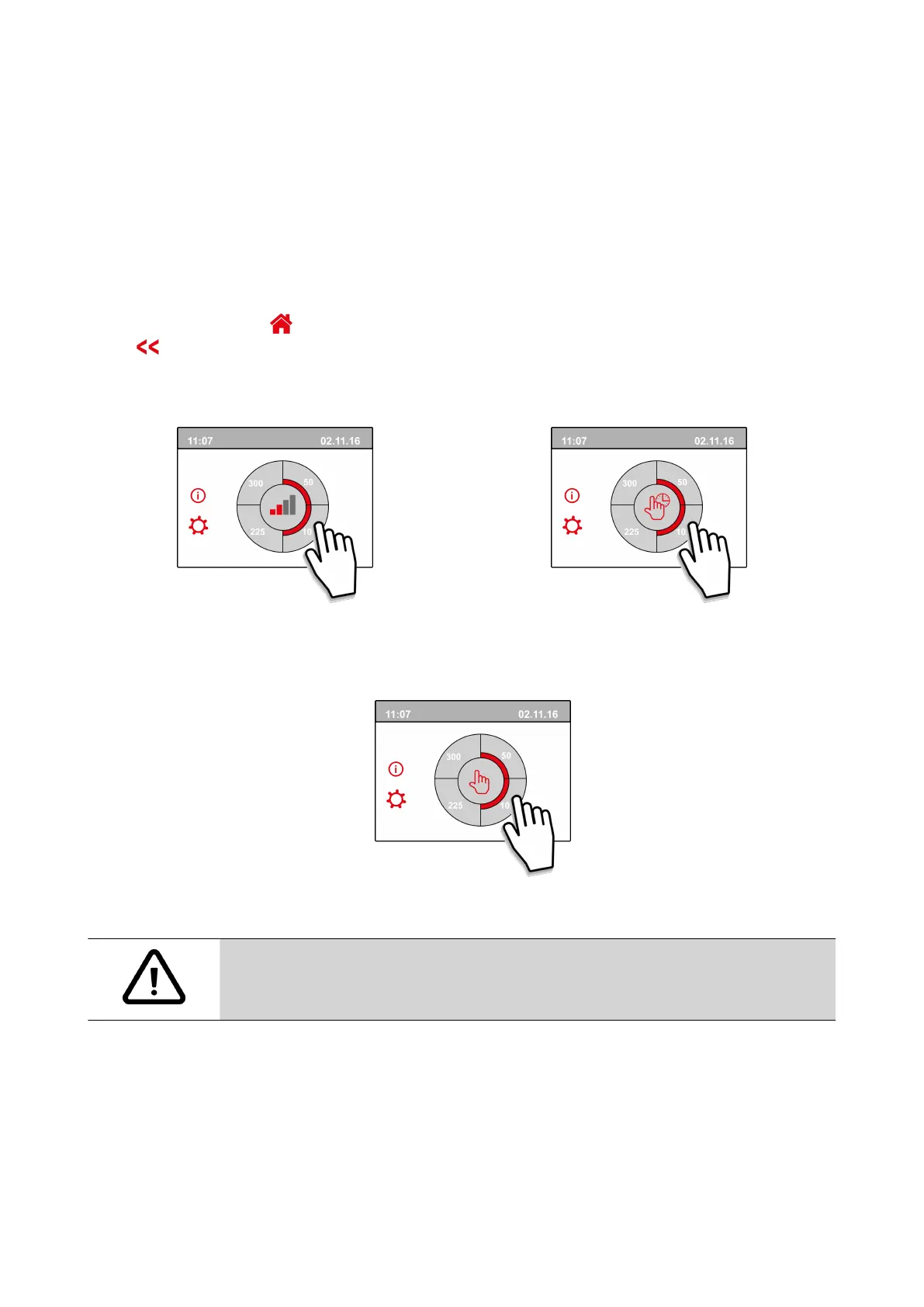
By pressing one of the quarter circles on the main screen, the venlaon mode can be quickly adjusted.
The venlaon mode that has be set in this way remains acve for half an hour; this is visible on the display by a
hand with a clock.
The touchscreen can also be permanently set as mulple switch; to do this step number 15.6 in the sengs menu
has to be set to “yes”.
Warning:
Incorrect settings can seriously disrupt the proper functioning of the appliance!
Ubiflux Vigor W325 615743-G Ubbink / 23



 To Next Page