10 Repeat steps 6 to 9 for the other fan in the appliance.
11 Carefully clean both fans with a soft brush; do not use any water or cleaning agent.
12 Place both fans back in the appliance and connect the disconnected fan cables once more; when
doing so, take care that the fan cables are “behind” the fans and that the fans are returned to their
original position. The left fan is indicated by "Left"; the right fans is indicted by "Right".
Comment: Do not change the position of the fans!!!
13 Slide the cleaned heat exchanger carefully back into the appliance; when doing so, take care that the
EPS parts and rails in the appliance are not damaged, which could otherwise leads to internal leaks in
the appliance. Take care when returning the heat exchanger that the text on the type plate is not
upside down!
Place the heat exchanger back such that this type plate is visible.
14 Put the front cover back on and screw it secure.
15 Install two new filters and close the front cover.
16 Reconnect the 230V power supply to the appliance.
17 Reset the timer of the
filter message by setting the timer back to zero in the settings menu at step
number 4.3.
18 After resetting the timer of the
filter message the appliance returns to the main menu and the
appliance is once again ready for use.
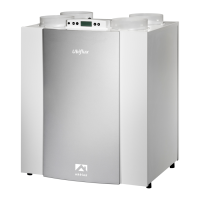
Ubiflux Vigor W325 615743-G



 To Next Page