C099-F9P - User guide
UBX-18063024 - R16 Rover operation using NTRIP Page 20 of 43
C1-Public
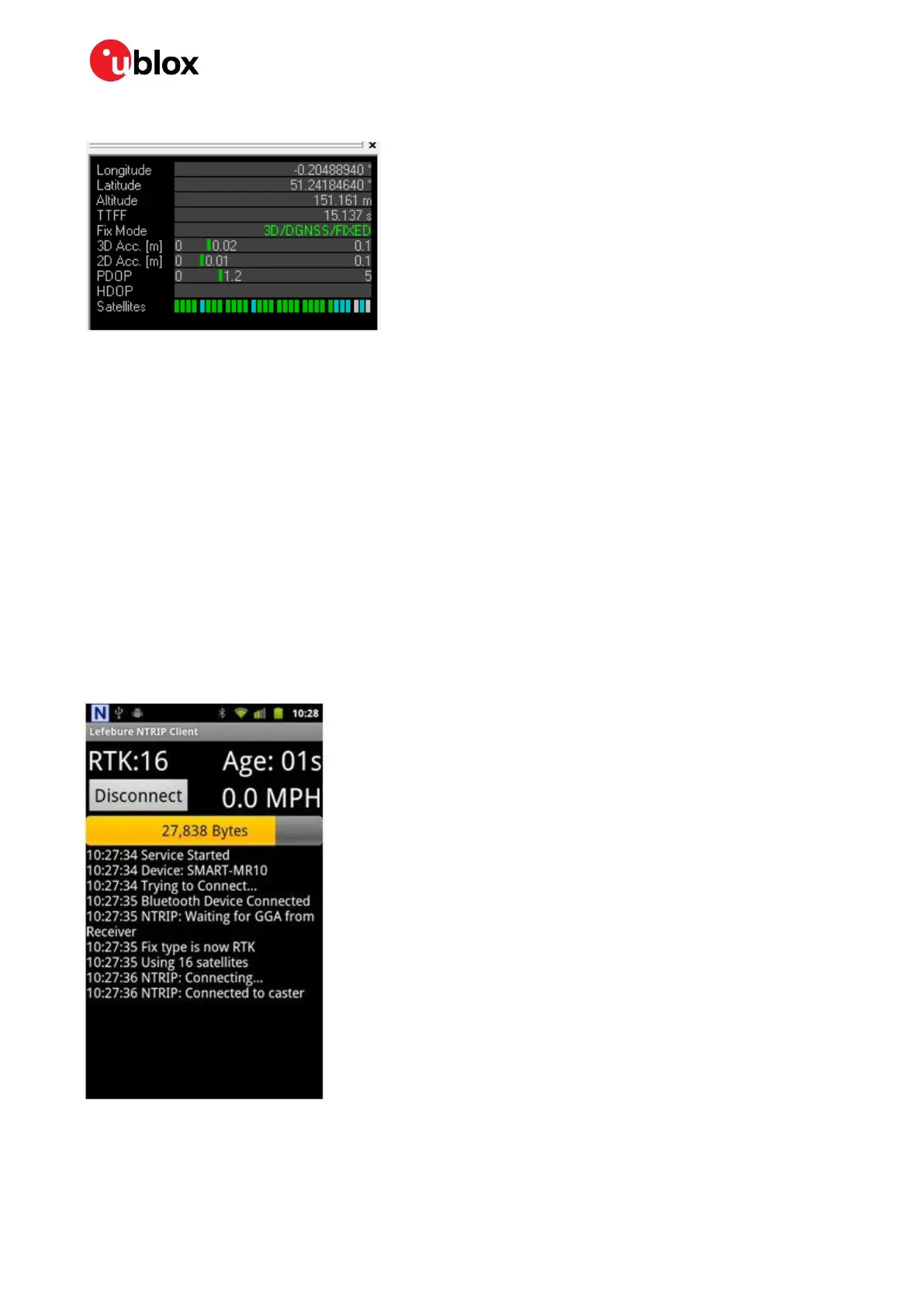
Confirm that the rover has obtained RTK fixed mode in the u-center Data view:
Figure 18: u-center Data view RTK FIXED indication
5.2 Mobile hosting
A portable rover option is offered by an Android application that utilizes a Bluetooth connection to a
single C099-F9P. An example application is provided by Lefebure and it is available from Google Play
Store: https://play.google.com/store/apps/details?id=com.lefebure.ntripclient.
The application integrates an NTRIP client that forwards corrections received from a cellular or a
wireless network to the Bluetooth interface. In addition, the application logs the incoming NMEA
messages from C099-F9P into the phone memory.
Prior to usage, the following steps are required:
1. Pair an Android phone with C099-F9P (see section 6.1.1 ODIN-W2 as the pairing responder).
2. Insert the necessary credentials for the NTRIP service through the application settings.
3. Configure the desired NMEA messages to I2C interface in ZED-F9P via the UART 1 interface.
Figure 19: Lefebure Android NTRIP client



 To Next Page
 Loading...