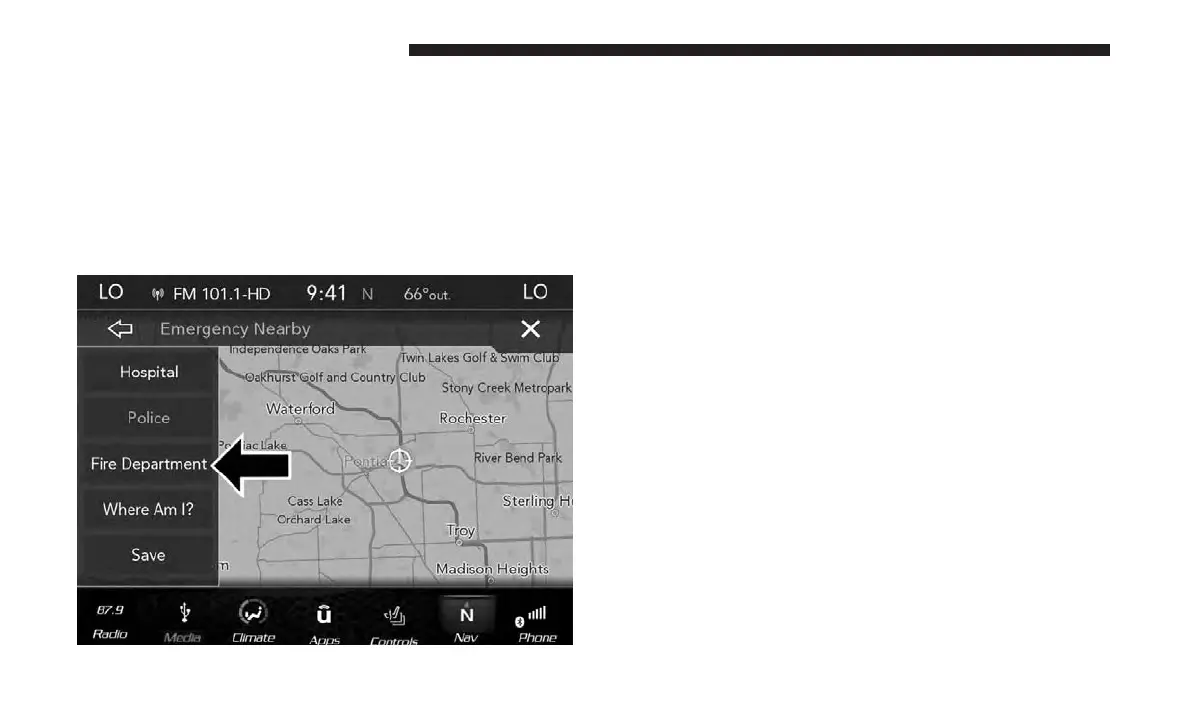
Emergency — Fire Department
To search for a Fire Department close to your current
location, follow these steps:
1. While in the Nav Main Menu, press the “Emergency”
button on the touchscreen.
2. Press the “Fire Department” button on the touchscreen.
You can search for a Fire Department by the following
categories, which are button tabs at the top of the screen.
• Name
• Distance
• ABC (Search)
NOTE: In case of emergency, please contact the facility to
verify their availability before proceeding.
3. Press the desired Fire Department and press “Route To”
to confirm your route, and then press “GO!” to confirm
your destination and begin route guidance.
If you are currently on a route guidance and you select a
Fire Department the system will ask you to choose one of
the following:
• Cancel previous route
• Add to Current Route
Within “Add to Current Route” you can add the desti-
nation to your current route, or set it as the final
destination.
NOTE: You can press the “back arrow” button on the
touchscreen to return to the previous screen or the “X”
button on the touchscreen to exit.
132 NAVIGATION MODE — IF EQUIPPED



 To Next Page