36
Lubricate the axles
To make sure that your print head and Z stage are moving smoothly at all times, it is advised to periodically lubricate the
axles. If the axles feel dry, this can show in your prints as small ridges on the print’s surfaces. It is recommended to apply
lubrication to the axles at least once a month.
It is advised to use machine oil for lubricating the axles. This oil is specifically for the smooth axles of the Ultimaker 2+.
Only use machine oil, as using other oils or Magnalube may affect the coating of the axles, which will affect the
quality of your prints.
X and Y axles
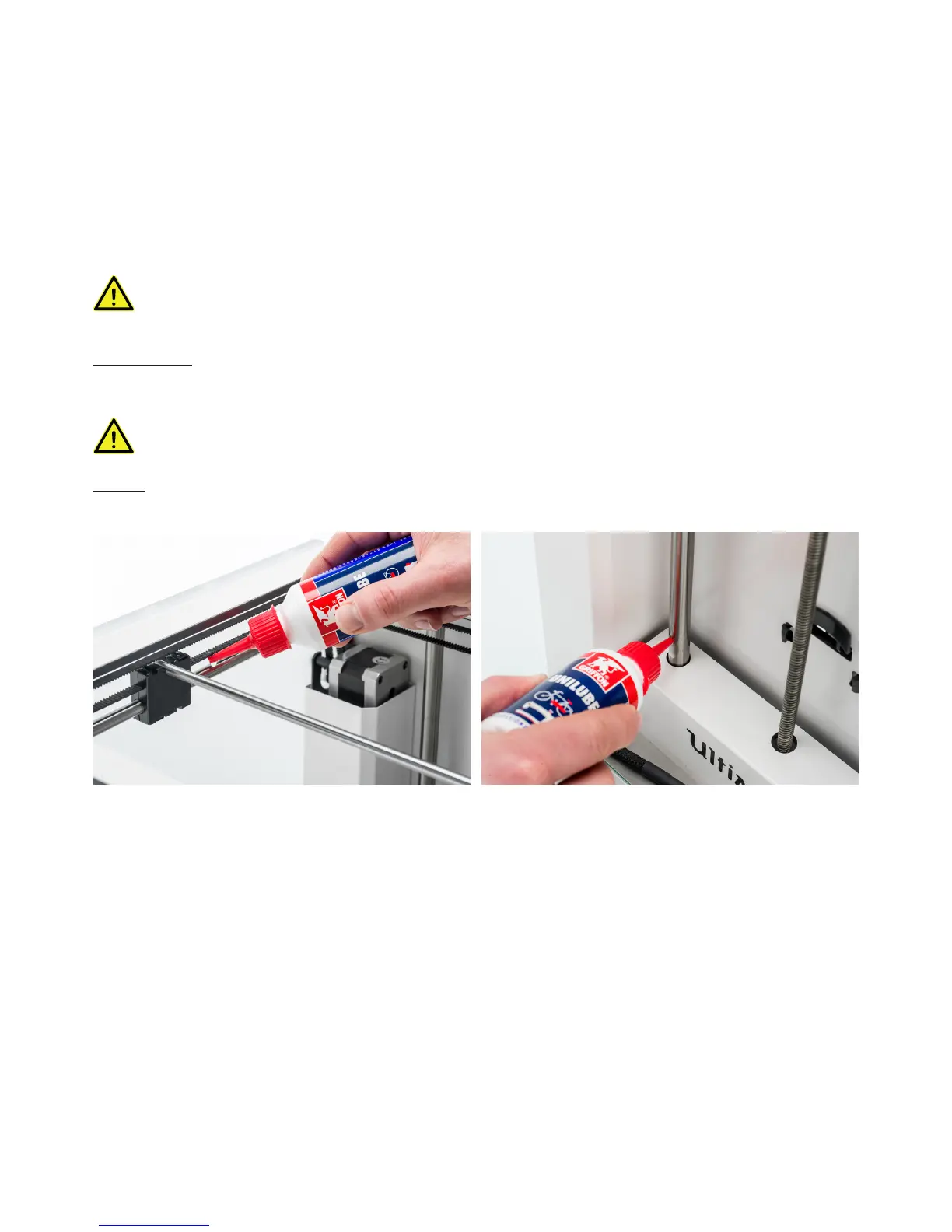
Apply a small drop of machine oil to each of the X and Y axles as well as both print head shafts. Manually move the print
head around to evenly distribute the oil.
Do not apply too much oil to the axles. Doing so will increase the risk of oil dripping on to the glass plate, which
will affect build plate adhesion. If any oil drops fall on to the glass, make sure to clean them thoroughly.
Z axles
Apply a small drop of machine oil to the two Z axles. In the Ultimaker menu, go to Maintenance g Advanced. Select “Raise
build plate” and then “Lower build plate” to move the build plate up and down in order to evenly distribute the oil.



 To Next Page