EasyManua.ls Logo

UNI-T UTL8500 Series - Page 41

UNI-T UTL8500 Series
53 pages
Print Icon
To Next Page IconTo Next Page
To Previous Page IconTo Previous Page
Loading...
UTL8500 Series User Manual
41
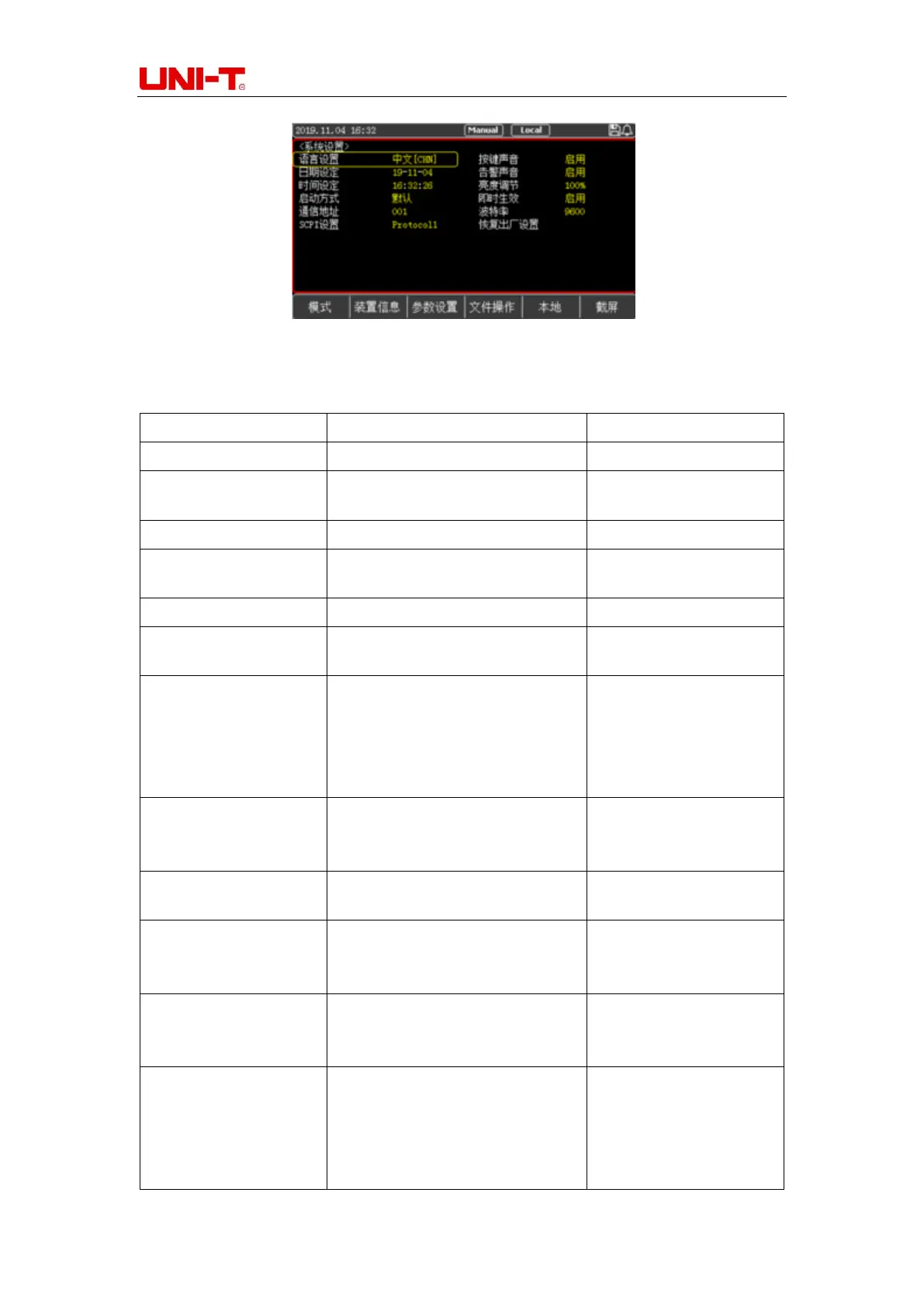
Figure 5-1 System Configuration Page
Table 5-1 Description of Parameters on System Configuration Page
System Parameter
Setting Content
Description
Language
[CHN]/ENGLISH
Set System Language
Key Sound
On/Off
Whether to Enable Key
Sound
Date
Year/Month/Day
Set System Date
Warn Sound
On/Off
Whether to Enable Warn
Sound
Time
Hour/Minute/Second|
Set System Time
DIM Display
1~5 Levels of Brightness
Adjust the Screen
Brightness, 5 Levels
Initial Mode
Default/Last
Default: Boot into the
Constant Current (CC)
Interface
Last: Boot into the Last
Test Mode
Knob Active
On/Off
If it is On, the parameter
will change immediately
after rotating the knob.
Address
001~032
Set the Current
Communication Address
Baud Rate
9600/19200/38400/57600/115200
Set the Baud Rate of
RS232 Communication
Interface
SCPI Set
SCPI1/Own
SCPI1: General SCPI
Protocol; Own: For
Internal Debugging
Restore Factory
Setting
Choose to Restore
Factory Settings: The
Device will Delete the
Current Setting
Parameters and Restore

Related product manuals