UTL8500 Series User Manual
48
Remote mode.
2. If you want to return to Local mode, just press the [Local] function key. At this time, the
word "Local" will be displayed at the top of the screen, indicating that the electronic
load is in Local mode.
3. Repeat step 1 to enter Remote mode again.
6. Communication Interface and Terminal
This chapter mainly covers the following:
RS-232C Communication
Introduction of Terminal
6.1 RS-232C
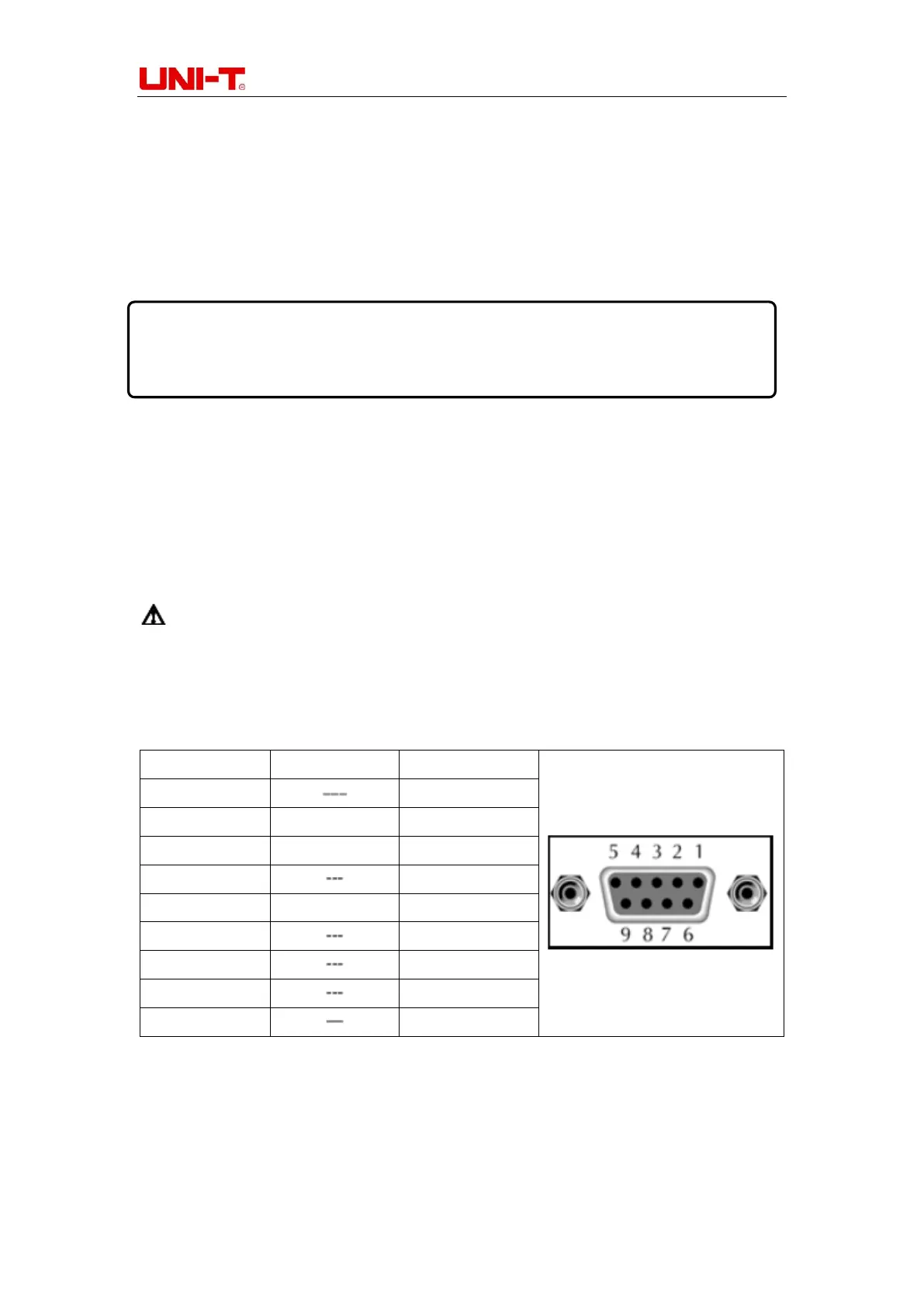
UTL8500 series electronic load is equipped with RS-232C communication interface
according to standards. You can use the corresponding communication lead for remote
operation if you need. There is a DB9 female interface at the end of the electronic load,
which can be connected to the computer COM port by using a standard RS-232C cable.
Note: In actual use, the electronic load only uses three pins (2, 3 and 5) to
communicate with the device. It is recommended to turn off the power of the instrument
when plugging or unplugging the connector to avoid electrical shock.
Table 6-1 Definition of COM Interface (RS-232C) Pins
The communication setting is mainly used to set the communication mode between the
electronic load and the host computer. The electronic load communicates with the upper
computer through RS-232C. The user can purchase the needed connecting lead to
achieve remote control with the electronic load. Before connecting to the host computer,


 To Next Page
 Loading...