INSTRUMENTS AND CONTROLSINSTRUMENTS AND CONTROLS
2-42-4
1616
1313
1414
1515
INSTRUMENT PANELINSTRUMENT PANEL
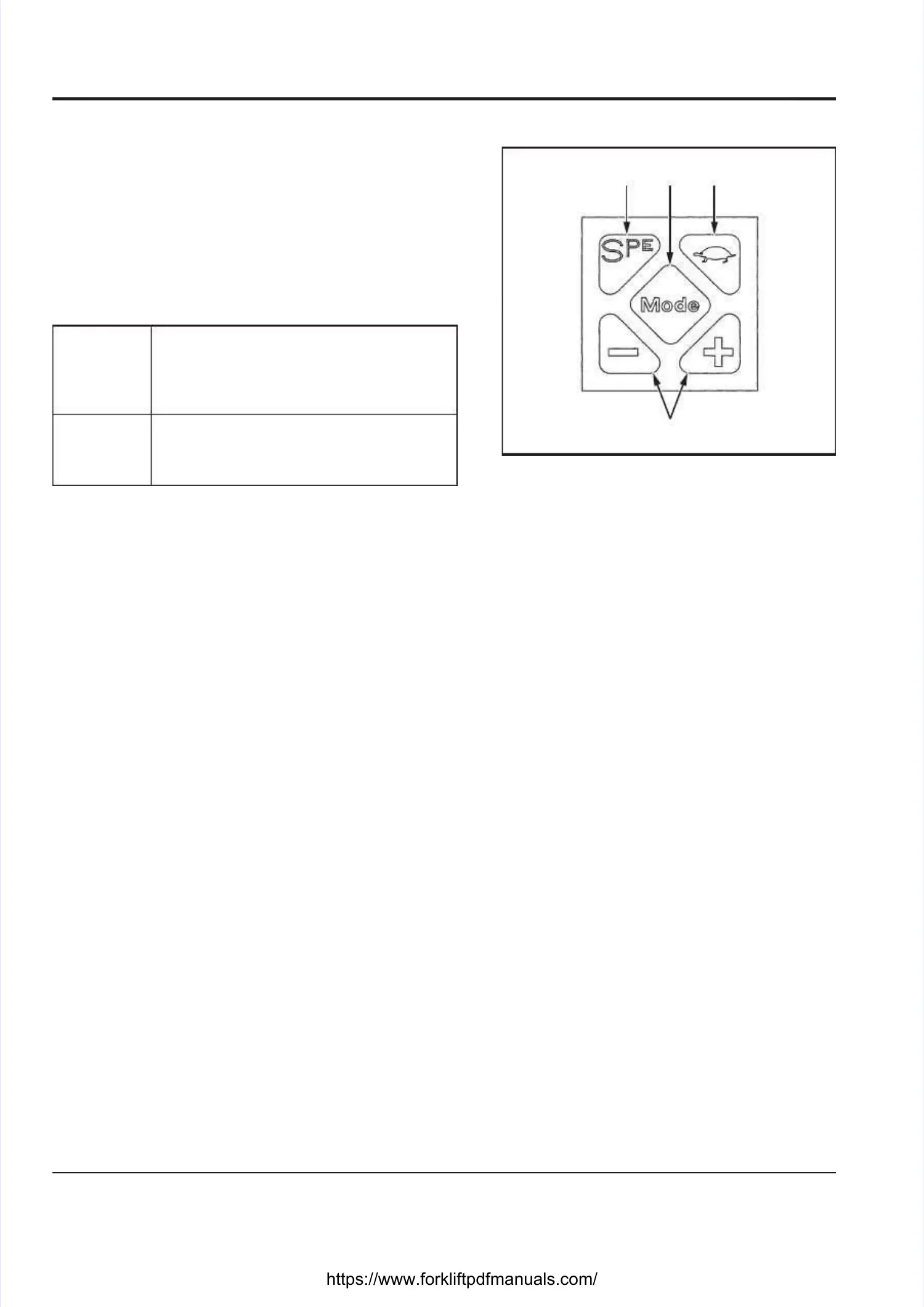
KEYPADKEYPAD
S.P.E. BUTTON [13]S.P.E. BUTTON [13]
Every time the S.P.E. button is pressed, the operatingEvery time the S.P.E. button is pressed, the operating
power mode changes, with the letter S, P or Epower mode changes, with the letter S, P or E
appearing (Sappearing (S →→PP →→EE →→S). Use this button to set theS). Use this button to set the
operating power mode of the truck.operating power mode of the truck.
SCREEN SELECTION “MODE” BUTTON [14]SCREEN SELECTION “MODE” BUTTON [14]
ScreenScreen
selectionselection
Every time this button is pressed, theEvery time this button is pressed, the
instrument panel screen changes:instrument panel screen changes:
Main screenMain screen →→Power consumption screenPower consumption screen
→→Hour meter screenHour meter screen →→Main screenMain screen
Date andDate and
time screentime screen
If this button is pressed for more thanIf this button is pressed for more than
3 seconds, the Date and Time screen3 seconds, the Date and Time screen
appears.appears.
LOW-SPEED TRAVEL (TURTLE) BUTTON [15]LOW-SPEED TRAVEL (TURTLE) BUTTON [15]
When you press the turtle mark button on the keypad,When you press the turtle mark button on the keypad,
the truck gets in the low-speed travel mode. To releasethe truck gets in the low-speed travel mode. To release
the low-speed travel mode, press the button again.the low-speed travel mode, press the button again.
••
Normal-speed Normal-speed travel travel modemode
When the When the turtle turtle mark mark button on button on the keypad the keypad is is turnedturned
off, the low-speed (turtle) mark on the instrumentoff, the low-speed (turtle) mark on the instrument
panel disappears.panel disappears.
•• Low-speed Low-speed travel travel modemode
When the When the turtle turtle mark mark button on button on the keypad the keypad is is turnedturned
on, the low-speed (turtle) mark appears on theon, the low-speed (turtle) mark appears on the
instrument panel.instrument panel.
+/- BUTTONS [16]+/- BUTTONS [16]
Change the date and time using the +/- buttons on theChange the date and time using the +/- buttons on the
keypad.keypad.





 To Next Page