EasyManua.ls Logo

Uniden BC355C - User Manual

Uniden BC355C
68 pages
Print Icon
To Next Page IconTo Next Page
Loading...
1
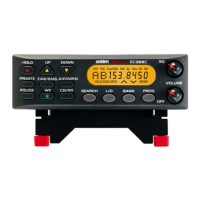
OWNERS MANUAL
BC355C
SCANNER

Questions and Answers

  • C
    Cindy GallowayAug 13, 2025
    What to do if my Uniden BC355C won't work?
    • R
      Raymond WilliamsAug 13, 2025
      If your Uniden Scanner won't work, here are a few things to try: * Ensure the AC adapter connections are secure at both ends. * Make sure the wall outlet isn't controlled by a switch and is turned on. Try a different outlet. * Check the DC cord or Vehicle Power Adapter connections at both ends. * Verify the fuse isn't blown and the vehicle's ignition key is in the Accessory position. * Confirm the power switch is turned on.
  • A
    Alexandra PenningtonAug 17, 2025
    Why won't the scan stop on my Uniden Scanner?
    • M
      Mario ParkerAug 17, 2025
      If the scan on your Uniden Scanner won't stop, try the following: * Check and adjust the Squelch control. * Check the antenna connection. * Ensure that all channels are not locked out. If none of the programmed frequencies are active, try the band search.
  • B
    Benjamin FritzAug 20, 2025
    How to fix improper reception on Uniden Scanner?
    • D
      Derek WilsonAug 20, 2025
      If you're experiencing improper reception on your Uniden Scanner: * Check the antenna and its connection. * Try moving the scanner to a different location. * If you are in a fringe area, you might need an optional multi-band antenna. Consult your dealer or a local electronics store.
  • G
    garciachristopherAug 25, 2025
    What to do if weather scan won’t work on Uniden BC355C Scanner?
    • B
      brettlunaAug 25, 2025
      If your Uniden Scanner's weather scan isn't working, consider these solutions: * Adjust the Squelch control. * Check the antenna connection. * Review each channel’s frequency to ensure it is still stored in memory and is correct.
  • D
    Dan BurkeAug 28, 2025
    How to fix Uniden BC355C when scan won’t start?
    • L
      lori14Aug 28, 2025
      If the scan on your Uniden Scanner won't start, here are a few things to try: * Press the bank key again. * Adjust the Squelch Control. * If using a PRIVATE bank, program frequencies into the bank before scanning.
  • L
    Leslie MyersAug 31, 2025
    Why search won’t start on Uniden BC355C Scanner?
    • S
      Samuel LambertAug 31, 2025
      To resolve the issue of why search won't start on your Uniden Scanner: * Adjust the Squelch Control. * Check the antenna connection.
  • M
    Mary FowlerSep 4, 2025
    What to do if PROGRAM key won’t work on Uniden BC355C Scanner?
    • C
      Connie HawkinsSep 4, 2025
      To solve the problem when the PROGRAM key on your Uniden Scanner won't work, stop the scan or search function.
  • M
    Mark GillSep 8, 2025
    What to do if I still have a problem with my Uniden BC355C?
    • D
      Donna JacksonSep 8, 2025
      Call our customer hotline at 1-800-297-1023.

Summary

IMPORTANT INFORMATION

PRECAUTIONS

Safety warnings and important considerations before using the scanner.

THE FCC WANTS YOU TO KNOW

SCANNING LEGALLY

ABOUT YOUR NEW BC355 C SCANNER

INSTALLING THE BC355 C SCANNER

Home Use (Desktop Installation)

Step-by-step guide for setting up the scanner at home.

Mobile Use (In-Car Installation)

Instructions for installing and using the scanner in a vehicle.

USING YOUR BC355 C SCANNER

Special Features

Lock Out Channels;Frequencies

How to prevent the scanner from stopping on unwanted channels or frequencies.

Close Call Feature

Details on the Close Call feature for detecting nearby signals.

Private Bank

Program Lock Feature

Troubleshooting Guide

Uniden BC355C Specifications

General IconGeneral
BrandUniden
ModelBC355C
CategoryScanner
LanguageEnglish

Related product manuals