4
TABLE OF CONTENTS
IMPORTANT INFORMATION . . . . . . . . . . . . . . . . . . . .2
PRECAUTIONS . . . . . . . . . . . . . . . . . . . . . . . . . . . . . . . . . . . . . . . 2
Warning . . . . . . . . . . . . . . . . . . . . . . . . . . . . . . . . . . . . . . . . . . . . 2
Patents . . . . . . . . . . . . . . . . . . . . . . . . . . . . . . . . . . . . . . . . . . . . . 2
THE FCC WANTS YOU TO KNOW . . . . . . . . . . . . . . . .7
SCANNING LEGALLY . . . . . . . . . . . . . . . . . . . . . . . . . . . . . . . . . 8
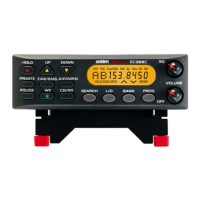
ABOUT YOUR NEW BC355C SCANNER . . . . . . . . . .9
FEATURE SUMMARY . . . . . . . . . . . . . . . . . . . . . . . . . . . . . . . . . 10
INCLUDED IN YOUR SCANNER PACKAGE . . . . . . . . . . . . . . 15
Optional Accessories . . . . . . . . . . . . . . . . . . . . . . . . . . . . . . . 15
INSTALLING THE BC355C SCANNER . . . . . . . . . . 16
FOR HOME USE DESKTOP INSTALLATION . . . . . . . . . . . 16
Helpful Hints . . . . . . . . . . . . . . . . . . . . . . . . . . . . . . . . . . . . . . 17
FOR MOBILE USE INCAR INSTALLATION . . . . . . . . . . . . 17
Temporary Mobile Installation . . . . . . . . . . . . . . . . . . . . . . 17
Permanent Mobile Installation . . . . . . . . . . . . . . . . . . . . . . 18
Permanently Mounting the BC355C Unit . . . . . . . . . . . 18
Permanently Connecting the Mobile Power Supply . 19
SCANNER OPERATION OVERVIEW . . . . . . . . . . . 20
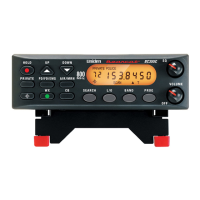
BC355C FRONT PANEL . . . . . . . . . . . . . . . . . . . . . . . . . . . . . . . 20


 To Next Page