42
If You Want to Do This - Here’s How -
Restoring a Single
Locked-Out Channel or
Frequency
(Example: Channel 12
of the Private bank is
locked out.)
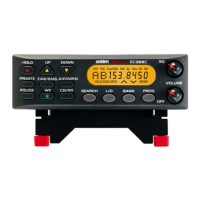
Press the appropriate bank key
(PRIVATE, PD/FD/EMG or AIR/
MRN) to start scanning the bank
that has the channel or frequency
you want to unlock.
Press HOLD to stop scanning.
(“HOLD” and “ SCAN” must appear
on the screen.)
Use UP or DOWN keys to nd
the specic locked out channel
or frequency (in this example,
Channel 12, which displays “L/O”).
Press L/O.
1.
2.
3.


 To Next Page