37 38
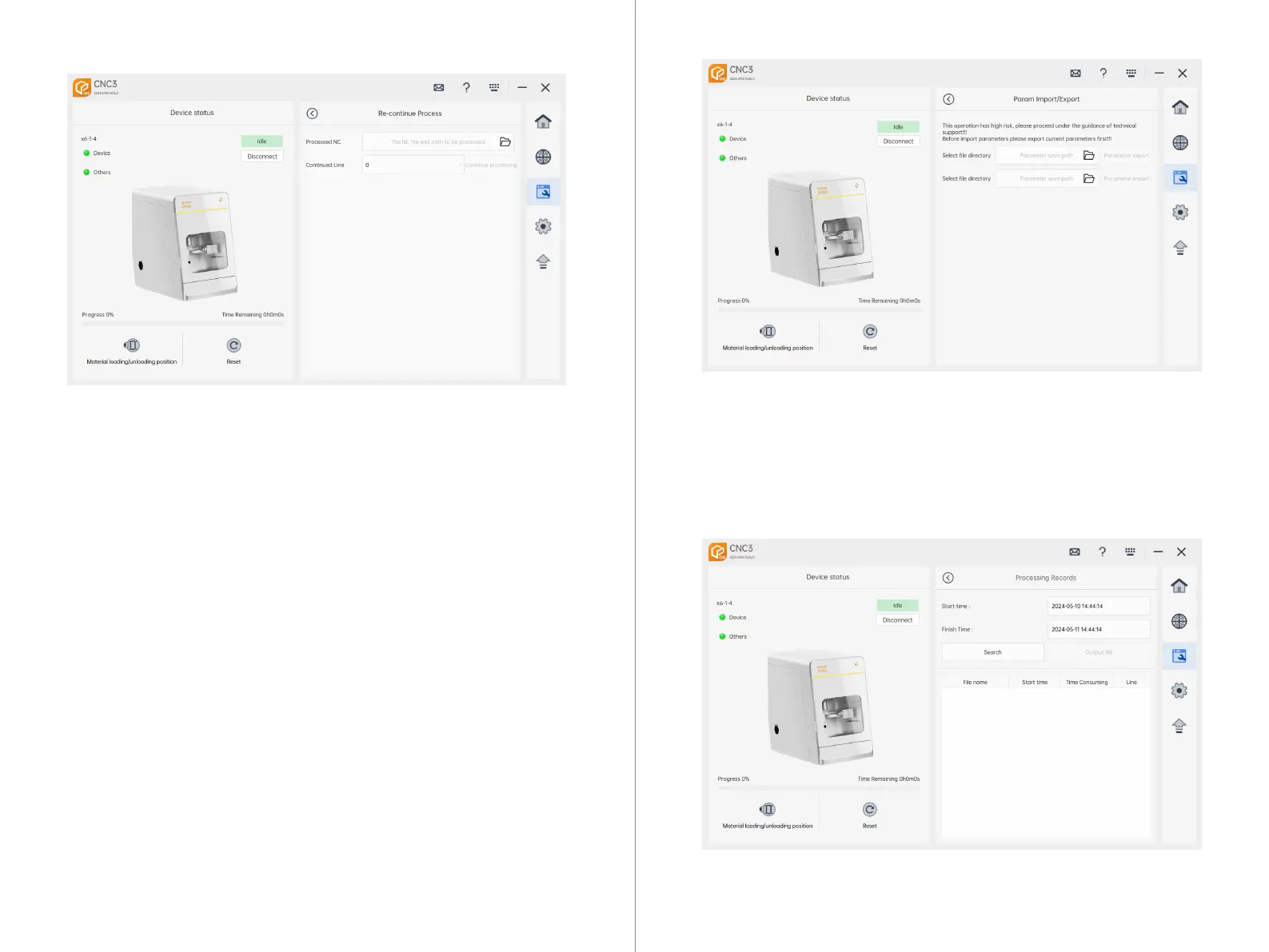
7.4.8 Historical Processing Records
Historical Machining NC:
1. Automatically reads the interrupted lines from the current machining NC file.
2. Can manually select historical NC files.
Historical Machining Lines:
Automatically reads the operational data from historical machining NC files.
Resume Machining:
Clicking "Resume Machining" will read the interrupted lines and continue machining.
7.4.6 Continue Machining
Parameter Export: Click on "Select File Path", choose the desired path, and then
click "Parameter Export". This action will export the current machine parameters
to the specified directory.
Parameter Import: Click on "Select File Path", choose the corresponding parame-
ter file, and then click "Import". This will replace the current machine parameters
with those from the imported parameter file.
7.4.7 Parameter Import/Export



 To Next Page