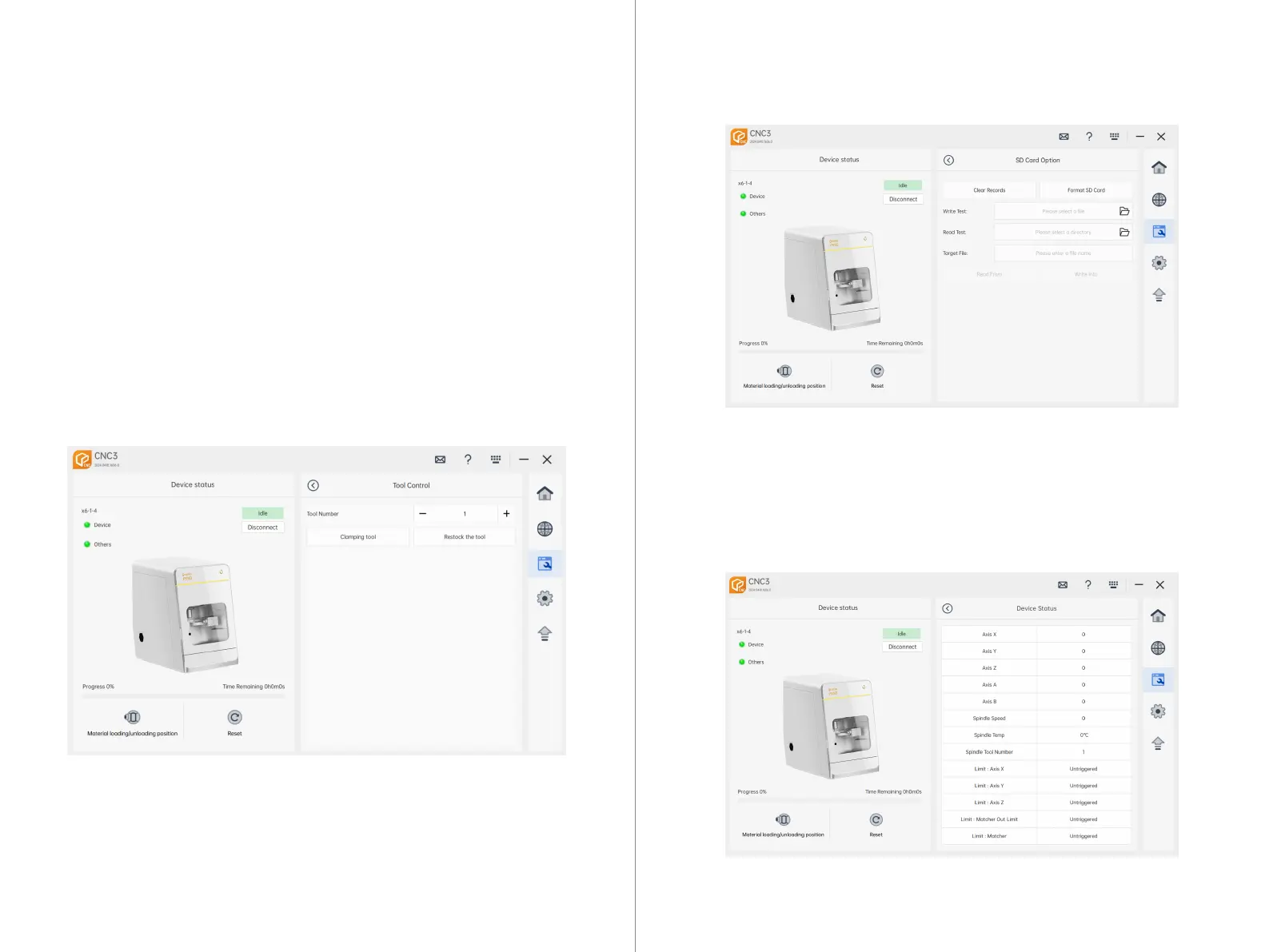
Note: This function is used to verify if the SD card reading and writing are func-
tioning properly.
7.4.10 Tool Control
Clear Log: Clears the logs stored on the machine's controller.
SD Format: Formats the SD card.
Write: Select a local document, then click "Write" to transfer the file onto the SD card.
Read: Choose a local file path, then click "Read" to retrieve the document previously
written onto the SD card to the selected file path.
Start Time and End Time: Displays the start and end times of historical NC
processing. Clicking on it opens a dropdown menu where you can select the
historical processing time and start time.
Search: After selecting the start and end times, click on "Search" to display all
processing records within that time range, including file names, start times,
processing duration, and processing lines.
Export File: After searching for the corresponding historical processing records,
click on "Export File". Select the export file path, and the historical processing
records will be exported locally.
Clamp Tool: Select any tool number, then click "Clamp Tool". The machine will grip the
tool corresponding to the selected tool number.
Return Tool: Click "Return Tool". The machine will return the currently held tool to its
designated tool slot.
7.4.9 Tool Control
Device Status: Displays the current coordinates of each axis on the machining machine
and whether limit switches are triggered.
7.4.11 Device Status
39 40



 To Next Page