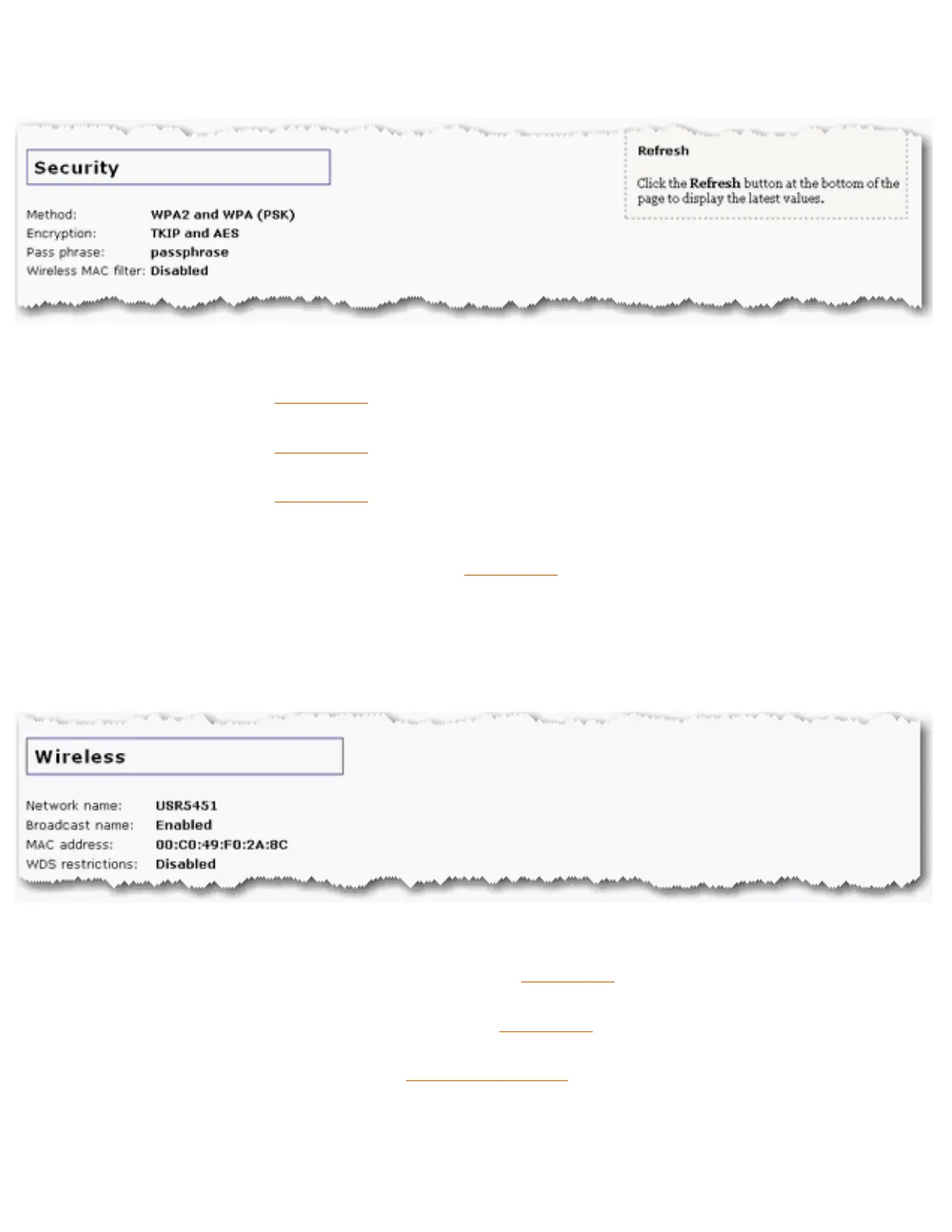
Security
● Method: The security method for your access point. This information can be
configured from the
Wireless section of the Security page.
● Encryption: The encryption type for your access point. This information can be
configured from the
Wireless section of the Security page.
● Pass Phrase: The Pass phrase or Key for your access point. This information can be
configured from the
Wireless section of the Security page.
● Wireless MAC filter (Access Point and Range Extender modes only): Displays
whether the wireless MAC Filter is Enabled or Disabled on your network. This
information can be configured from the
Wireless section of the Security page.
Wireless
● Network name: The Network name of the access point that is broadcast for wireless
connections. This can be configured from the
Wireless page.
● Broadcast name: Whether the broadcasting of the network name is Enabled or
Disabled. This can be configured from the
Wireless page.
● MAC address: The wireless (WLAN) MAC address of the access point.
● WDS restrictions: The status of WDS restrictions on the access point, either Enabled
or Disabled.
file:///G|/CSO/T-Writer%20Repository/Networking/5455%20MAXg%20CR%20AP/Regulatory%20Preview/status.html (2 of 4)4/24/2007 5:15:45 PM



 To Next Page