INBOX SENT
C
H
6
111
C
H
6
110
LOCK/UNLOCK
1
Select to lock or unlock the TXT or PIX/FLIX
message.
2
Select “Lock” to lock the message or “Unlock”
to unlock the message and then press .
MESSAGE INFO
1
Select to show received PIX/FLIX message
information.
• “Save Sound”, “Save Graphic” menu appears only when you
receive a TXT, PIX/FLIX or EMS message.
• “Message Info” menu appears only when you receive a PIX/FLIX
message.
• Place a call to a received message number (Include Fr/CB phone
number) by simply pressing .
“Play Again” menu appears only when you send a MMS message.
1
Press [MENU] and then select “Messaging”
menu, press “Sent” or press [MESSAGE],
press “Sent”.
Manages sent TXT, PIX/FLIX messages or messages waiting to be sent.
2
Select a message and then press [OPEN].
The message is displayed. To delete a message,
press [ERASE], press .
FORWARD
1
Select to forward the TXT or PIX/FLIX message.
2
Input the phone number of the person you are
sending the message and then press .
3
Input any text message to go along with the
forwarded message and then press [SEND].
PLAY AGAIN
1
Select to play sent MMS message.
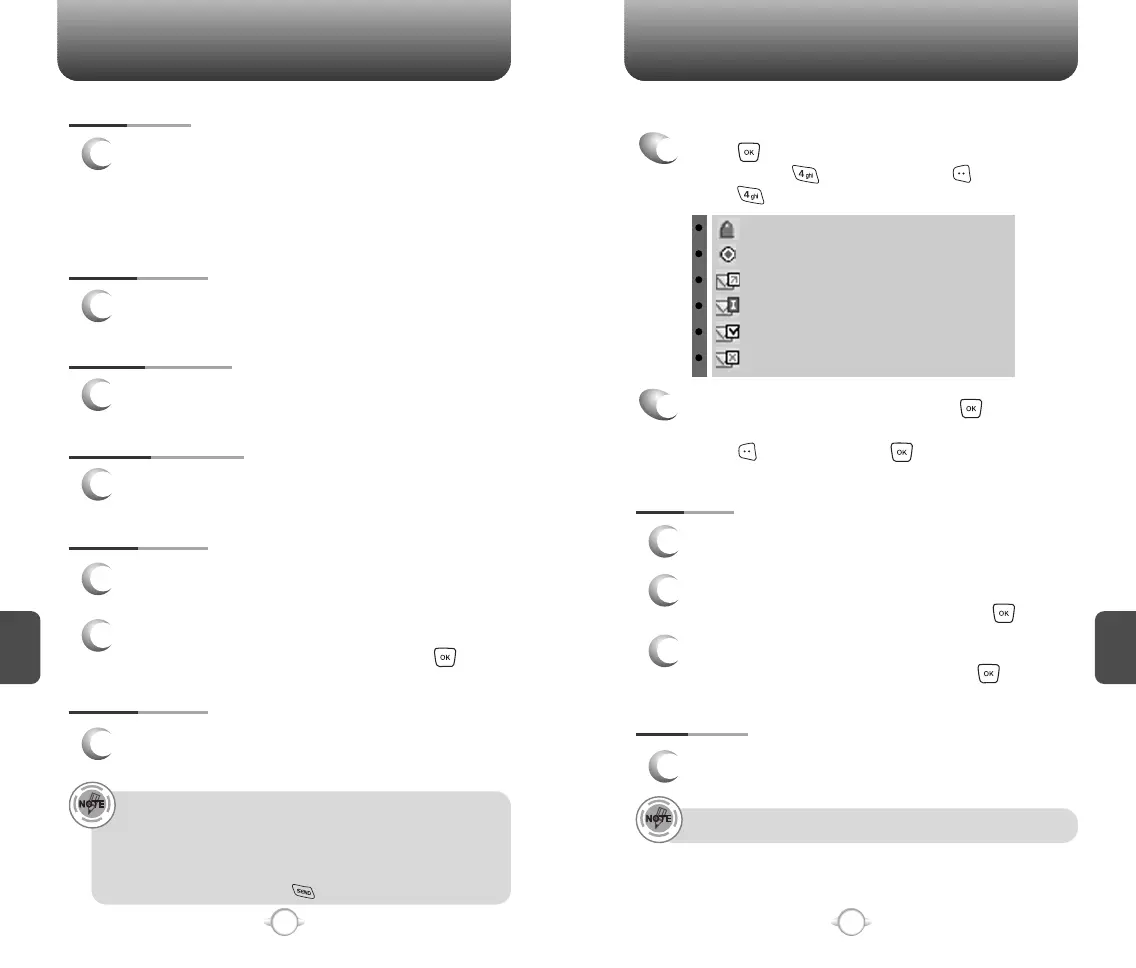
: Lock
: Priority
: Sent
: Incomplete Delivery
: Delivered
: Sent but Delivery Failed
SAVE QUICK TEXT
1
Select to save received text msg to “Quick Text”.
SAVE GRAPHIC
1
Select to save a graphic to the “My Graphics” folder.
ADD TO CONTACTS
1
Select to save number to contacts.
SAVE SOUND
1
If you receive a EMS message, select to save a
sound to the “My Ringtones” folder.
If you receive a MMS message, select to save a
sound to the “My Sounds” folder.



 To Next Page