C
H
6
119
C
H
6
118
SETTINGSSETTINGS
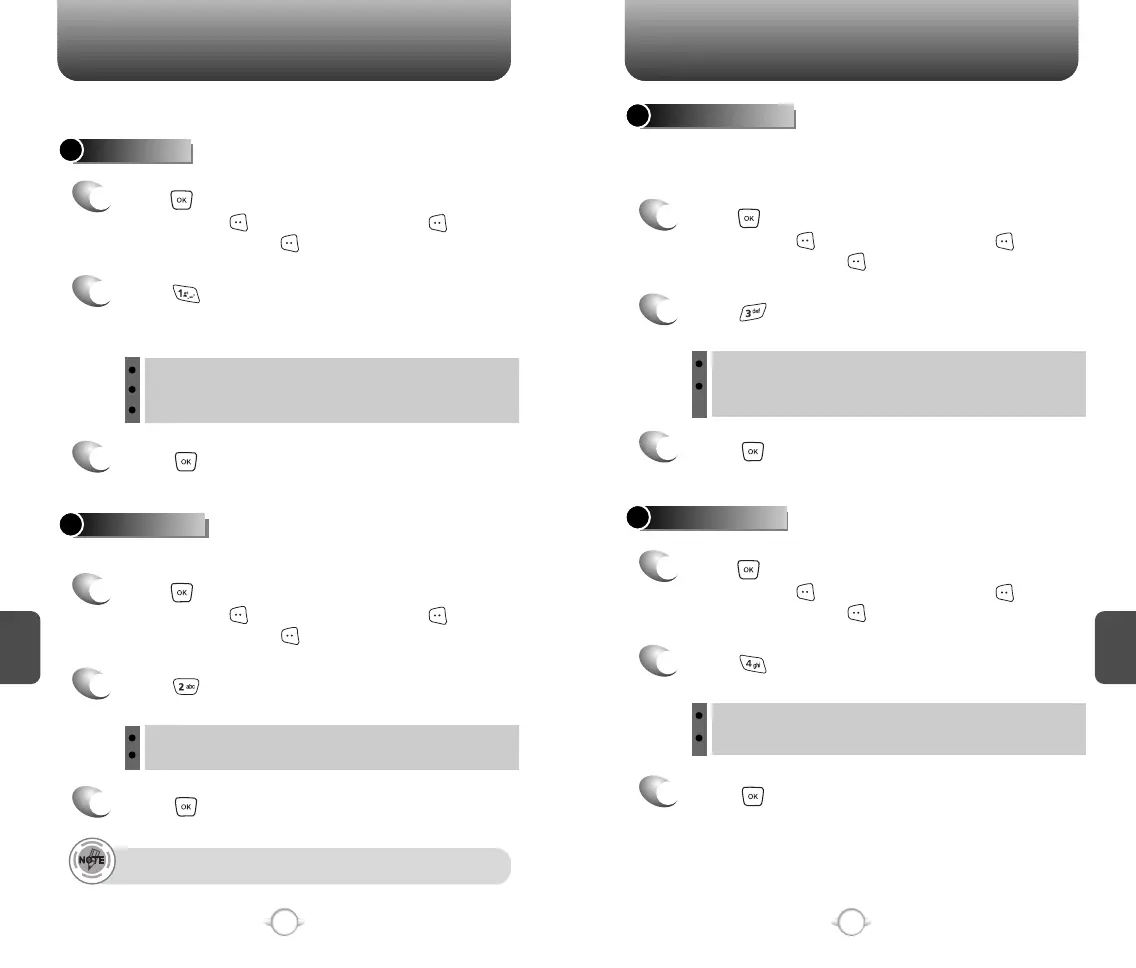
AUTO SAVE
Press [AUTO SAVE].
Select “On”, “Off” or “Prompt” with the
Navigation Key.
Press .
Manages messaging features through various features.
2
3
AUTO ERASE
Automatically erases inbox messages when new messages arrive.
1
Press [MENU] and then select “Messaging”
menu, press [SETTINGS] or press
[MESSAGE], press [SETTINGS].
Press [AUTO ERASE].
Select “On” or “Off” with the Navigation Key.
Press .
2
3
1
Press [MENU] and then select “Messaging”
menu, press [SETTINGS] or press
[MESSAGE], press [SETTINGS].
AUTO VIEW TXT
Press [AUTO VIEW TXT].
Select “On” or “Off” with the Navigation Key.
Press .
2
3
AUTO RECEIVE
1
Press [MENU] and then select “Messaging”
menu, press [SETTINGS] or press
[MESSAGE], press [SETTINGS].
Press [AUTO RECEIVE].
Select “On” or “Off” with the Navigation Key.
Press .
2
3
1
Press [MENU] and then select “Messaging”
menu, press [SETTINGS] or press
[MESSAGE], press [SETTINGS].
If the “Auto View Txt” is set to on, the user will be able to directly
view the message. If the “Auto View Txt” is set to off, the user can
view the message by entering SMS Menu-> Inbox.
On : All sent messages saved in the Sent box.
Off : All sent messages not saved in the Sent box
Prompt : “Yes”, “No” dialogue box displayed after sent message.
On : When inbox is full, oldest message is erased.
Off : When inbox is full, oldest message is not erased.
On : Text message automatically displays.
Off : User can retrieve messages from the Inbox after selecting
yes or no.
On : PIX message automatically downloaded.
Off : User can retrieve messages by selecting “View Now”.
If message is “Unread” or “Lock”, that can’t Erase
.



 To Next Page