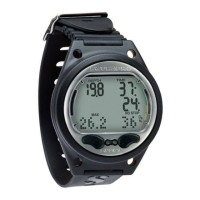
Need help?
Do you have a question about the Uwatec MANTIS and is the answer not in the manual?
Information on the CR2032 battery, its replacement, and low battery warnings.
Details on setting the alarm clock, UTC, time, date, and sound settings.
Overview of menus and functions available when the MANTIS is on the surface.
Configuration options for the dive computer when on the surface.
How to configure gas mixtures (Nitrox, CCR) and related parameters.
Settings related to SCUBA diving, including depth and time alarms.
Configuration options for Apnea diving mode, including alarms and intervals.
Settings for the SWIM mode, used for surface exercise tracking.
Choosing the dive computer's operating mode (SCUBA, GAUGE, APNEA).
Detailed guide on how to use the MANTIS during a dive.
Guide to using multiple gas mixtures for advanced diving.
Information on using the MANTIS in GAUGE mode for basic depth tracking.
Features and usage of the MANTIS's advanced APNEA diving mode.
Instructions for using the MANTIS in SWIM mode for surface exercise.
Details on the SCUBAPRO heart rate belt and its compatibility with MANTIS.
Information on the optional nylon arm strap for MANTIS.
Details about the battery compartment O-ring for MANTIS.
Information on the protective display guard for the MANTIS.
Information about the SCUBAPRO cradle accessory for PC communication.
Overview of LogTRAK software for MANTIS data management on PC/Mac.
How to change MANTIS settings and read computer information via PC.
Technical specifications and operating parameters for the MANTIS dive computer.
Guidelines for routine maintenance and care of the MANTIS dive computer.
Step-by-step instructions for replacing the MANTIS battery.
Details on the MANTIS warranty coverage and terms.
 General
| Display Type | LCD |
|---|---|
| Nitrox Compatibility | Yes |
| User Replaceable Battery | Yes |
| PC Interface | Yes |
| Battery Type | CR2450 |
| Backlight | Yes |
| Modes | Air, Nitrox, Gauge |
| Depth Range | 120 m / 393 ft |
| Battery Life | Approx. 300 dives |
| Water Resistance | 120m |

 To Next Page