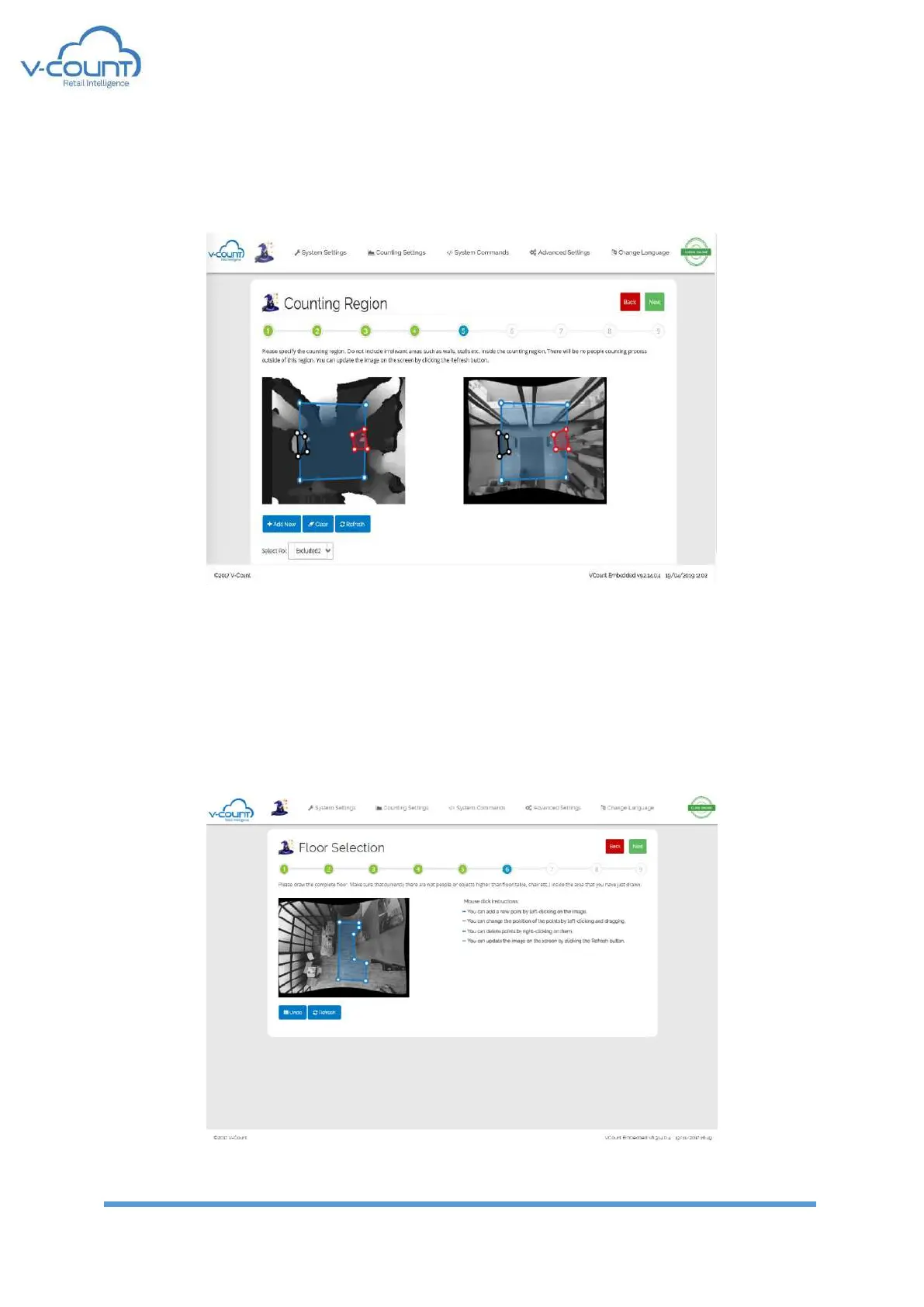
Another type of area is “Excluded” areas. These areas show where the counting shall not take
place! They exclude the pixels from processing. They can be added and removed by using “Add
New” and “Clear” buttons.
Figure 20 Counting Region Settings
5.2.6 Floor Selection – Step 6
In this page, the pure floor area shall be marked by drawing a polygon. In the process of
drawing the scene must be empty. i.e. there must be no people presence under the camera,
in the camera vision.
Figure 21 Floor Selection Settings


 To Next Page