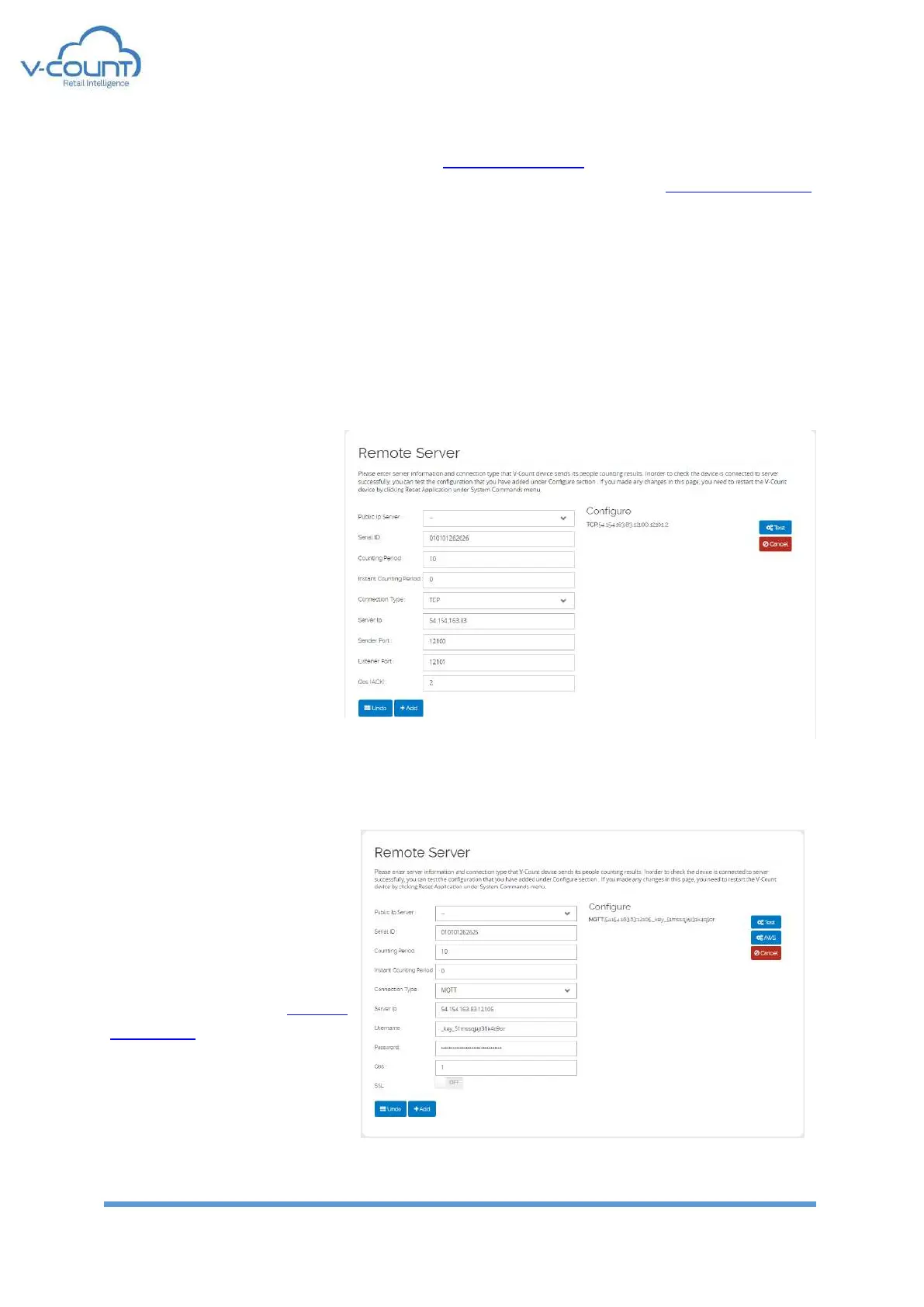
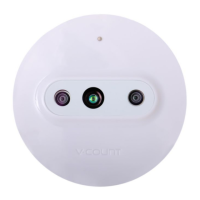
The connection types are TCP and MQTT. cloud.v-count.com supports only TCP and MQTT
connections. By default, MQTT is set at factory settings for connection to cloud.v-count.com.
“Counting Period” is used to adjust the interval that device stores and sends the counting
results to servers. It is set in terms of minutes. Minimum value is 1 minute and maximum value
is 60 minutes. The counting is reset at every period.
“Instant Counting Period” is used to adjust the interval that device continuously send
counting information to server. This data is not stored on the device and it is independent
from Counting Period. So, this value does not affect Counting Period procedure. It is set in
terms of seconds. If it is set to “0” (zero) it is disabled. Minimum value is 1 second and
maximum value is 59 seconds. At every “Instant Counting Period” time device sends the total
count from the last
“Counting Period” reset.
TCP: This connection uses
TCP/IP sockets to connect to
reporting server. A specially
defined message format is
sent to “Server IP” address
from “Sender Port”. “Listener
Port” is used if QoS(ACK) is
set to “1” for handshaking
with the server. It is
recommended to be used
only by the V-Count
technicians.
MQTT: MQTT connection is
used to connect to a broker.
Special handshaking algorithm
is used between the broker and
the device. So, using a custom
broker please contact to V-
Count executives. Default
parameters are set for cloud.v-
count.com.


 To Next Page