6.2.2.2 Time Zone – Step 2
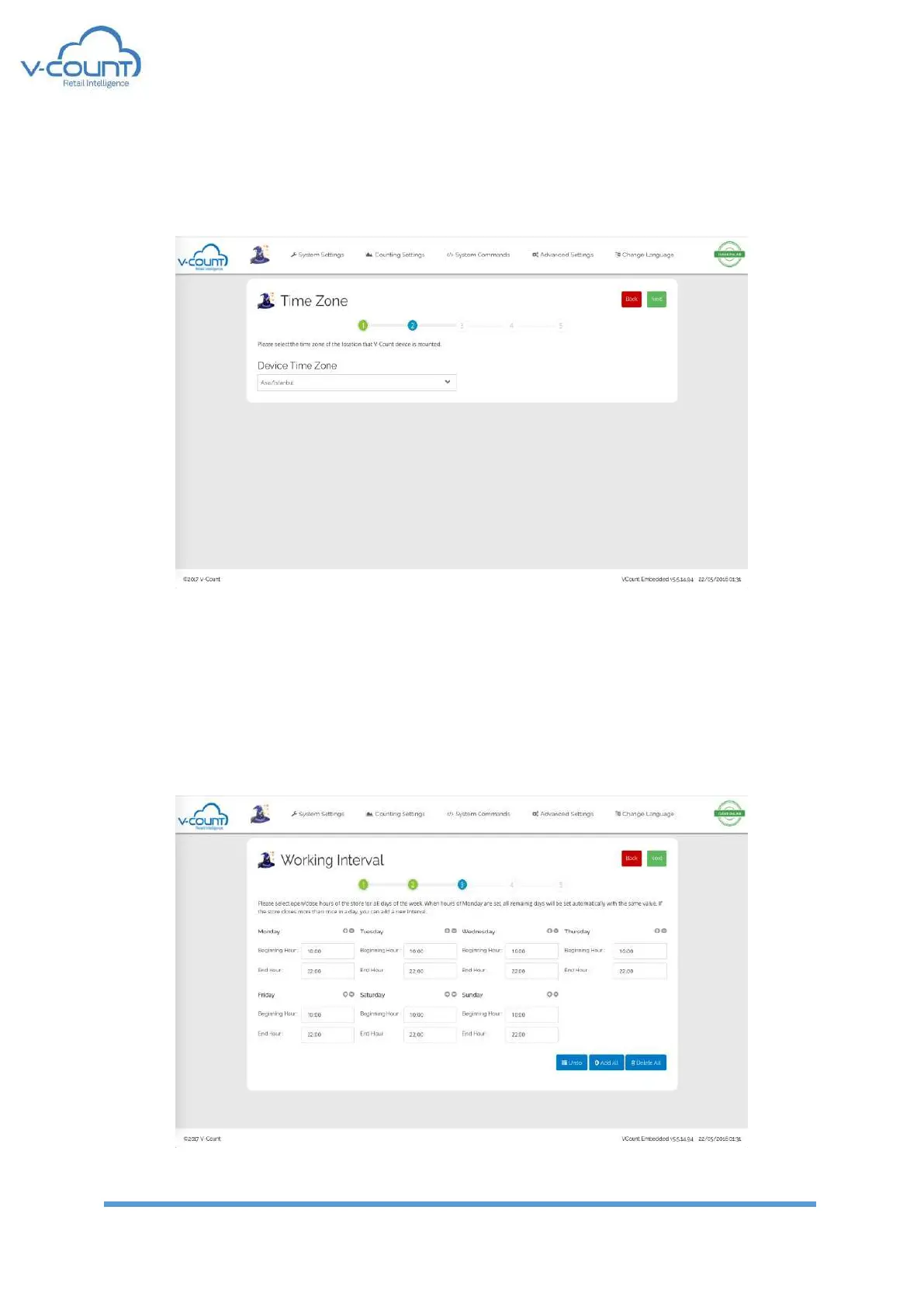
In this page, installation location of the device is selected for the device to gather the correct
date time settings from NTP server.
Figure 54 Time Zone Settings
6.2.2.3 Working Interval – Step 3
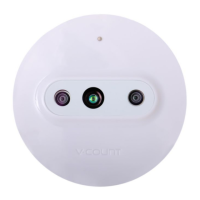
In this page, opening and closing hours of the store, shopping mall or the counting area shall
be set. Setting Monday will set all the week days. But also, other days can be set individually.
For siesta or pray hours or for any other purposes, additional intervals in a day can be set
from + signs.
Figure 55 Working Interval Settings


 To Next Page