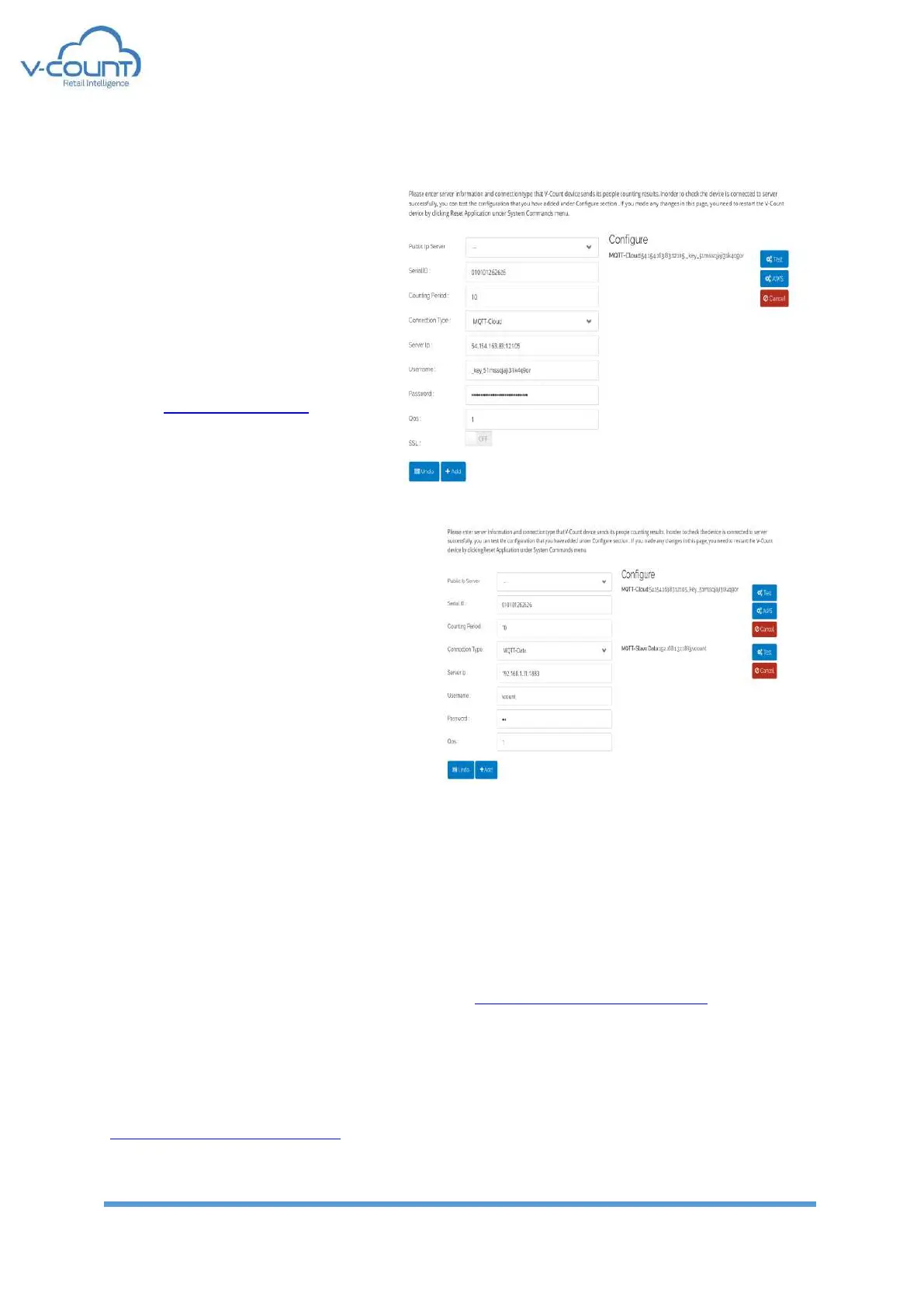
MQTT-Cloud:
MQTT-Cloud connection is used
only for webservice interface
connection. Slave devices do not
send any Wi – Fi or BLE data to cloud
server. To use a custom broker
please contact to V-Count
executives. Default parameters are
set for cloud.v-count.com.
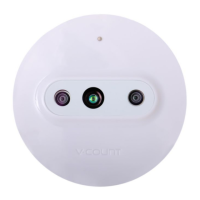
MQTT-Slave Data
This connection is used to send
data to master device. This broker is
located inside the Master device, so
“Server IP”, “Username”, “Password” and
“QoS” parameters shall be used in
accordance with the master device.
After changing any of the connection settings from this menu, a restart is required.
After adding connections, a configuration line is added to the right menu including; “Test”,
“AWS” and “Cancel” buttons.
“Test” button sends a dummy data packet to the server to test the configuration.
“AWS” button writes a dummy file to V-Count’s s3-eu-west-1.amazonaws.com servers to test
the connection to the V-Count buckets where video and log files are stored. This is enabled
only with MQTT option.
“AWS” button shall change to “Azure” when V-Count’s Azure server IP Address is set for
MQTT connection. Then “Azure” button writes a dummy file to V-Count’s
vcount.blob.core.windows.net servers to test the connection to the V-Count blob core where
video and log files are stored.


 To Next Page