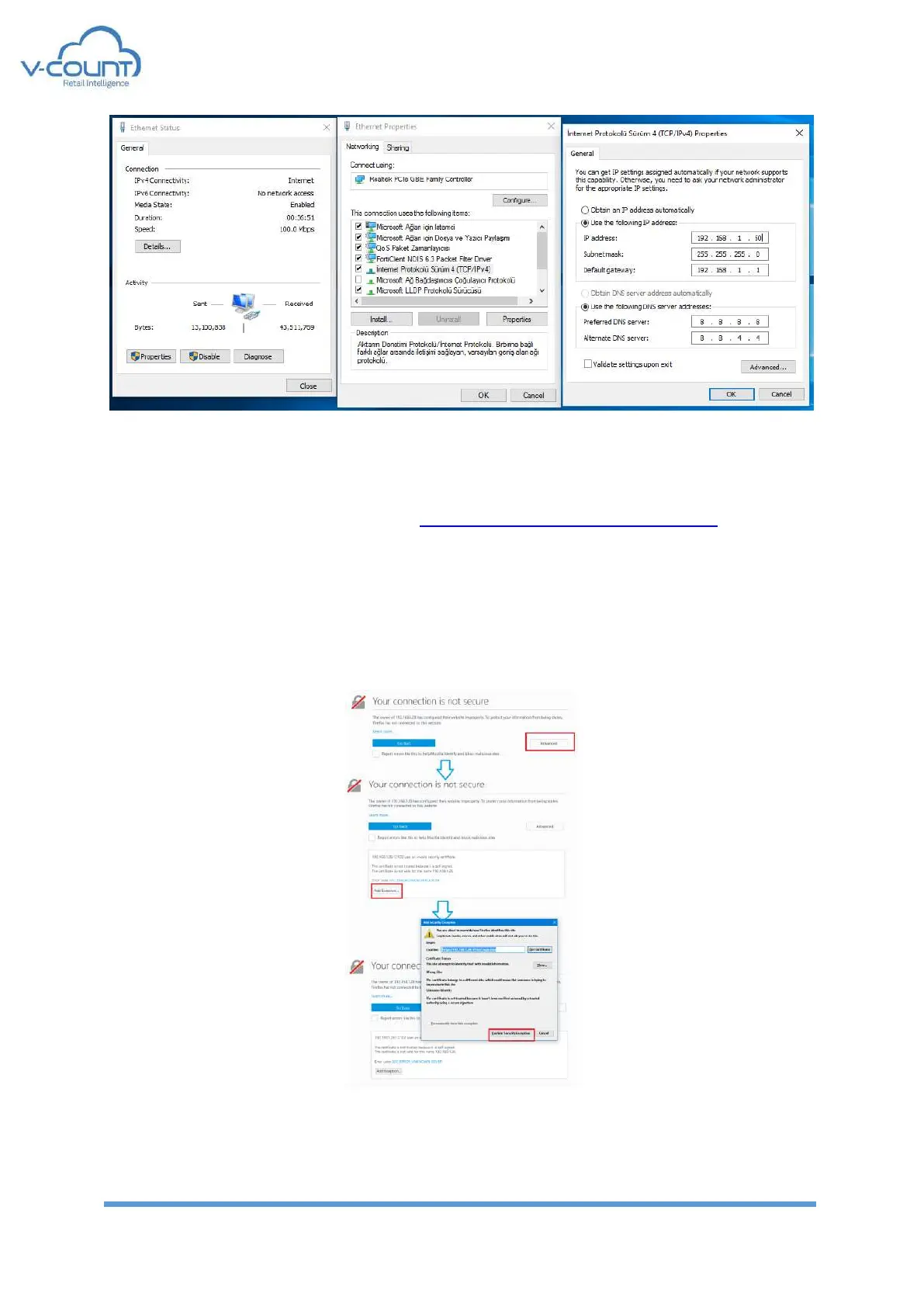
Figure 73 Connection Status, Connection Properties, TCP/IP Settings
Apply the settings and now you can ping and connect to device.
Device web interface is accessible from https://V-CountDeviceIPAddress:12102 with default
settings.
Google Chrome or Mozilla Firefox must be used to access this web interface. Any other web
browsers are not supported. (i.e. Internet Explorer, Safari, etc. are not supported)
While accessing the device, browsers may ask for adding an exception for the V-Count
devices. Click Advanced ➔ Confirm Security Exception.
Figure 74 Adding Exception to browser


 To Next Page