AV Bridge MATRIX PRO
AV Bridge Matrix Pro Manual - Document Number 342-0915 Rev C Page 33 of 68
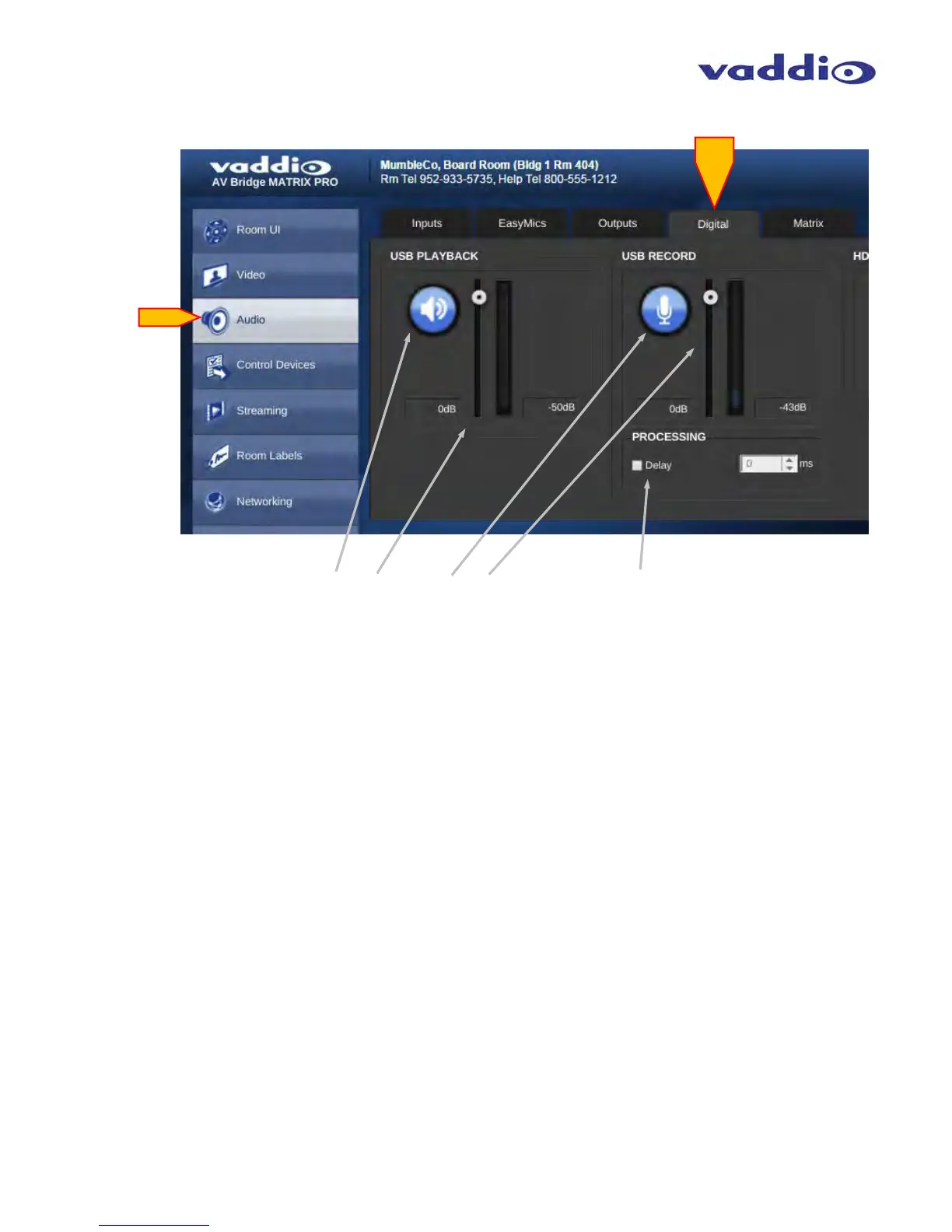
• USB:
USB Playback (Mic): Mute Button: Blue = active, Red = muted.
USB Playback (Mic): Level Slider: adjust for desired microphone amplitude. Label indicates gain or attenuation,
VU Meter on right displays active audio on that channel.
USB Record (Speakers): Mute, blue = active, red = muted.
USB Record (Speakers): Level slider: adjust for desired microphone amplitude. Label indicates gain or attenuation,
VU Meter on right displays active audio on that channel.
Processing: Check box to enable audio delay function for Lip Sync requirements, adjust number of milliseconds
needed with the up/down arrows on the right of the time delay display. Delay time adjustable only when function is
enabled.



 To Next Page