OneLINK For RoboSHOT HDMI Cameras
OneLINK For RoboSHOT HDMI Cameras Page 11 of 20
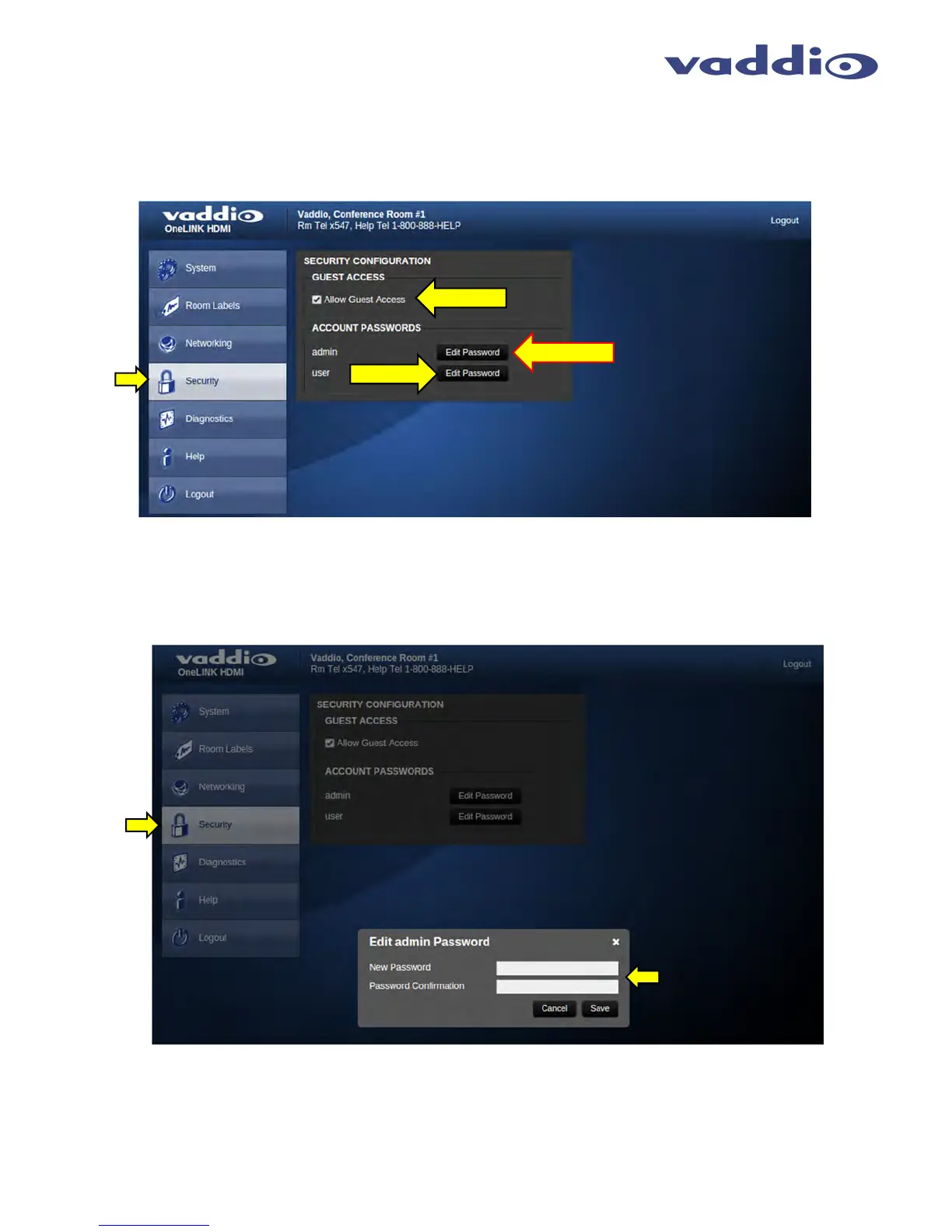
Screen SHOT: Security
The Security menu allows the Admin to set the Admin password. In the future there will be a User access password for camera
control with Vaddio PTZ cameras using the OneLINK Systems. The Guest Access function is also a future parameter that is
inactive. There is only one Admin password at any given time. If changes are made, click on Save to store the change (it’s best
to write down the password).
Screen SHOT: Security
After clicking the Edit Password button, an Edit Admin Password pop-up menu will appear. Enter and confirm the
new Admin password and click Save to enter.
INACTIVE
CTIVE
INACTIVE



 To Next Page