OneLINK For RoboSHOT HDMI Cameras
OneLINK For RoboSHOT HDMI Cameras Page 8 of 20
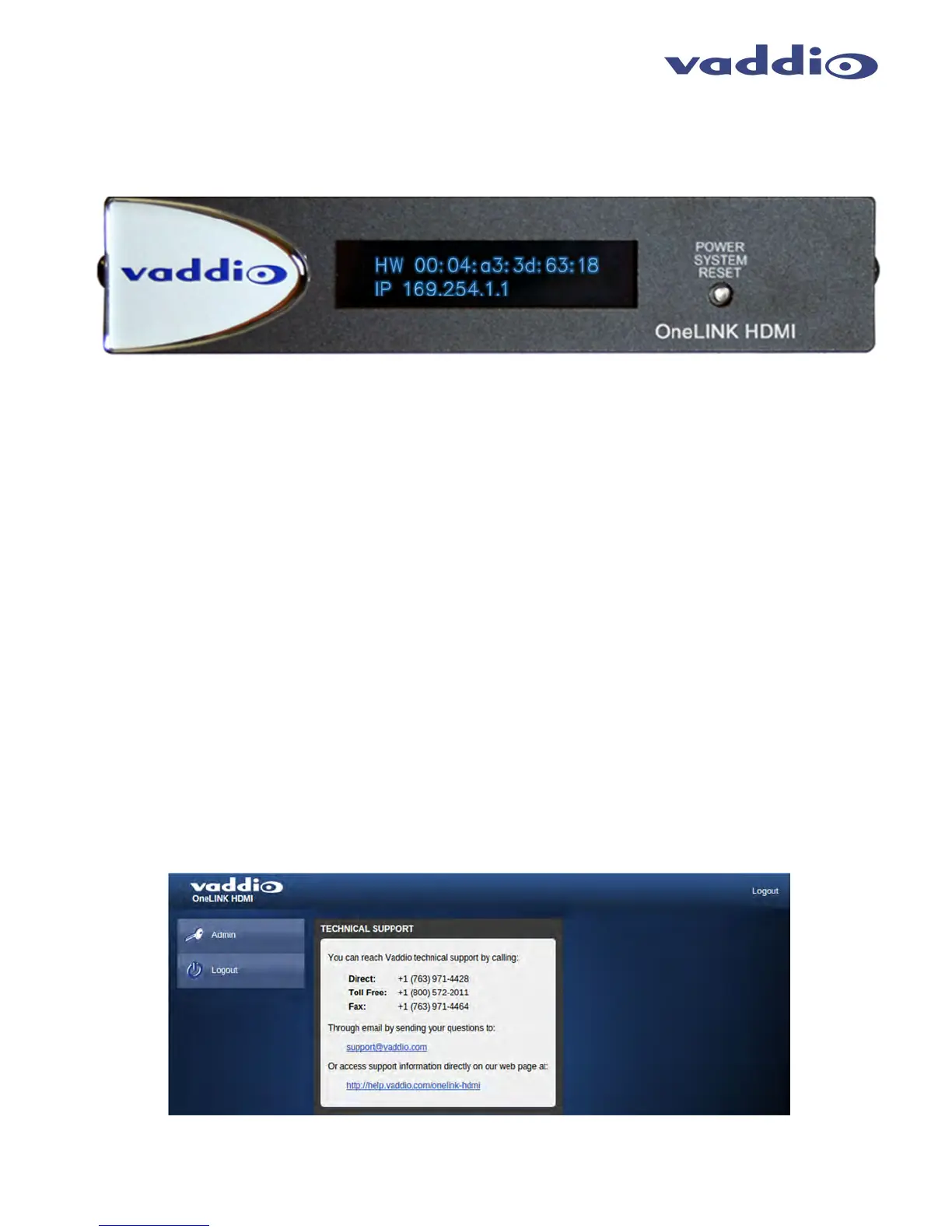
OneLINK Display
The OneLINK HDMI Interface that has a 2-line LCD that displays the interfaces IP and MAC addresses. This is
used to access the embedded web server for future firmware updates in the unlikely event they are ever required.
Web Page Configuration and Structure
To access the Configuration pages served by the OneLINK, connect the Network port to either a Network or PC.
This Ethernet connection to the Quick-Connect is required and will use the IP address displayed on the front of the
unit. If DHCP is configured on the network, the display will show the assigned address allowing access to the web
pages.
T
HE
O
NE
LINK
S
CREEN
S
HOT
T
OUR
The OneLINK Interface uses a Linux OS and has a built-in web server. The internal web pages will allow
configuration and simple control of the interface via Ethernet network connection. These web pages will allow the
user or administrator to set security passwords, change the IP address, view diagnostics, access the firmware
upgrade page and many more exciting things.
DHCP IP Set-up (Dynamic Host Configuration Protocol)
DHCP Set-up (skip this section if Static IP). If the LAN has a DHCP (dynamic host configuration protocol) server, then the IP address,
gateway and routing information will automatically be assigned. The software is defaulted to DHCP and will attempt to dynamically obtain an
IP address using DHCP, but it will fall back to the default address of (169.254.1.1) if no DHCP server can be found.
Static IP Set-up:
The static IP can be assigned either through the network or directly to a computer using a cross-over cable. Depending on the age of the
computer, you may not need a cross-over cable. Either way the steps are the same for network or direct connection to a computer. The default
address of the camera is 169.254.1.1 and the Subnet mask is 255.255.0.0. Different computer OS types all have their own way of doing things
(without question), but they are essentially doing the same stuff, changing the IP address so the web pages of the RoboSHOT are accessible
.
Screen Shot: Home Page
The Home Page Contains the Admin Login tabs and the Vaddio Technical Support contact information. Both the
Admin and the User may access this page.



 To Next Page