OneLINK For RoboSHOT HDMI Cameras
OneLINK For RoboSHOT HDMI Cameras Page 4 of 20
Unpacking:
Carefully remove the product and all of the included parts from the packaging. Identify the following parts:
OneLINK System for Vaddio RoboSHOT HDMI Cameras (North America)
Part Number 999-9590-000 Includes:
One (1) 998-1105-043 OneLINK HDMI Interface
One (1) 998-6700-043 OneLINK HDMI EZIM Camera Interface
One (1) Vaddio 48 VDC, 1.36 Amp Switching Power Supply with North American AC Cord Set
One (1) 12” (305mm) HDMI Male to Male camera cable
Two (2) 12” (305mm) Cat-5e Patch Cables (Ethernet and RS-232)
One (1) 12” (305mm) Power Cable
Two (2) 6-32 x .188” Black Phillips head EZIM screws
One (1) Quick Start Guide
OneLINK System for Vaddio RoboSHOT HDMI Cameras (International)
Part Number 999-9590-001 Includes:
One (1) 998-1105-043 OneLINK HDMI Interface
One (1) 998-6700-043 OneLINK HDMI EZIM Camera Interface
One (1) Vaddio 48 VDC, 1.36 Amp Switching Power Supply
One (1) Euro Power Cable
One (1) UK Power Cable
One (1) 12” (305mm) HDMI Male to Male camera cable
Two (2) 12” (305mm) Cat-5e Patch Cables (Ethernet and RS-232)
One (1) 12” (305mm) power cable
Two (2) 6-32 x .188” Black Phillips head EZIM screws
One (1) Quick Start Guide
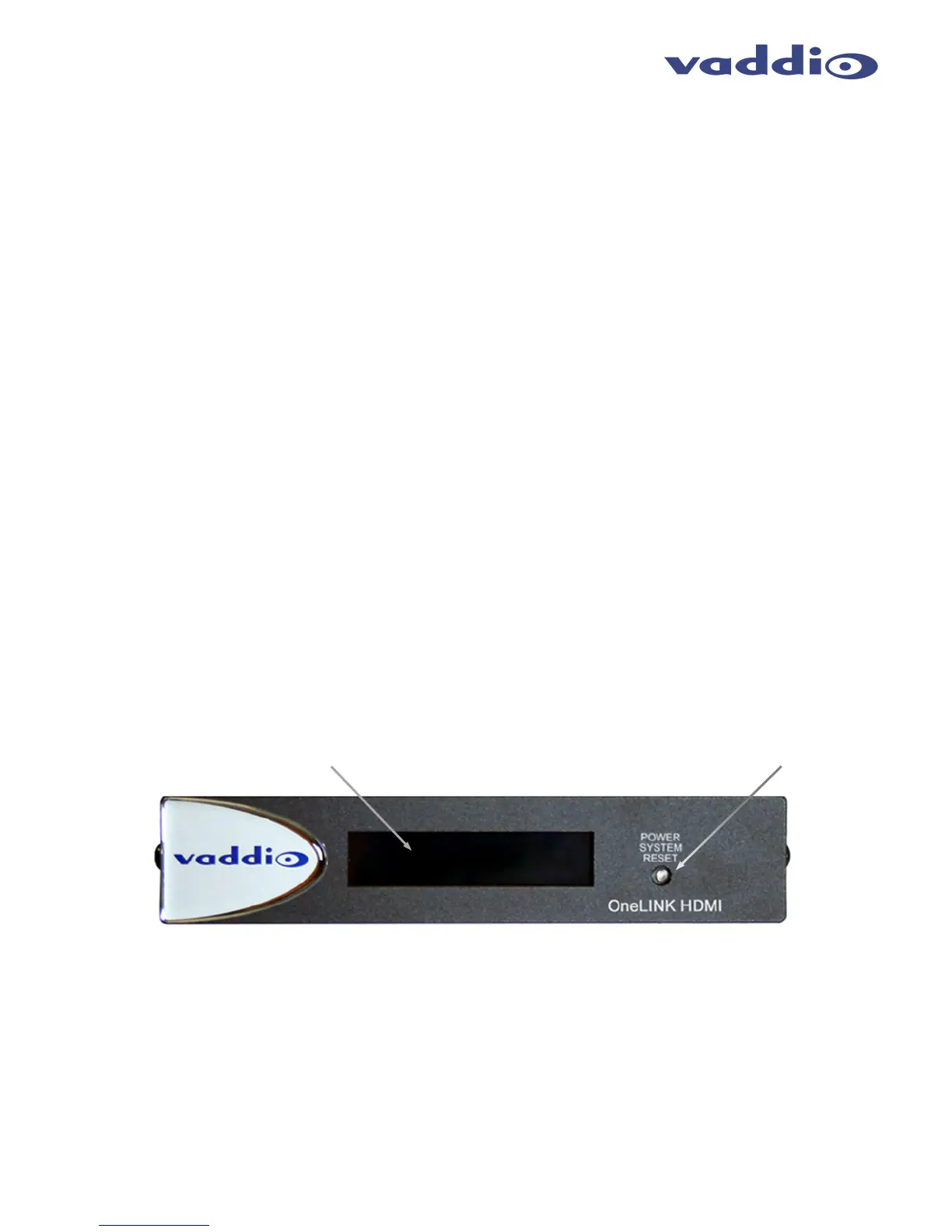
Image: OneLINK HDMI Interface with Front Panel Feature Call-outs
1. Blue Backlit Display: A two row, 20 character display displays the IP and MAC addresses for access to
internally served web pages. These web pages are currently used only for easy firmware updates in the unlikely
event the OneLINK system ever requires a firmware update.
2. Power / System Reset: Blue power indicator lamp and recessed momentary reset button indicates presence
of power with a blue LED. Press this recessed button for a system reset if required.
①
②



 To Next Page