OneLINK For RoboSHOT HDMI Cameras
OneLINK For RoboSHOT HDMI Cameras Page 13 of 20
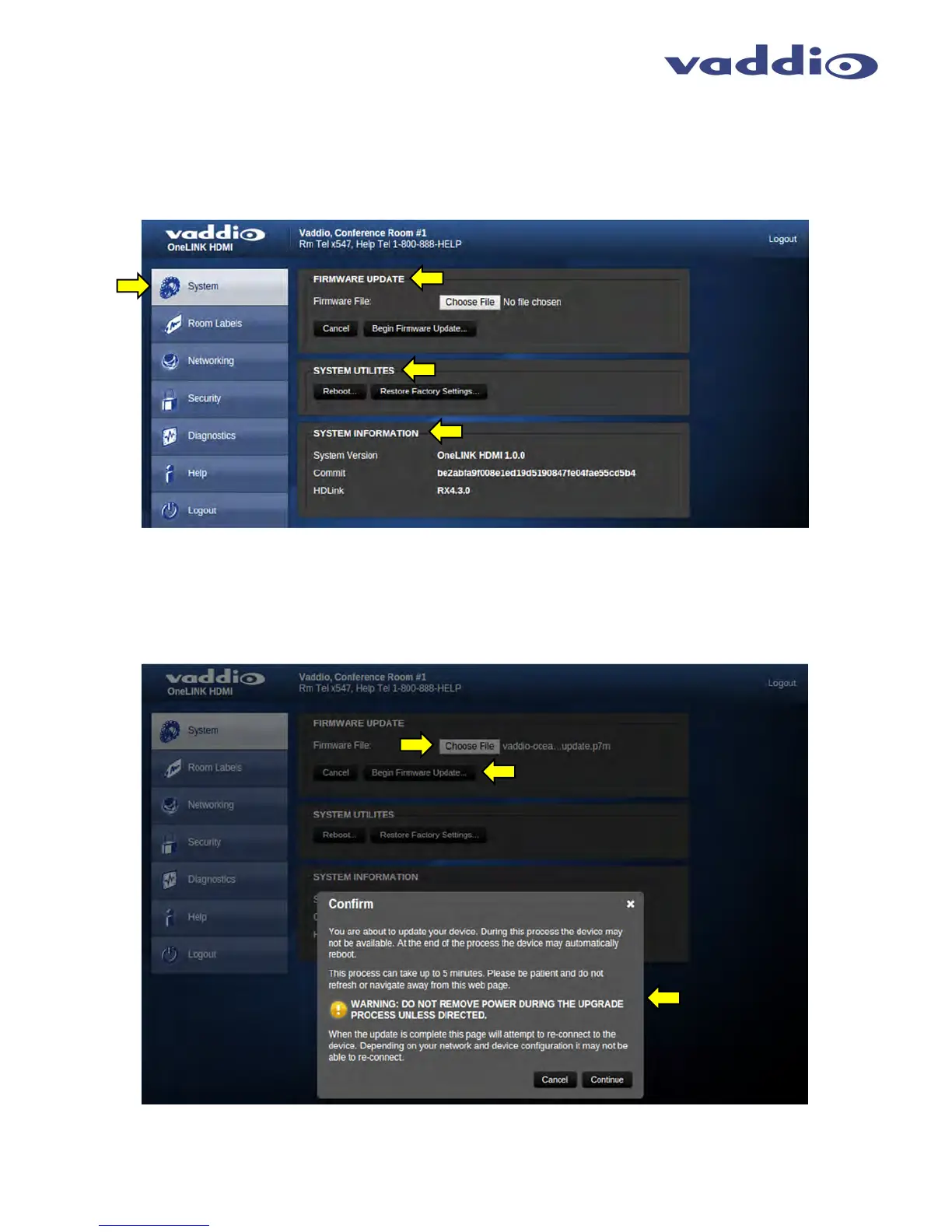
Screen Shot: System Menu
The System Menu is where the System Info is displayed and Firmware Updates are performed. There will be
firmware updates and upgrades over the life of the OneLINK Interface. The file for the firmware update is chosen
in this menu and the update is started here too. A remote system Reboot and Restore to Factory Presets is also
available.
Screen Shot: System Menu - Firmware Update Confirmation
After the firmware update file has been chosen and Begin Firmware Update is clicked, a confirmation message
pop-up is shown. Click on continue or cancel one the content of the pop-up is understood.



 To Next Page