EasyManua.ls Logo

VALCO MELTON D4 - User Manual

Default Icon
253 pages
Print Icon
To Next Page IconTo Next Page
Loading...
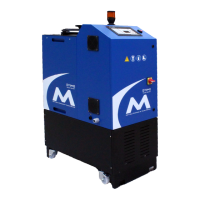
D4 Hot Melt Unit
Manual Number: MM147
Revision Date: 6/2018

Table of Contents

Questions and Answers

  • F
    fletchercaitlinAug 4, 2025
    What to do if VALCO MELTON Melting Machines have no adhesive output?
    • S
      Stephen ButlerAug 4, 2025
      If your VALCO MELTON Melting Machines are not dispensing adhesive, there are several potential causes. First, ensure the adhesive is hot enough by checking the temperature setting, reservoir heater power, and fuses. Verify the pump is functioning and the system is ready, also check for blown fuses. Other possible issues include a cold or damaged hose (replace the hose), a cold applicator (check for blown fuse or defective heater), a clogged applicator (service the applicator system), or a clogged filter (replace the filter). Finally, a temperature control malfunction could also be the reason (replace temperature control).
  • W
    William CollinsAug 10, 2025
    How to fix VALCO MELTON Melting Machines when material in reservoir will not melt?
    • J
      James EstesAug 10, 2025
      If the material in the reservoir of your VALCO MELTON Melting Machines is not melting, it could be due to a few reasons. Check the indicator lights and reset the temperature adjustments in case of a temperature control malfunction. Inspect for loose, broken, or shorted connectors on the heater or wiring harness; tighten any loose connectors and repair any broken or shorted ones. Also, check the circuit breaker and fuses, replacing them if necessary.
  • E
    emcphersonAug 15, 2025
    Why is adhesive charring or gelling in the reservoir of VALCO MELTON Melting Machines?
    • C
      Calvin DavisAug 15, 2025
      Charring or gelling of adhesive in the reservoir of VALCO MELTON Melting Machines can occur due to several reasons. The reservoir temperature might be too high; lower it according to the adhesive manufacturer’s specifications. Surface oxidation of the adhesive can also be a factor, so keep the reservoir closed. The adhesive might have poor heat stability, in that case change the adhesive or hold the reservoir temperature at a minimum. A low reservoir level can also contribute, so keep the reservoir full. Finally, a temperature control malfunction could be the cause, so replace the temperature control.
  • J
    James RothAug 22, 2025
    How to troubleshoot uneven adhesive flow in VALCO MELTON Melting Machines applicators?
    • W
      Wayne YoungAug 23, 2025
      Uneven adhesive flow to the applicators in VALCO MELTON Melting Machines can be caused by several factors. If the reservoir temperature is too low, raise it according to the adhesive manufacturer’s specifications. If the adhesive is overheated, reduce the reservoir temperature accordingly. Ensure glue hoses are at the same temperature by resetting the temperature controllers and use hoses of the same length. Replace any crimped or leaking hoses. If the adhesive supply is low and the tank sides are charred, drain, clean, flush, and refill the system. For a manifold or nozzles that are partially clogged, drain, clean, flush, and refill the system, inspecting for charred adhesive and foreign matter.
  • M
    murphyhenryAug 28, 2025
    What causes fuming or smoking of adhesive in the reservoir of VALCO MELTON Melting Machines?
    • K
      Kathleen ClarkAug 28, 2025
      Fuming or smoking of adhesive in the reservoir of VALCO MELTON Melting Machines is caused by the operating temperature exceeding the adhesive's recommended temperature. Keep the setpoint within the recommended range and keep the reservoir covered. You might also consider using another adhesive.

Summary

Section 1 - Introduction

Description

Overview of the D4 hot melt unit's functions and capabilities.

Nameplate

Information provided on the unit's identification label.

S Number Configuration

Method for customizing unit features using S numbers.

Section 2 - Safety and Use

Read Thoroughly Before Handling Equipment

Crucial safety instructions preceding equipment operation.

Symbols

Explanation of standard safety symbols used in the manual.

Owner Responsibilities

Defines the owner's role in ensuring safe operation.

Limitations of Use

Specifies intended use and prohibited modifications.

Installation;Startup;Use Safety Information

Essential safety precautions for setup and initial use.

Shut Down Safety Information

Procedures for safe shutdown and power disconnection.

Hot-Melt-Specific, General Safety Information

Safety guidelines unique to hot melt systems.

What to Do if Contact with Hot Adhesive Occurs

Emergency response for skin contact with hot adhesive.

What to Do if Inhalation of Adhesive Fumes Occurs

Emergency response for inhaling adhesive fumes.

What to Do if Adhesive-Related Fire or Explosion Occurs

Emergency procedures for fire and explosion incidents.

Hose Safety Information

Guidelines for the safe installation and handling of hot melt hoses.

Section 3 - Basic Features

Key Features

Highlights the main functional components of the D4 unit.

Section 4 - Installation

Choosing a Location

Recommendations for selecting an optimal installation site.

Mounting Footprint

Physical dimensions and mounting hole layout for the unit.

Installation Kit

Description of the optional kit for unit installation.

Routing Low-Voltage Leads

Safety guidelines for managing electrical wiring.

Connecting the Electrical Power

Step-by-step guide for safe electrical hookup.

Connecting the Hoses

Procedures for attaching and securing hot melt hoses.

Connecting the Hot Melt Hoses to the Applicators

Attaching hoses to the application devices.

Wiring Diagram

Visual guide to the unit's internal electrical connections.

Wiring Diagram - Before 5;18

Specific wiring details for older unit revisions.

Input;Output Connections

Details on connecting external control devices.

Input;Output Connections - Before 5;18

I/O connection details for older unit revisions.

Section 5 - Setup

Control Panel

Identification and function of control panel elements.

Power On;Off and Standby Mode

Operating the unit's main power and standby functions.

Display Contrast Adjustment

Procedure to adjust screen contrast for readability.

User Interface

Navigating menus and understanding display icons.

Thumbwheel vs. Single Digit Edit

Explains two methods for parameter value entry.

Entering Passwords

Steps for accessing protected system settings using passwords.

Set Language

Changing the user interface language.

Set Temperature Units

Selecting between Fahrenheit and Celsius temperature scales.

Programming Temperatures

Setting desired temperatures for tank, hoses, and guns.

Tank Temperature

Setting and monitoring the primary adhesive tank temperature.

Hose;Valve Temperature

Setting and monitoring temperatures for hoses and associated valves.

System;Pump Ready Temperature Offset

Adjusting the offset for system readiness based on temperature.

Ready Delay Time

Configuring a delay before pump activation post-temperature readiness.

Over Temperature Alarm

Setting the threshold for the over-temperature warning.

Under Temperature Alarm

Setting the threshold for the under-temperature warning.

Maximum Temperature

Defining the highest allowable temperature setpoint for any zone.

Beacon;Alarm Setup

Configuring visual and audible alarm indicators.

Automatic Pump Mode

Enabling automatic pump activation based on system conditions.

Pressure Setup

Configuring pressure monitoring and alarm parameters.

Pot Fill Mode

Setting up the system for external pot refilling operations.

Level Sensor Setup

Configuring internal and external sensors for adhesive level detection.

Filter Change Timer

Setting a timer for filter replacement reminders.

Clock and 7-Day Timer

Setting the unit's internal clock and scheduling functions.

Programming Shifts

Defining operational shifts, start/end times, and setback periods.

Diagnostics

Accessing system status, software version, and error logs.

Setback

Adjusting temperature setpoints for periods of reduced activity.

Startup Setup

Configuring sequential heating for hoses and guns.

User Inputs and Outputs

Mapping external signals to unit functions.

Configuration

Setting global parameters like zone assignments and tank configurations.

Auxiliary I;O

Enabling or disabling additional I/O capabilities.

Pump Type

Selecting the motor drive type (fixed or variable speed).

Gramage Enable

Activating grammage calculation for coating applications.

Config Comm Menu

Setting up communication protocols for remote access.

Pump Configuration

Setting parameters for pump operation and type.

PID Setup Menu

Fine-tuning temperature control loops using PID parameters.

Memory Menu

Managing unit settings via backup, restore, and initialization.

Initialization Instructions

Guide for initial setup after factory reset or new installation.

Adjusting the Pressure Control Valve

Procedures for calibrating the system's pressure relief valve.

Gramage Feature

Detailed setup for coating applications requiring specific grammage.

Section 6 - Operation

Start the Unit

Step-by-step guide to powering on and initiating the unit.

Temperature

Monitoring and adjusting temperature setpoints across different zones.

Pump Operation

Managing the pump's activation, speed, and status.

Clock On;Off

Enabling or disabling the unit's clock for timed operations.

Setback

Activating the setback mode to reduce temperatures during idle periods.

Filling the Tank

Safe procedures for adding adhesive to the unit's reservoir.

Section 7 - Maintenance

General

Recommended daily and routine maintenance procedures.

Cleaning the Exterior of the Unit

Guidelines for cleaning the unit's external surfaces.

Changing the Adhesive

Safe procedures for replacing the hot melt adhesive.

Flushing the System

Steps for cleaning the system, especially when changing adhesives.

Parts Replacement

General guidance on replacing internal components.

Changing Fuses

Instructions for replacing fuses on the control board.

Changing the Filter

Procedure for replacing the system's filter assembly.

Section 8 - Troubleshooting and Repair

Material in reservoir will not melt

Diagnosing and resolving issues with adhesive melting.

No adhesive output

Troubleshooting steps for problems with adhesive flow.

Charring or gelling of adhesive in the reservoir

Identifying and fixing adhesive degradation issues.

Fuming or smoking of adhesive in the reservoir

Addressing causes of adhesive fumes or smoke.

Uneven flow of adhesive to applicators

Troubleshooting inconsistent adhesive delivery.

Section 9 - Specifications

Specifications

Technical data and operating parameters of the D4 unit.

Dimensions

Physical measurements of the unit.

Section 10 - Part Number List

How to Order Parts

Contact information and procedures for parts procurement.

D4 Unit

Exploded view and part list for the main unit assembly.

D4 Unit, Fixed speed, 2 exit (776 xx887)

Specific part list for this model.

D4 Unit, Variable speed, 2 exit (776 xx889)

Specific part list for this model.

D4 Base Unit (776 xx392)

Detailed part breakdown for the base unit.

Installation Kit (091 xx734)

List of items included in the installation kit.

Option Kits

Overview of available optional accessories for the D4 unit.

Internal Level Sensors

Part numbers for internal level sensor kits.

External Pot Fill

Part numbers for external pot fill system kits.

Alarm Beacon

Part numbers for alarm beacon assemblies.

Pressure Relief

Part numbers for pressure relief valve kits.

Pressure Monitoring

Part numbers for pressure monitoring components.

Section 11 - Warranty

Warranty Information

General warranty terms and conditions.

Hot Melt Units, Hoses, Valves, Guns, and Related Equipment

Specific warranty coverage for hot melt components.

Section 12 - Service

Service

Contact information and procedures for obtaining technical support.

Appendix A - Password Levels

Level 2 - Advanced Operator (PIN Code: 1234)

Operator access level with system setup parameters.

Level 3 - Supervisor (PIN Code: 6550)

Highest access level for system control and settings.

Appendix B - Power Requirements

System Power Requirement Calculation - D Series Units

Guide for determining the unit's power consumption needs.

Appendix C - Instruction Sheets for Option Kits

Option Kits for D4

List of available option kits and their instruction sheets.

Appendix D - Micro SD Backup & Restore

Functions

Overview of backup, restore, and initialization operations.

Error Codes

Explanation of error messages encountered during SD card operations.

Appendix E - Communication Protocols-Modbus

Communication Specifications

Details of the Modbus RTU communication protocol.

Parameter List

Modbus register map for accessing unit parameters.

Appendix F - Communication Protocols-Ethernet IP

Hot Melt Unit to EthernetIP Communication Protocol

Guide to establishing Ethernet/IP connectivity.

Data Packets used for Ethernet;IP communication

Structure and usage of data packets for Ethernet/IP.

VALCO MELTON D4 Specifications

General IconGeneral
BrandVALCO MELTON
ModelD4
CategoryMelting Machines
LanguageEnglish

Related product manuals