Section 5 - Setup MM147 - D4 Hot Melt Unit
40
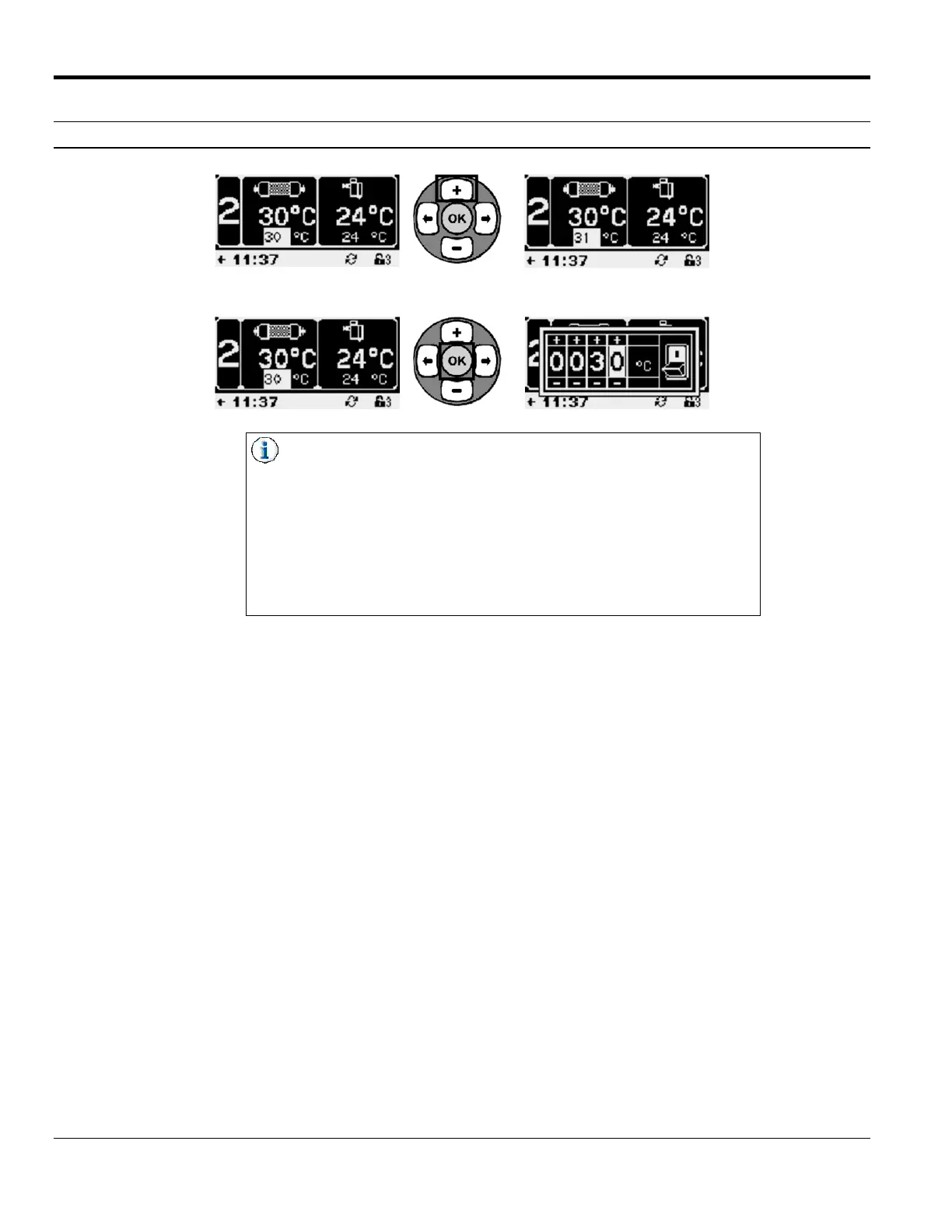
Thumbwheel vs. Single Digit Edit
In Thumbwheel Edit, use the Right/Left Arrow Buttons to select the
digit position, and the Plus/Minus Arrow Buttons to
increase/decrease the value of the selected digit.
Some thumbwheel screens contain a switch that can be used to turn
the selected function ON or OFF. Common examples would be
turning a hose or gun zone ON or OFF, making a schedule change
to turn on setback during a shift, or enabling Sequential Start. Use
the Right/Left Arrow Buttons to select the switch, and then use the
Plus/Minus Buttons to toggle the switch ON or OFF.



 To Next Page