MM147 - D4 Hot Melt Unit Section 5 - Setup
45
Programming Temperatures
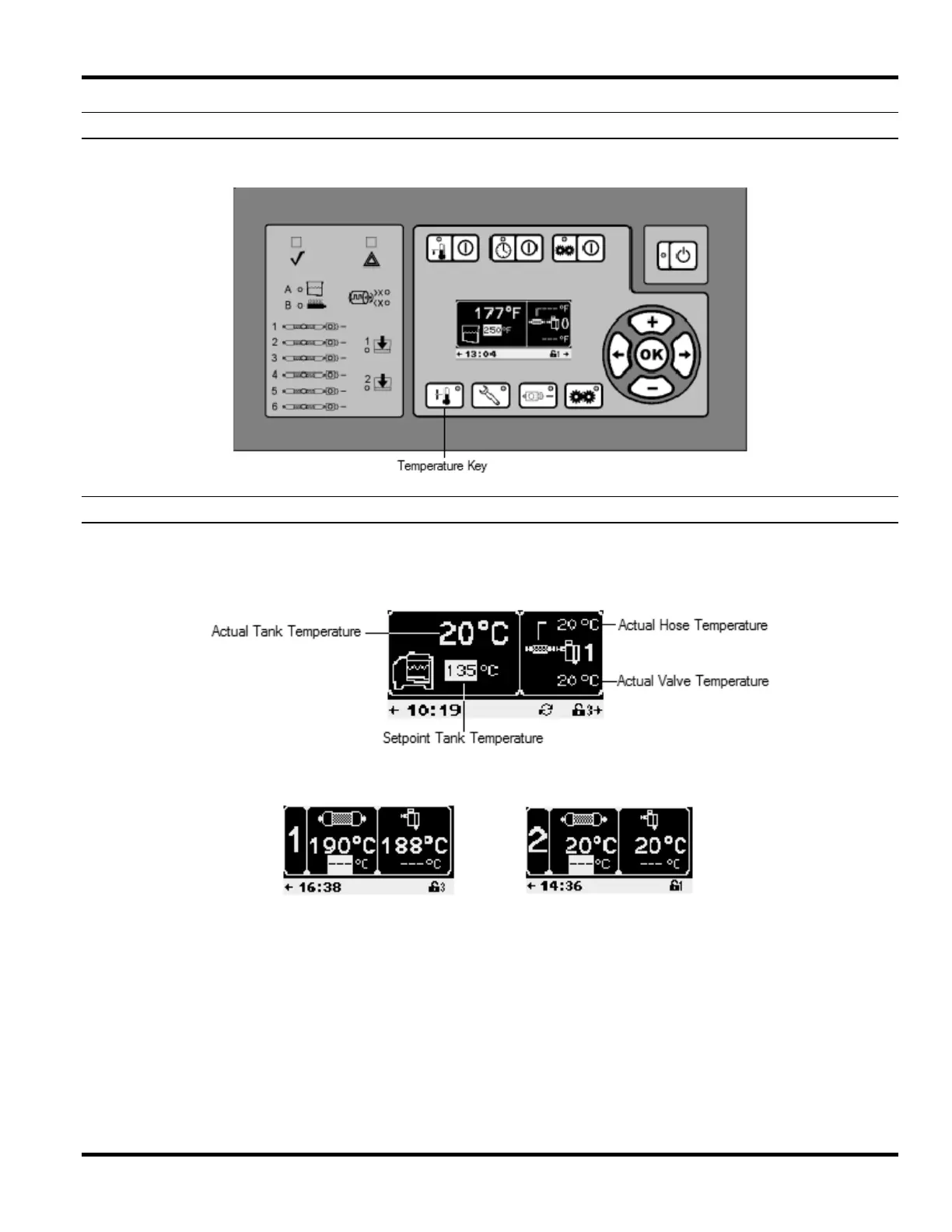
Press the Temperature Button (if the Temperature LED is not illuminated green) to show the first temperature screen.
Temperature Screens
The tank temperature screen shows the actual tank temperature and the tank temperature setpoint. For operator
convenience, the right side of this screen scrolls through enabled hose / gun zones and displays the actual
temperatures as shown.
Press the Temperature Button repeatedly (or use the navigation keys) to cycle through the temperature screens until
you reach the desired screen.



 To Next Page