Section 5 - Setup MM147 - D4 Hot Melt Unit
76
Config Comm Menu
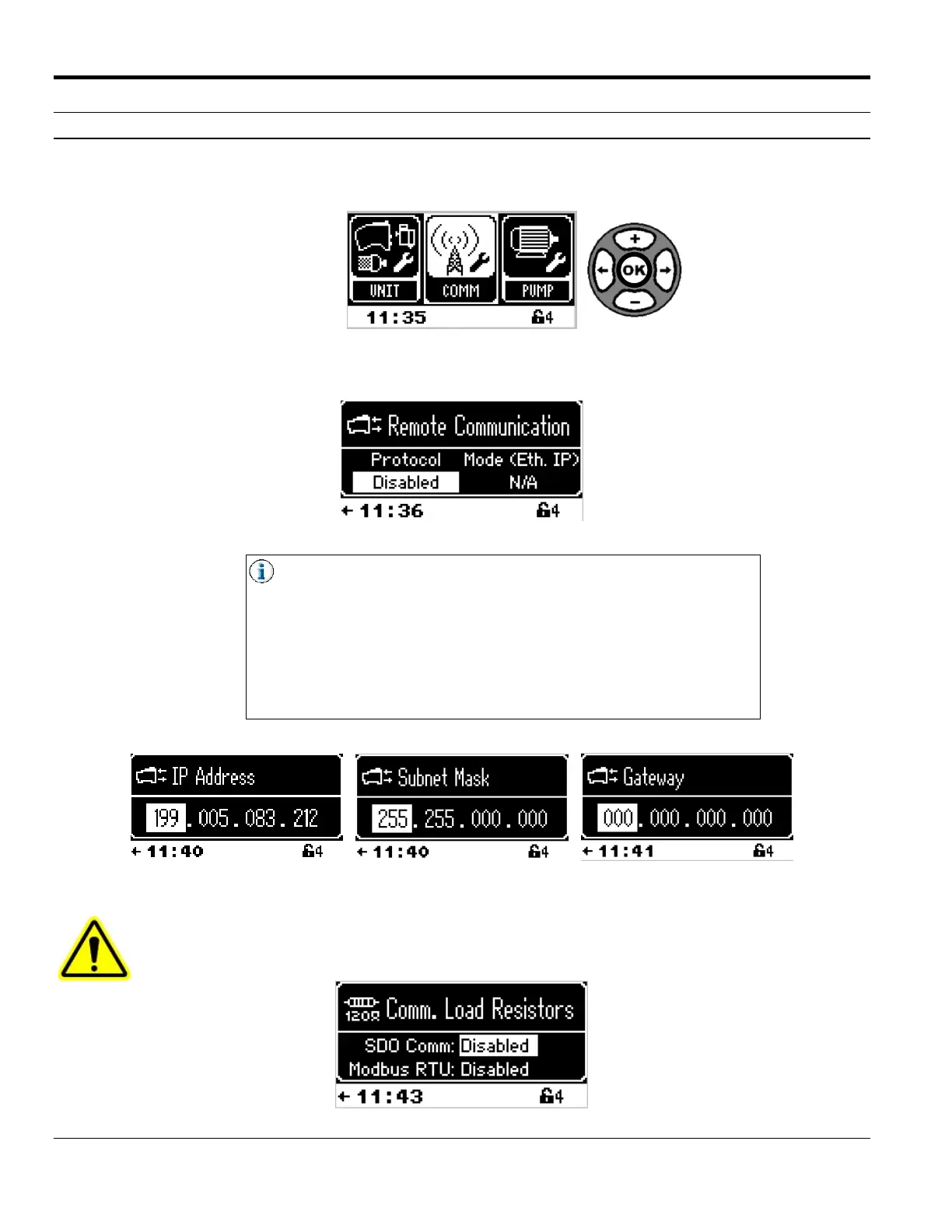
Comm Menu, located in the Config Menu, allows the user to select Modbus RTU, Ethernet IP, or to disable remote
communication. Level 3 is required for all of these settings.
5. Select Comm to access the Remote Communication screen.
Protocol options are Ethernet IP, Modbus RTU, and Disabled.
If Ethernet IP is selected, Mode must be set as well. Mode options
are Local and Remote. The CPU will not allow the user to select
Remote or Local, if not using Ethernet IP.
If Ethernet IP is in use, the IP Address, Subnet Mask, and Gateway
must be configured for the customer network:
(see Appendix E - Communication Protocols)
CAUTION! Load and balance the communication networks properly.
If the CPU is the end node in the communication daisy-chain, for each of those protocols, enable
the SDO Comm and Modbus RTU resistors.



 To Next Page