1Valco Melton
VACUUM FEEDER ASSEMBLY INSTRUCTIONS
IS0231
4/134/13
4/134/13
4/13
Important
Information
WARNING!WARNING!
WARNING!WARNING!
WARNING! Read and follow all instructions, warnings, tags, and
labels before operating the equipment. Only qualified
personnel should perform this procedure. USE OF THIS
EQUIPMENT IN A MANNER OTHER THAN
DESCRIBED IN THIS INSTRUCTION SHEET, AND
FAILING TO FOLLOW ALL INSTRUCTIONS, COULD
RESULT IN PERSONAL INJURY, DEATH, OR
DAMAGE TO EQUIPMENT.
All equipment is to be installed and all connections
made only by qualified personnel. Components and
accessories are to be installed in accordance with the
instructions provided and the applicable codes for the
region installed. FAILURE TO FOLLOW THESE
INSTRUCTIONS COULD RESULT IN A PERSONAL
INJURY, DEATH, OR DAMAGE TO EQUIPMENT.
WARNING!WARNING!
WARNING!WARNING!
WARNING! The equipment may still be energized even after the
circuit breaker or main power switch is off.
All equipment must be properly grounded and fused in
accordance with rate current consumption (refer to the
equipment identification plate)
Gauge and insulation for the power supply must be
adequate to handle rated current consumption.
Description
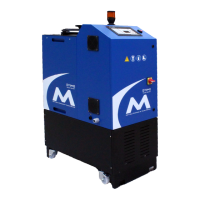
This installation sheet covers how to install a vacuum feeding system onto a
D10 hot melt unit with a universal temperature control.
Installation
To install a vacuum feed system:
1. Disconnect the power.
2. Open the back hose and front operator panels.
3. Remove the two (2) M4 x 12 socket head cap screws holding the
lanyards to the top of the case.
4. Remove the quick-disconnect ground wire from the top of the
case.



 To Next Page