MM147 - D4 Hot Melt Unit Section 6 - Operation
97
Setback
The Setback Temperatures are pre-programmed (see “Setback Temperatures”, Section 5 - Setup). When setback
times are set (See “Clock - Shift Times/Setback Times,” Section 5 - Setup) and the clock is on, the unit automatically
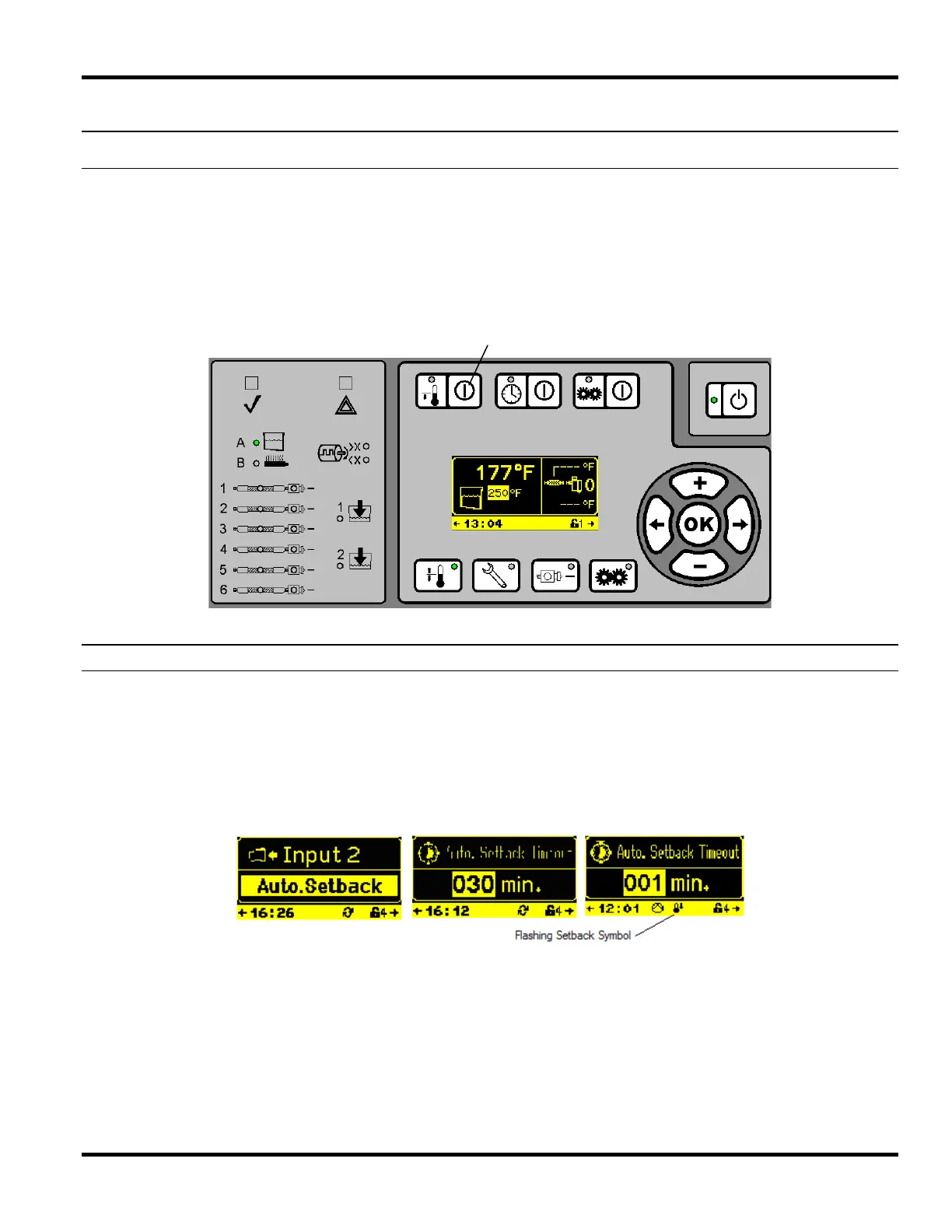
enters setback during each shift as programmed. If, however, an unscheduled break occurs, the Setback Button can
be pressed (Setback LED illuminated yellow) to put the unit into setback manually. To exit setback mode, press the
Setback Button again (LED not illuminated). The setback time and temperature can be set manually by using the
arrow navigation keys to access the temperature and time set screens and entering values on these screens (see
Section 5 - Setup).
Automatic Setback
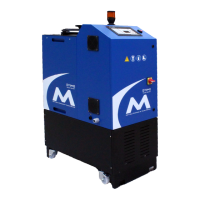
Automatic setback can be programmed through one of the remote inputs from the input screen. When an input is set
for Auto Setback, AND the Auto Setback Timeout is enabled, the control will AUTOMATICALLY go into set back if the
input has not been triggered for the timeout set by the user.
For instance, if a valve fire signal is connected to Input #2, Input #2 is programmed for Auto. Setback and the Auto
Setback Timeout is enabled and set for 30 minutes, the control will automatically go into set back if the valve has not
been fired for 30 minutes. Each valve fire within that 30 minute time period will reset the Timeout timer to start back at
30 minutes. The setback symbol will start to flash 2 minutes prior to the control going into setback.
Setback On/Off Key & LED



 To Next Page