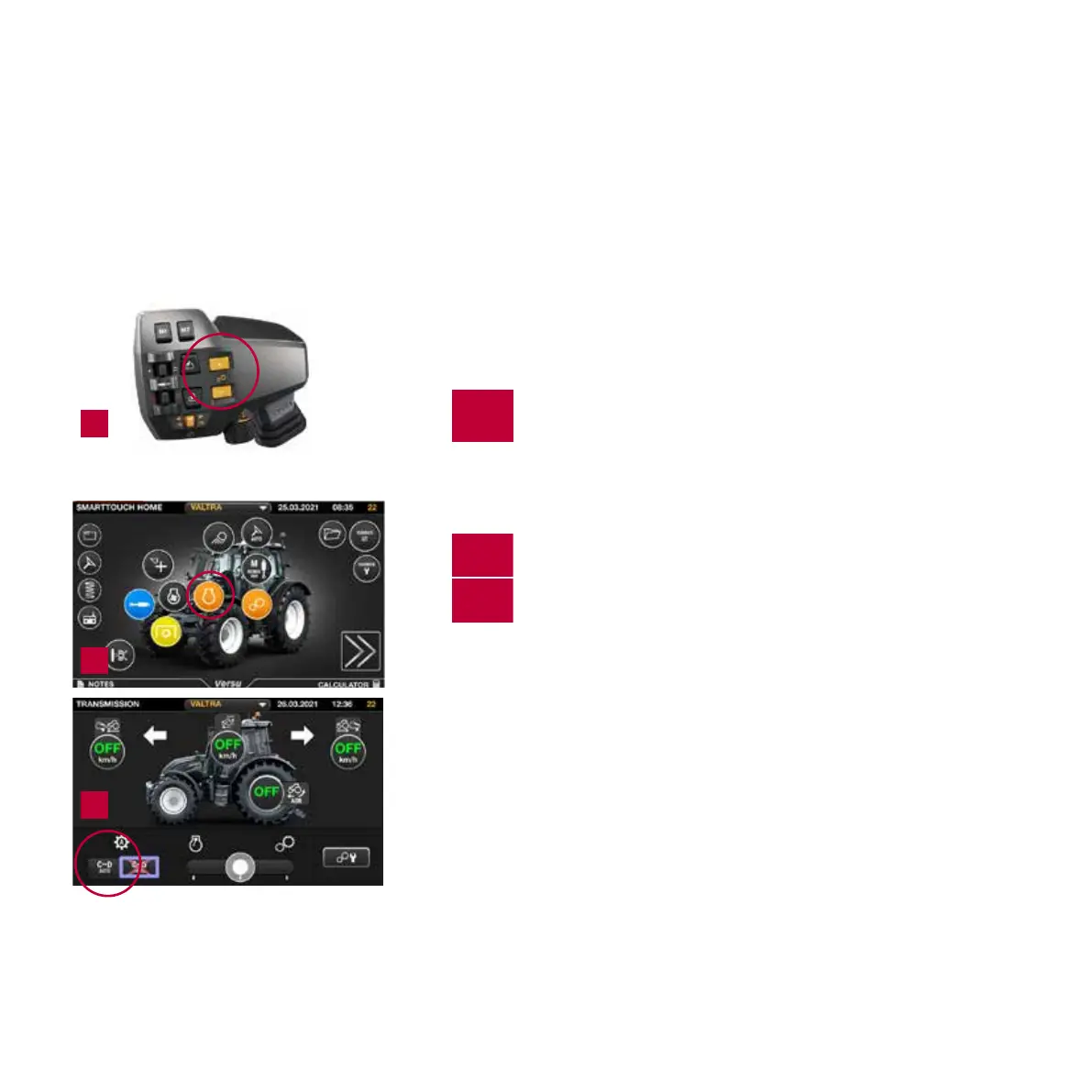
TO CHANGE RANGE ABCD MANUALLY
1.
Simply push + or - button located on drive lever.
TO CHANGE RANGE BETWEEN C AND D AUTOMATICALLY
2.
Select the transmission screen by pushing the
transmission button.
3.
Activate the automatic shifting
between speed ranges C and D.
Work Area changes
• C>→D automatic
• D→>C automatic
HOW TO
CHANGE SPEED RANGE
1
3
2
15
T/N Series Quick Guide / Direct


 To Next Page
 Loading...