1.
Front valves
The number of front valve
and F for front and R for Rear valve
2.
Valve control
Opens a pop-up window to select
the control (9 possibilities)
3.
Hydraulics assistant
4.
Front/rear hydraulics selector
Select between front and rear
valve settings.
5.
Lock all valves
Lock/unlock all valves
from setting changes.
6.
Flow setting of 10%
and oating for all valves
7.
Flow setting of 50%
and oating for all valves
8.
Flow setting of 100%
and oating for all valves
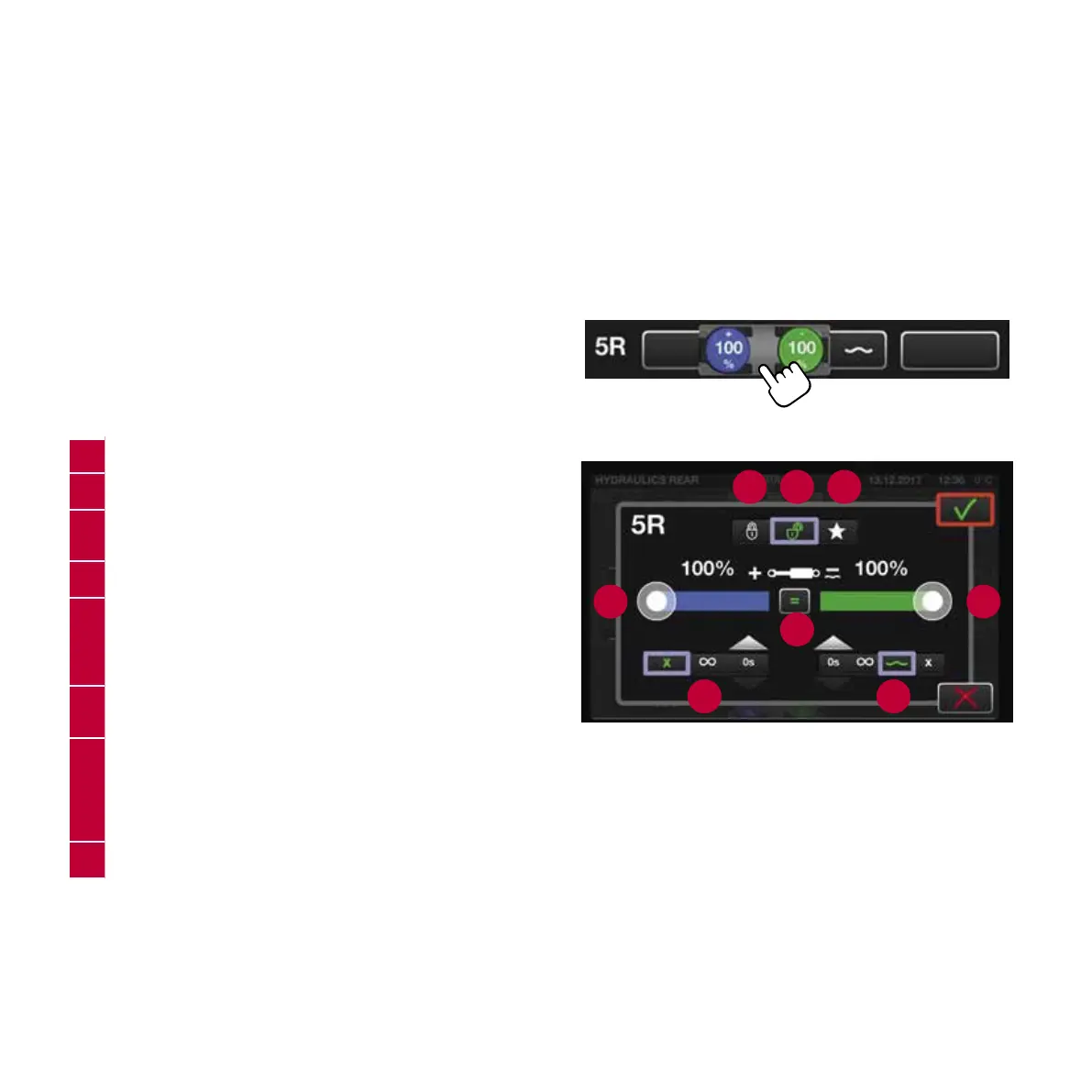
HYDRAULIC PROGRAMMING
VIA HYDRAULIC SETTINGS
All settings per valve done via single pop-up.
Swipe or tap functionality available.
1.
Valve settings locked
2.
Valve settings open
3.
Priority setting
- Sets priority to ensure sufcient oil ow to the valve
4.
Flow rate of the + port
5.
Function selection of the + port
x = no function active
∞ = position lock continuously on
0s = timed duration of the position lock
6.
Flow rate adjustment
- Separately or both at the same time
7.
Function selection of the – port
0s = timed duration of the position lock
∞ = position lock continuously on
~ = oating position
x = no function active
8.
Flow rate of the – port
TIP: Hydraulic settings are saved to the prole in use.
When changing the task, change the prole and
all the settings are there ready when you do
programming once!
1 2 3
4 8
5
6
7
25
T/N Series Quick Guide / Direct


 To Next Page
 Loading...