SECTION 2
GETTING STARTED
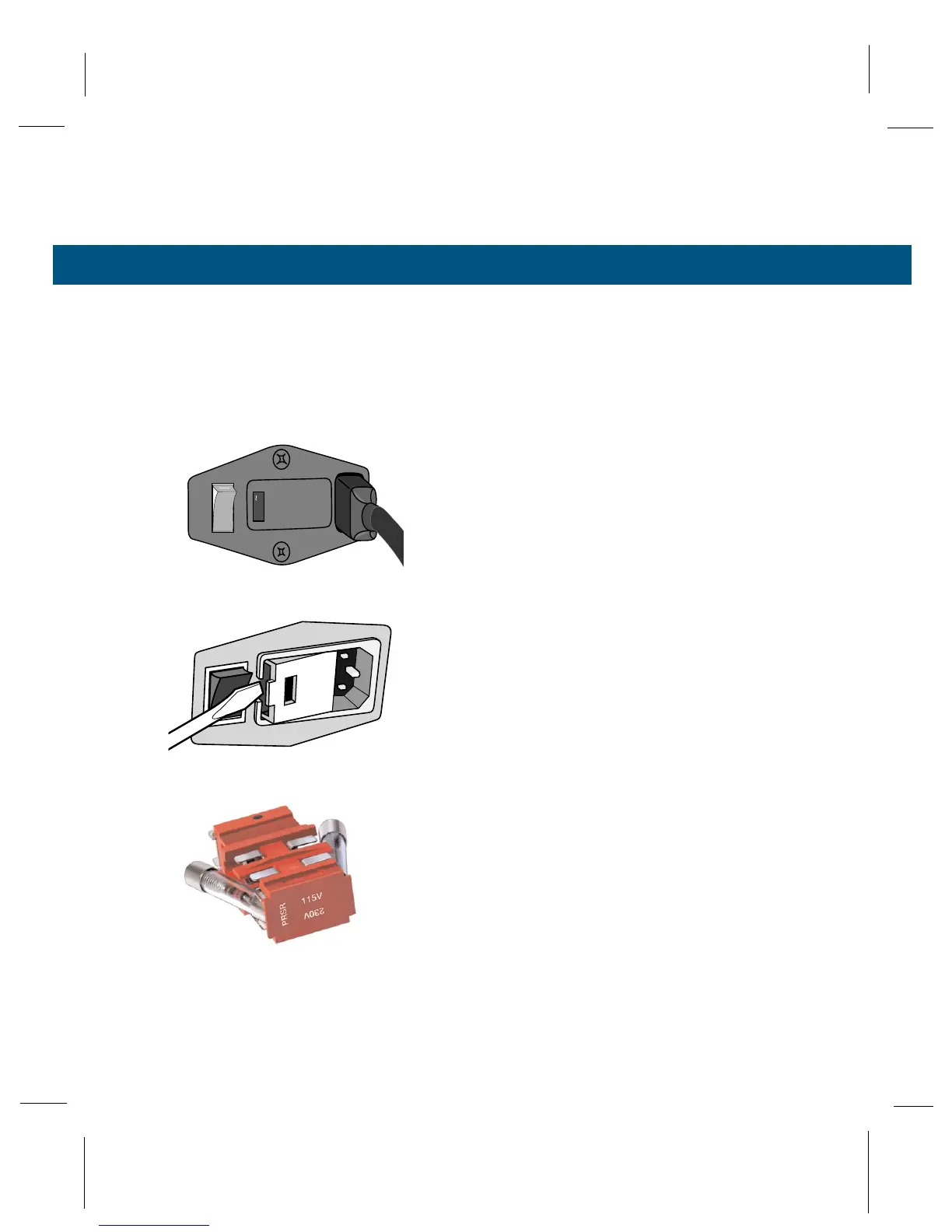
2.7 Changing the Voltage Selector
27
The voltage selector is set at the factory. If the volt-
age shown does not match your power outlet (see
Appendix A for nominal voltage ranges), you must
change the voltage selector before plugging the
instrument into the outlet. To change the voltage
selector:
1
Switch the power off and remove the power
cord from the power entry module.
2
Use a screwdriver to open the fuse door from
the switch (left) side.
3
Pull the voltage selector away from the mount-
ing slots.
4
Rotate the indicator until the correct voltage is
facing directly outward, then press it back into
the slots.
5
Change the fuses to match the new voltage
setting. See Section 2.8 for fuse replacement
instructions.
6
Close the fuse access door and verify that the
correct voltage now appears in the indicator
window.



 To Next Page