SECTION 3
OPERATING THE VAPRO OSMOMETER
3.1 Operation Overview
29
Menu Selections
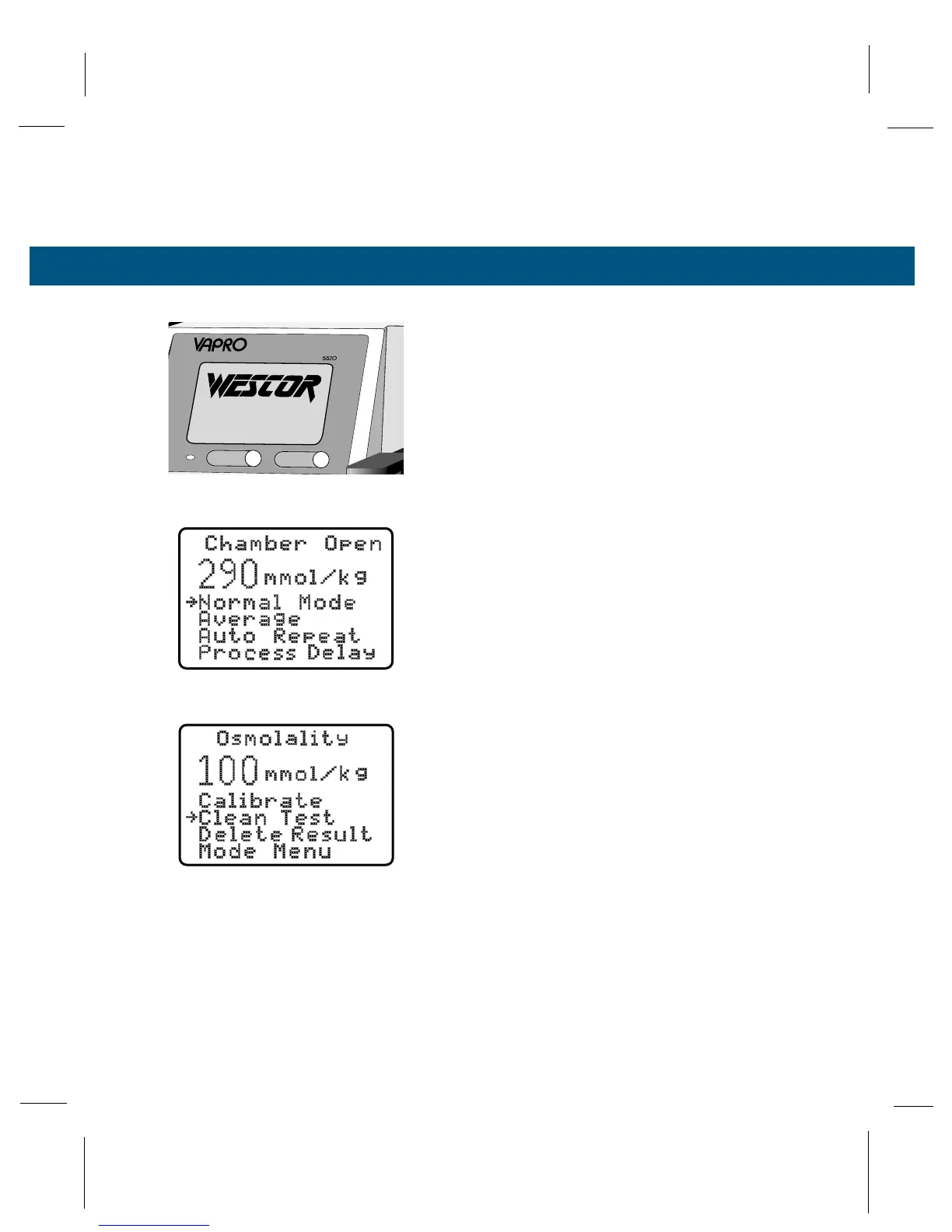
Two main menus (Mode and Function) are used to
select modes and functions of the osmometer.
Modes control how the osmometer processes sam-
ples and displays results. Use the Mode Menu to
select the mode before loading a sample, or immedi-
ately after running a prior sample but before opening
the sample chamber. After you select a mode, all
samples are processed in that mode until you select
a different mode. Functions are specific actions the
osmometer can perform. The Function Menu is not
available until you have assayed a sample.
Press SELECT to move the selection arrow on the
display. Press ENTER to activate the selected menu
item. If you continue to press SELECT the arrow will
return to the top of the menu.
MODE MENU
The Mode Menu appears upon opening the chamber
while the instrument is in the “standby” mode (the
instrument has cycled on an empty chamber), or
when you select Mode Menu from the Function
Menu, or when you press SELECT while the cham-
ber is open.
When you activate the Mode Menu, the arrow points
to the current mode. When you close the chamber,
or press ENTER with the chamber closed, the instru-
ment executes the sample measurement in the
selected mode. You can change the mode at any
time before the measurement cycle begins, or on
the last sample before the sample chamber is
opened. To activate the Mode Menu after a sample
has been run, either select Mode Menu from the
Function Menu or open the chamber and press
SELECT.



 To Next Page