SECTION 3
OPERATING THE VAPRO OSMOMETER
3.4 Running the Clean Test
40
The Clean Test is a diagnostic feature that compares
two consecutive sample assays and uses the differ-
ence to determine the contamination level of the
thermocouple.
When To Run the Clean Test
We recommend running the Clean Test before each
session of osmometer use, after calibration, or any-
time you notice a significant (10 mmol/kg or more)
shift in the 100 mmol/kg calibration. Check thermo-
couple cleanliness before assaying samples that
require good linearity and accuracy in the low range.
After cleaning the thermocouple, use the Clean Test
to verify the effectiveness of the cleaning.
Instructions
1
Calibrate the osmometer using the 290 and
1000 mmol/kg standards, then run a 100
mmol/kg standard sample in Normal Mode.
Observe the reading. Then press CALIBRATE.
2
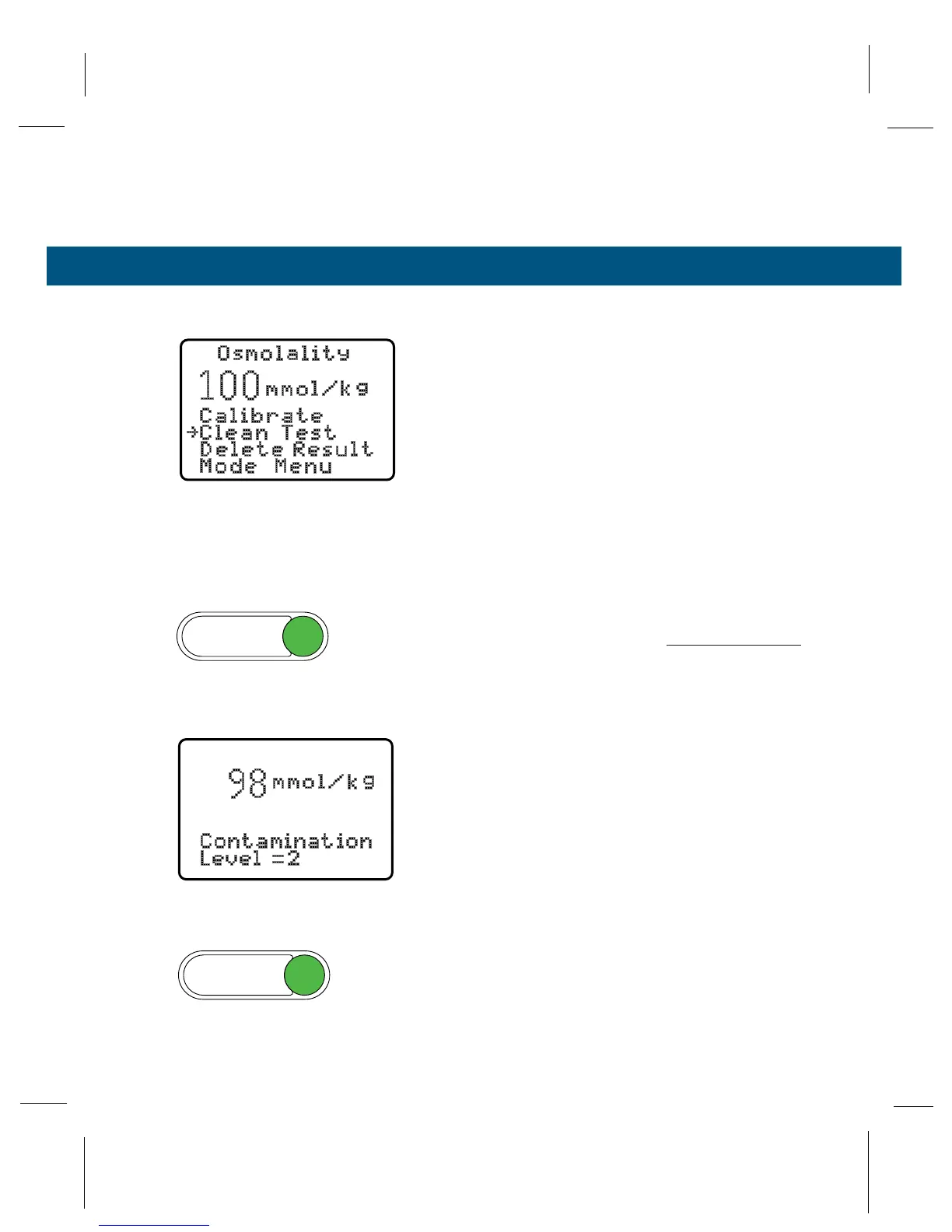
Before opening the sample chamber, press
SELECT to reveal the Function Menu. Press
SELECT again to point the selection arrow at
CLEAN TEST.
3
Press ENTER. The instrument performs a sec-
ond assay of the loaded sample and displays
the difference between the first and second
assay in approximately 2 to 3 minutes.
NOTE:
If the thermocouple fails to dry within 4 minutes, the
instrument will report “Check Thermocouple Head.” This
indicates the presence of a contaminant (a gross contam-
ination or fiber) on the thermocouple that is holding
vapor.
If the displayed contamination level is greater than
10, you should perform the thermocouple cleaning
procedures found in Section 4.



 To Next Page