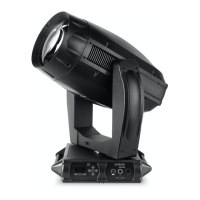
VARI❋LITE - VL2200 SERIES SPOT LUMINAIRE USER’S MANUAL
94 22-May-01 02.9673.0001 A
CAUTION: Wear cotton gloves or other covering while servicing lamp. Touching
lamp glass with bare fingers will leave oil and may cause the lamp to explode or
reduce lamp life. If required, use alcohol and cotton cloth to thoroughly clean glass
portion of lamp.
4. Remove lamp by pulling straight out of socket.
5. Install new lamp by pressing into socket. Ensure lamp is fully seated in
socket and parallel to guide rods. (Lamp can be damaged when inserted
through reflector if not parallel to guide rods.)
6. Align guide rods in guide holes and slide backcap into head assembly. Re-
tighten captive knob.
7. If required, reset lamp hour and strike counters as follows. (Refer to
Chapter 4: Menu System for more information.)
a. Power up luminaire.
b. At Menu Display, press [Menu].
c. Press [Up] / [Down] arrows until CFG (Configuration) appears. Press
[Enter].
d. Press [Up] / [Down] arrows until LAMP appears. Press [Enter].
e. Press [Up] / [Down] arrows to access RHrs. Press [Enter] to reset lamp
hour and strike counters.
8. Align lamp. Refer to “Align Lamp for Peaked or Flat Field” on page 22.


 To Next Page