9. Installing Software
112 PaX-i Plus / Insight Installation Manual
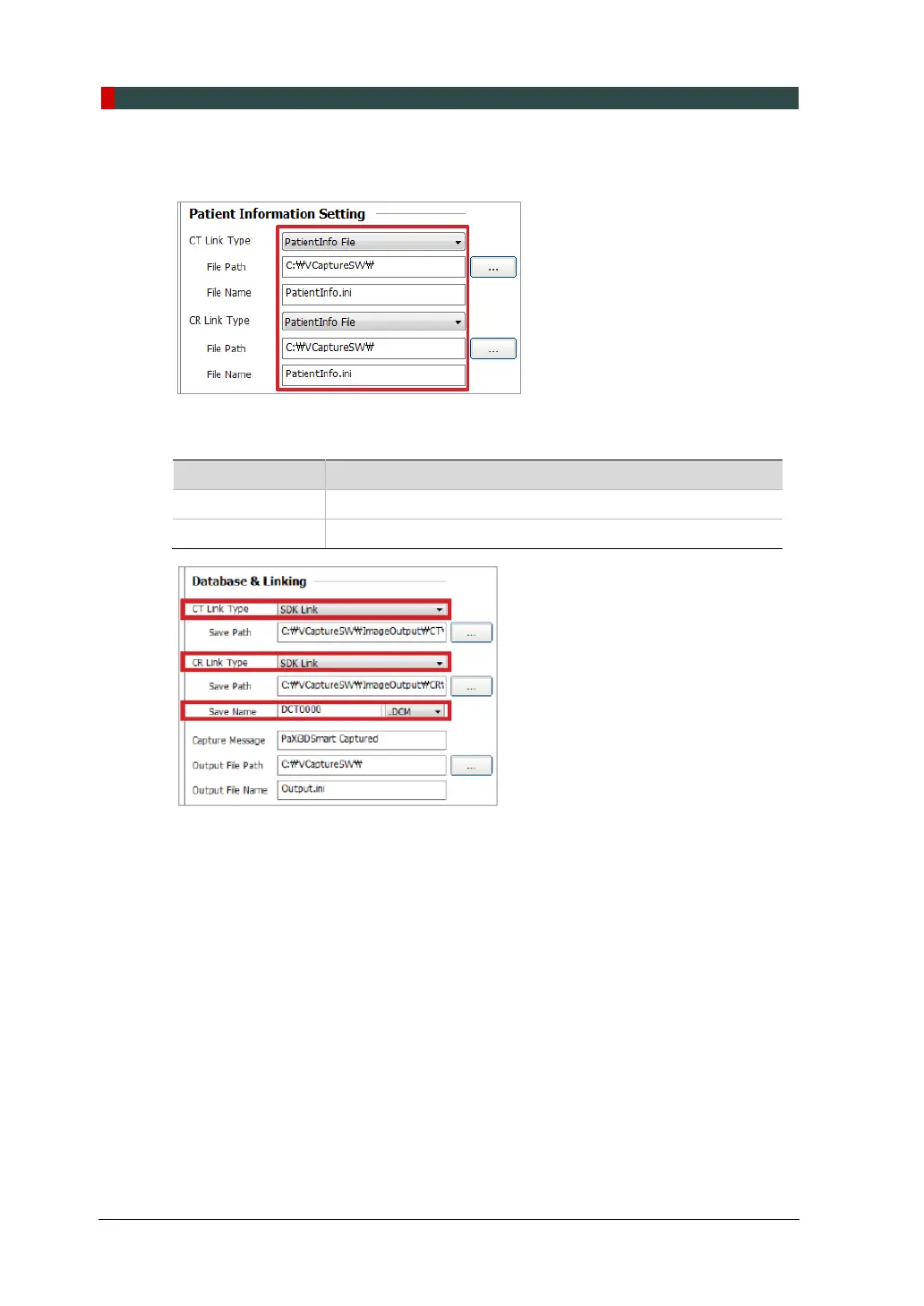
8. In the Patient Information Setting, configure Link Type and File Path as shown
below.
9. In the Database & Linking, configure Link Type and File Extension as follows.
Fields When EzDent-i is used
CT / CR Link Type SDK Link
CR Save Name DCM












 To Next Page