4. Installing the Equipment: Base Stand (Optional)
PaX-i Plus / Insight Installation Manual 51
4.5 Removing the Transportation Safety Bolts
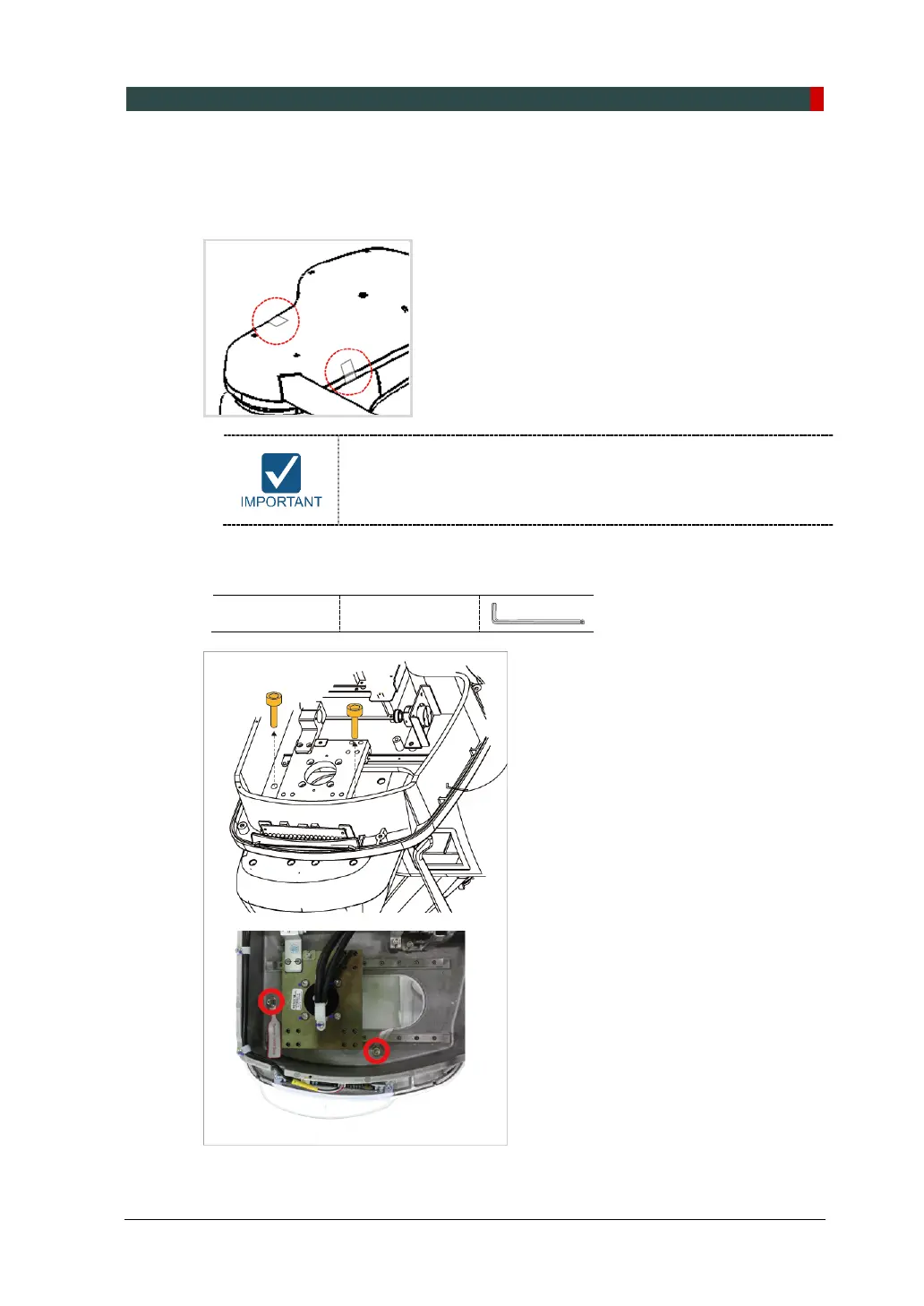
1. Remove the semi-transparent tape on both sides of the vertical top cover.
When removing the semi-transparent tape, be careful not to
scratch the surface of the equipment.
2. Remove the vertical top cover.
3. Remove the safety lock bolt with a wrench.
Allen Wrench 6 mm / 0.23”












 To Next Page